4K 8x8 HDBaseT Matrix Switcher
Comm-Tec S.r.l. 34 www.comm-tec.it
4.5 Firmware Update via USB
4K HDBaseT 8x8 Matrix Switcher boasts a USB port for online firmware upgrade on the
front panel. Follow these steps to upgrade firmware:
Step1. Copy the upgrade software and the latest upgrade file (.bin) to PC.
Step2. Connect the USB ports of 4K HDBaseT 8x8 Matrix Switcher and the PC via
USB cable.
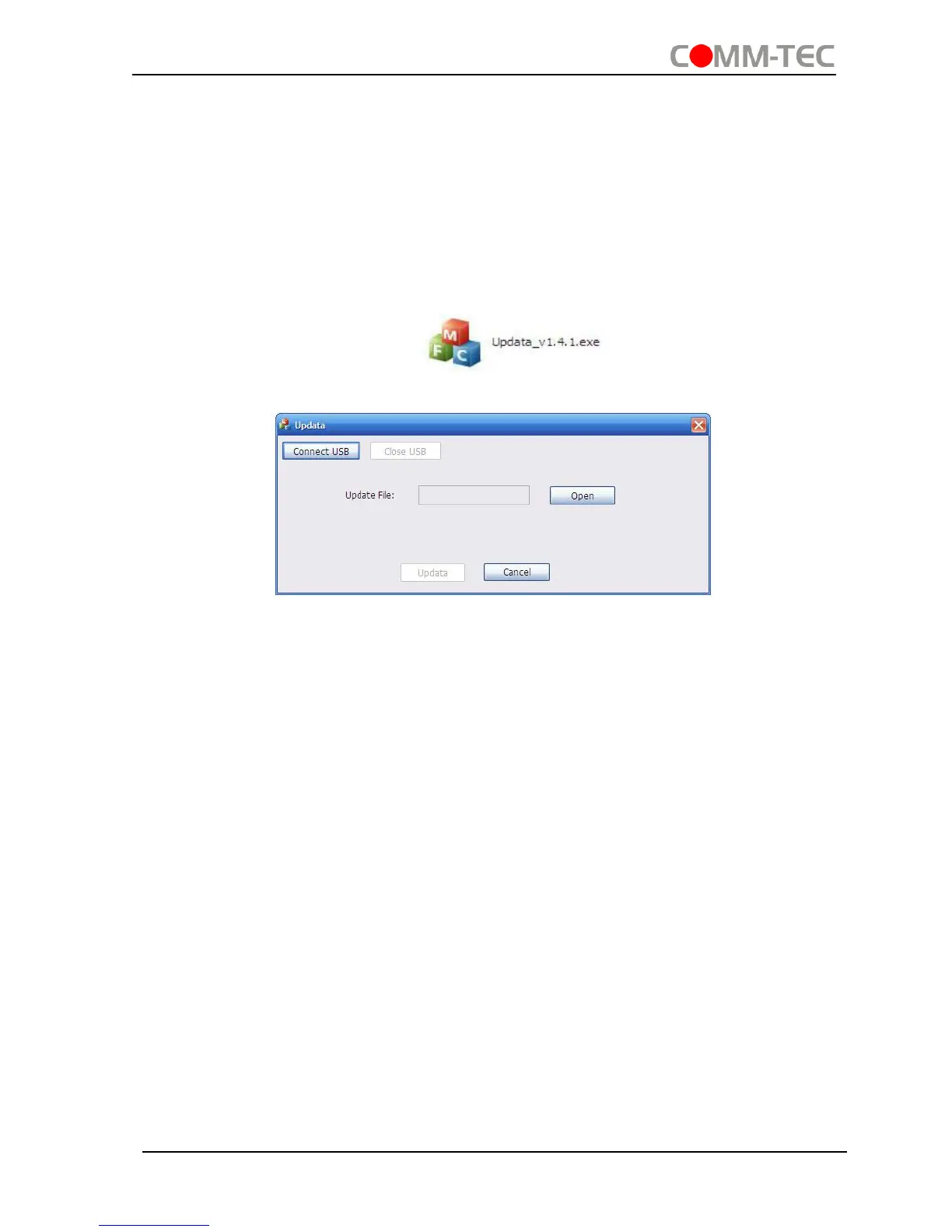
Step3. Double-click the update software icon (see as below).
It will enter the upgrade interface shown as below:
Step4. Click Connect USB.
Step5. Click Open to load the upgrade file, then click Updata to start firmware
upgrading.
Note: To ensure available control, the COM number of the PC should be 1~9.


 To Next Page