
 To Next Page
S
solisthomasAug 15, 2025
What to do if POWER indicator doesn’t work on Comm-Tec Matrix Switcher?
- JJoshua CarterAug 15, 2025
If the POWER indicator isn't working or the device isn't responding, ensure the power cord is properly connected.

What to do if POWER indicator doesn’t work on Comm-Tec Matrix Switcher?
If the POWER indicator isn't working or the device isn't responding, ensure the power cord is properly connected.
What to do if IR remote does not work with Comm-Tec Matrix Switcher?
If the IR remote isn't working, try replacing the battery. If that doesn't solve the issue, the remote might be broken, and you should send it to an authorized dealer for repair.
What to do if there is no output image when switching Comm-Tec Matrix Switcher?
If there's no output image when switching, check the following: * Use an oscilloscope or multimeter to verify the presence of a signal at the input/output end. * Ensure all connections are secure. * If the above steps don't resolve the issue, the switcher may be broken and require repair by an authorized dealer.
What to do if output image has color losing on Comm-Tec Matrix Switcher?
If the output image is losing color, or there's no video signal, try reconnecting the display and the matrix.
Why does the Comm-Tec Matrix Switcher have a blank screen when switching?
A blank screen during switching may occur if the display doesn't support the video source's resolution. Try switching again. Alternatively, manually manage the EDID data to ensure the video source resolution automatically complies with the output resolution.
How to fix a ghosting output image on Comm-Tec Matrix Switcher?
If you see a ghosting effect in the output image, it could be due to: * A poor-quality connecting cable: Try using a high-quality cable. * Improper display image settings: Adjust the image settings on your display.
What causes static to become stronger when connecting video connectors on Comm-Tec Matrix Switcher?
Increased static when connecting video connectors indicates a grounding issue. Check the grounding connection to ensure it's properly connected.
Why EDID management does not work normally on Comm-Tec Matrix Switcher?
If EDID management isn't working correctly, the HDMI cable at the output end might be faulty. Replace it with a working HDMI cable.
How to unlock front panel buttons on Comm-Tec Matrix Switcher?
If you can't control the device using the front panel buttons but can control it through the RS232 port, the front panel buttons are likely locked. Send command 50605% to unlock them.
What to do if I cannot control Comm-Tec Matrix Switcher through RS232 port?
If you cannot control the device via the RS232 port, it may be due to incorrect RS232 communication parameters. Ensure you are using the correct parameters. If the issue persists, the RS232 port may be broken, and you should send the device to an authorized dealer for checking.
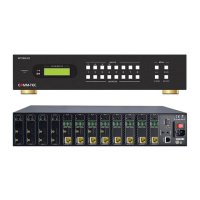
Lists essential safety and environmental guidelines for installing the matrix switcher.
Illustrates the recommended connections between the matrix switcher and peripheral devices.
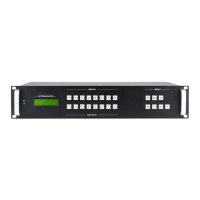
Explains how to operate the matrix switcher using its front panel buttons and their functions.
Describes the RS232 port configuration and the required control software for remote operation.
An introduction to the RS232 command structure and communication protocol.
Covers system control, signal switching, preset, and EDID management RS232 commands.
Explains TCP/IP default settings and control methods via single PC or LAN.
Guides on connecting a PC to the TCP/IP port for direct control.
Describes setting up a LAN connection for controlling the switcher from multiple PCs.
Illustrates using TCPUDP software for establishing TCP/IP connections and sending commands.
 General
| Category | Matrix Switcher |
|---|---|
| Model | MTX88M-N |
| Signal Type | HDMI |
| HDCP Compliance | HDCP 2.2 |
| Audio Support | Yes |
| Power Supply | 100-240VAC, 50/60Hz |
| Resolution Support | Up to 4K@60Hz |
| Control Interface | RS-232 |
| Input Ports | 8 x HDMI |
| Output Ports | 8 x HDMI |