Modular Matrix Switcher
Comm-tec Srl 30 www.comm-tec.it
6. RS232 Control
6.1. RS232 Communication Port
Except the front control panel and IR remote control, the matrix can be controlled by far-
end control system via the RS-232 communication port.
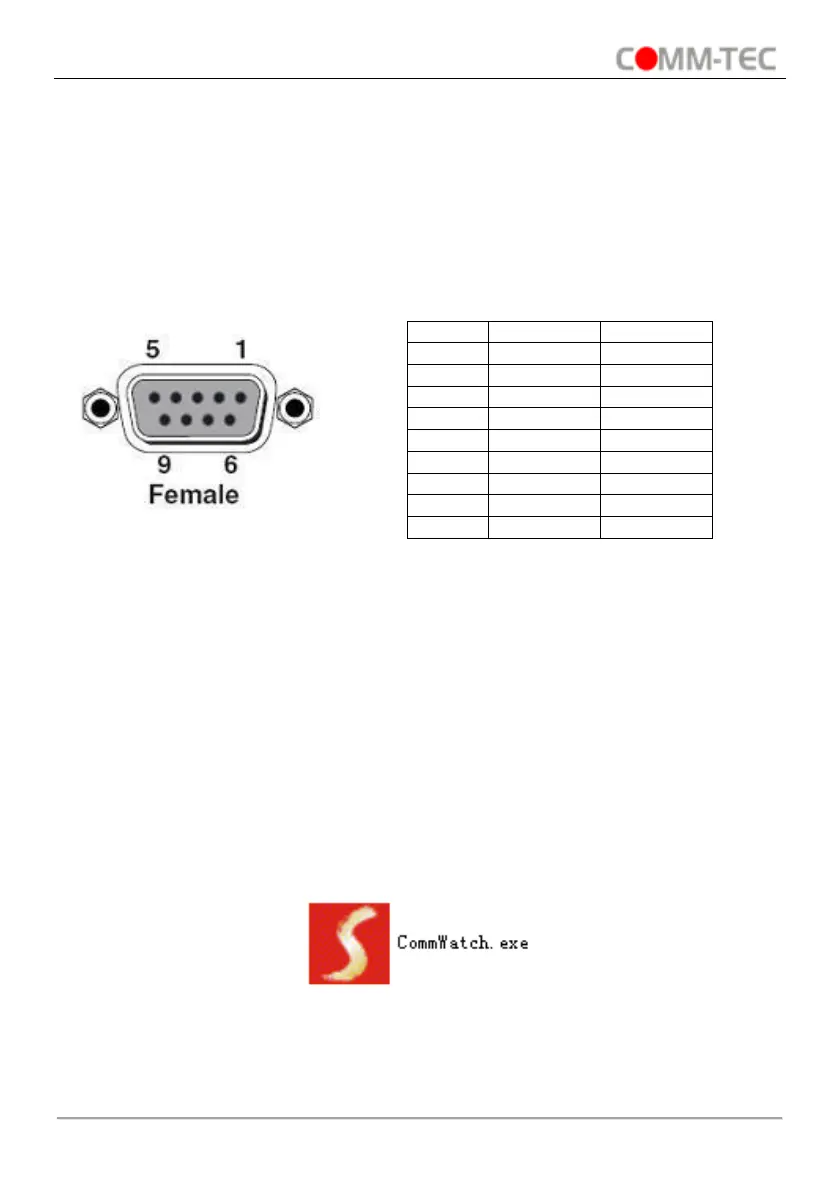
This RS-232 communication port is a female 9- D connector. The definition of its pin layout
is shown in the table below.
6.2. RS232 Control Software
When the matrix connects to the RS232 port of a computer with control software, users
can control it by that computer. To control the switcher, users need to use RS232 control
software.
● Installation: Copy the control software file to the computer connected with the
Transmitter.
● Uninstallation: Delete all the control software files in corresponding file path.
● Basic Setting
Connect the matrix to all input devices and output devices needed, then connect it to a PC
which is installed with RS232 control software. Double-click the software icon to run this
software. Please refer the software CommWatch.exe as example. The icon is shown as
below:


 To Next Page