Modular Matrix Switcher
Comm-tec Srl 61 www.comm-tec.it
● Controlled by PC(s) in LAN
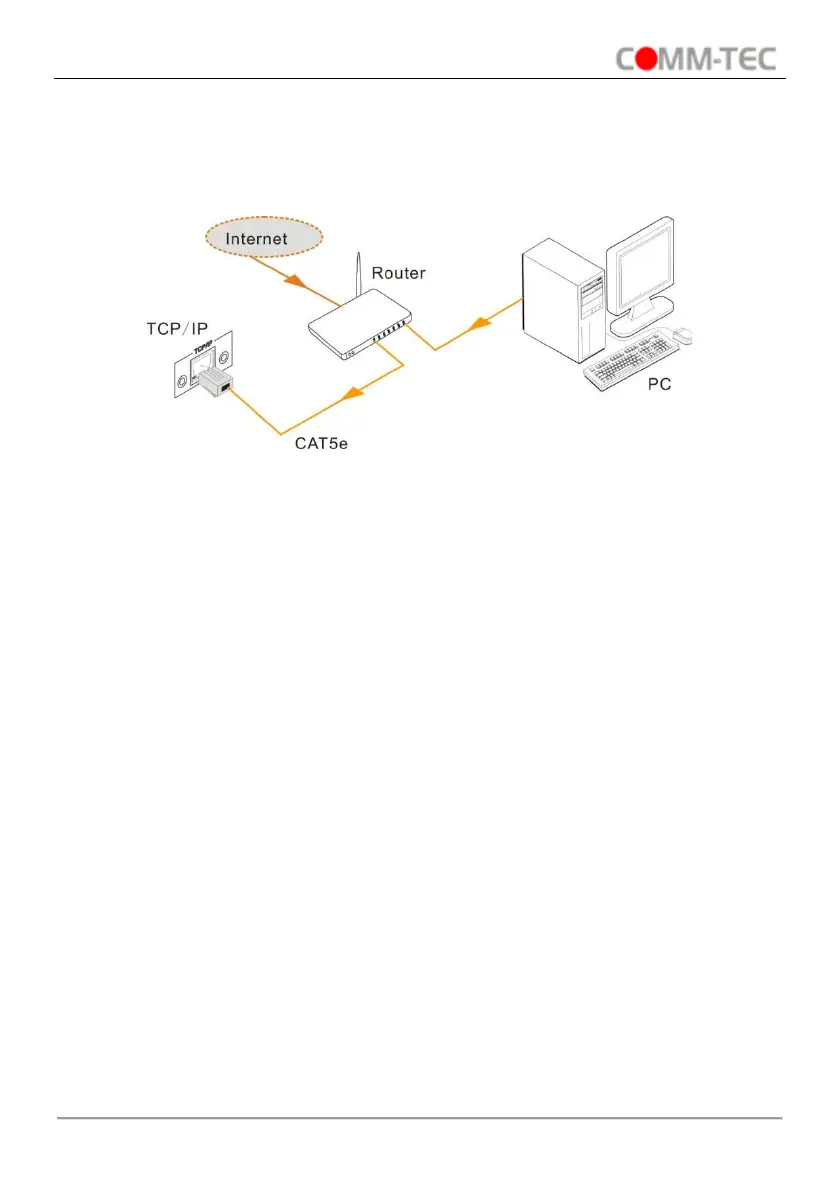
The MTX88M-N can be connected with a router to make up a LAN with the PC(s), this
make it able to be controlled in a LAN. When control, just make sure the MTX88M-N’s
network segment is the same with the router. Please connect as the following figure for
LAN control.
Step1. Connect the TCP/IP port of the MTX88M-N to Ethernet port of PC with twisted
pair.
Step2. Set the PC’s network segment to the same as the MTX88M-N. Do please
remember the PC’s original network segment.
Step3. Set the MTX88M-N’s network segment to the same as the router.
Step4. Set the PC’s network segment to the original one.
Step5. Connect the MTX88M-N and PC(s) to the router. In the same LAN, each PC is
able to control the MTX88M-N asynchronously.
Then it’s able to control the device via a TCP/IP communication software.


 To Next Page