Compact Scaler Switcher
Comm-Tec S.r.l. 13 www.comm-tec.it
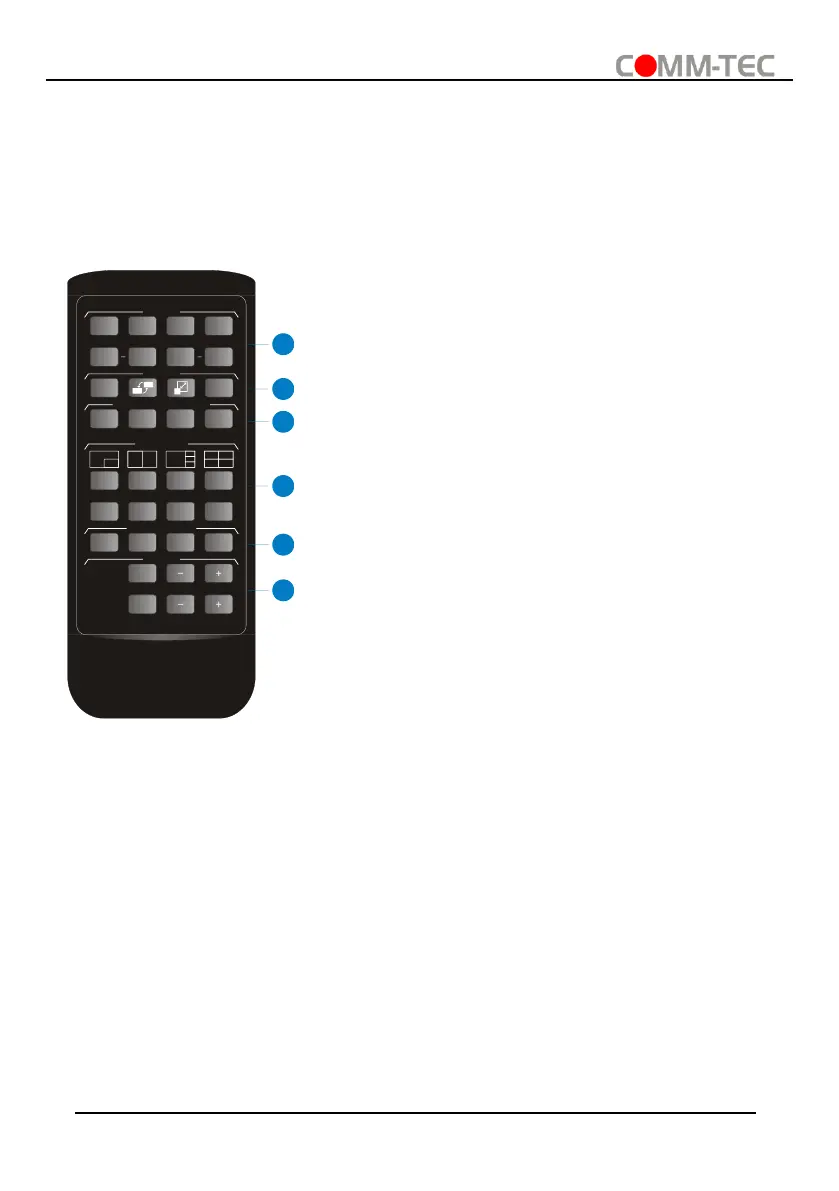
5. IR Remote Control
The switch provides IR EYE port for IR receiver connection, and then it can be control by
the below IR remote.
Note: There is no long pressing function on this IR remote, and its button functions are the
same as the front panel buttons.
① INPUTS: Six buttons for input source selection.
② CONFIG:
⚫ A/M button for auto-switching mode setting.
⚫ SWAP button for cycle swap the video source of
window display.
⚫ RESIZE button for window size adjustion.
⚫ RES button for output resolution selection.
③ SELECT/FULL SCREEN: A~D buttons for output
window selection and full screen setting.
④ MULTIVIEW: Four buttons for built-in multiview mode
selection and four buttons for user-defined mode
selection. The user-defined multiview modes can be
set via GUI.
⑤ AUDIO SOURCE: Four buttons for audio source
selection.
⑥ VOLUME:
⚫ Microphone audio: Mute, volume up and volume
down.
⚫ Source audio: Mute, volume up and volume
down.



 To Next Page