Compact Scaler Switcher
Comm-Tec S.r.l. 15 www.comm-tec.it
6.1. Control Tab
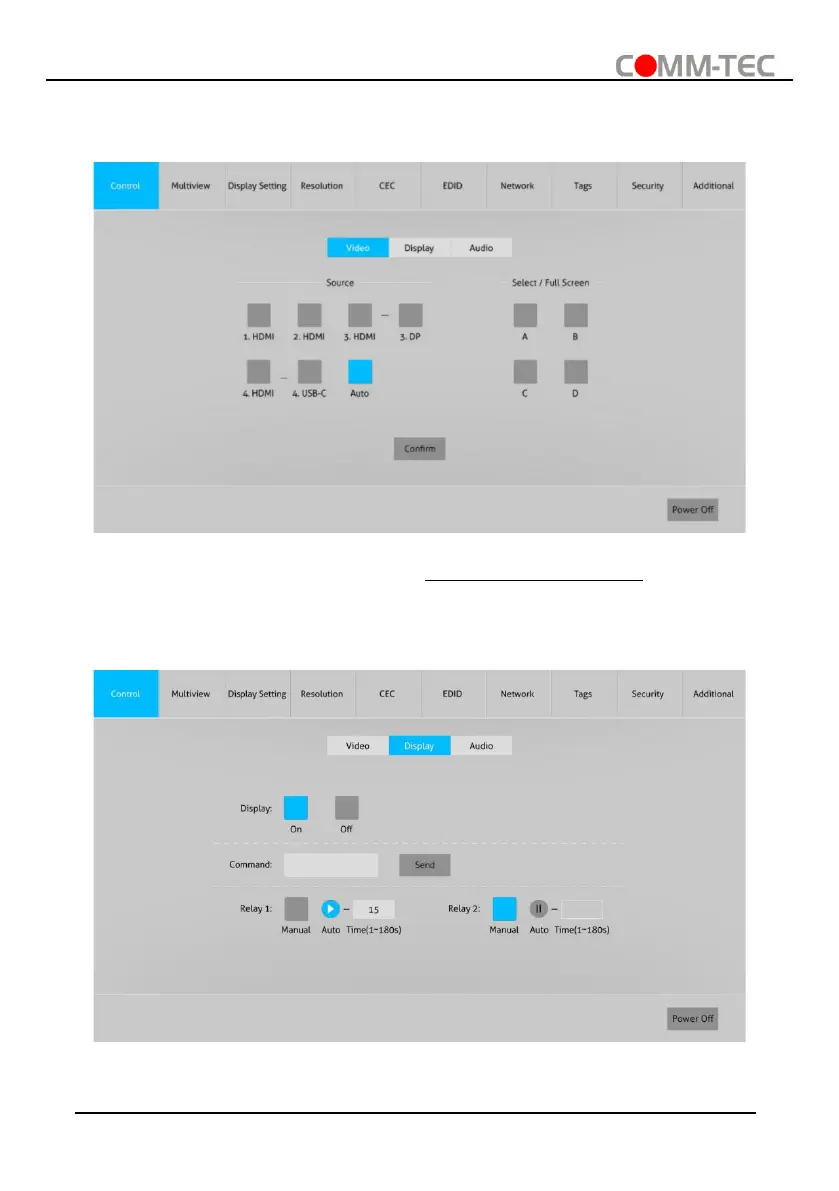
6.1.1. Video Control
⚫ The source selection buttons, Auto button and window A~D buttons are same as the
buttons of front panel button. Please find 4.5 Video Signal Switching for more details.
⚫ Click “Power Off” to enter system standby mode.
6.1.2. Display Control
⚫ Display: Click “On” or “Off” to power on or off the display device.
⚫ Command: Type command in this box to be send to control the display device, and



 To Next Page