Compact Scaler Switcher
Comm-Tec S.r.l. 17 www.comm-tec.it
6.2. Multiview Tab
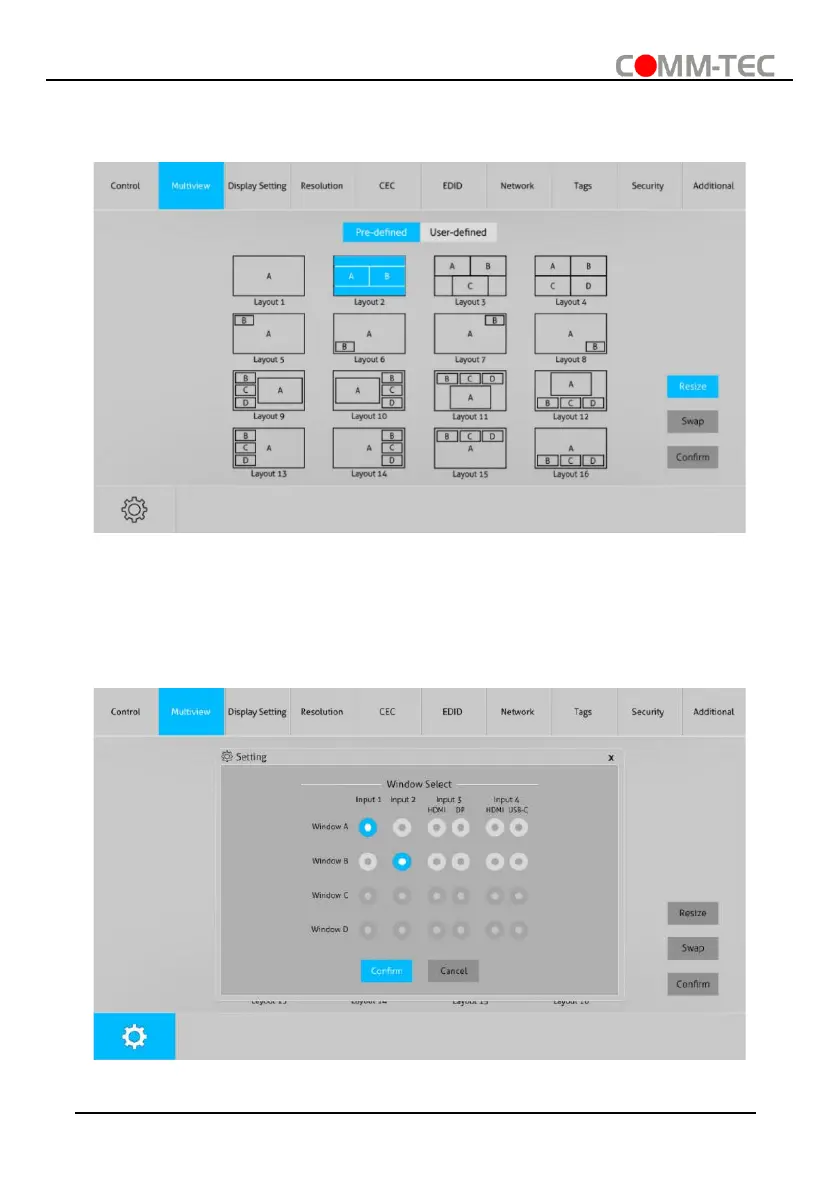
1) Pre-defined
⚫ Up to 16 multi-view modes can be selected.
⚫ RESIZE: Click the button to adjust the window size. Note that only Layout 2, Layout
5~Layout 8, Layout 9~Layout 12 can be adjusted window size.
⚫ SWAP: Click the button to cycle swap the video source of window display in
anticlockwise.
⚫ Click gear icon to enter the below interface to select input souce for each window.



 To Next Page