Compact Scaler Switcher
Comm-Tec S.r.l. 19 www.comm-tec.it
⚫ No Signal Timeout: Set the auto power off time that the display device will
automatically power off after no signal is detected and the setting time is up.
⚫ Baud Rate: Supports 9600, 19200, 38400, 57600 or 115200.
⚫ Command Format: The default command format is ASCII, and HEX can be
selected.
⚫ Command Ending: NULL, CR, LF or CR+LF can be chosen.
⚫ Display Off: Type RS232 command to turn off display device, and then click “Save”.
Select “x2” to send the command two times.
⚫ Display Offx2 Delay: Set the delay time of sending the Display Off command again,
and then click “Save”.
⚫ Display On: Type RS232 command to turn on display, and then click “Save”.
⚫ Input Delay: Set the delay time in seconds between the “Display On” and “Display
Input Select” commands.
⚫ Display Input Select: Type the RS232 command to select the current input source
of switcher for the display device.
⚫ Trigger: “Display On” -> Wait “Delay” ->Send “Display Input Select”.
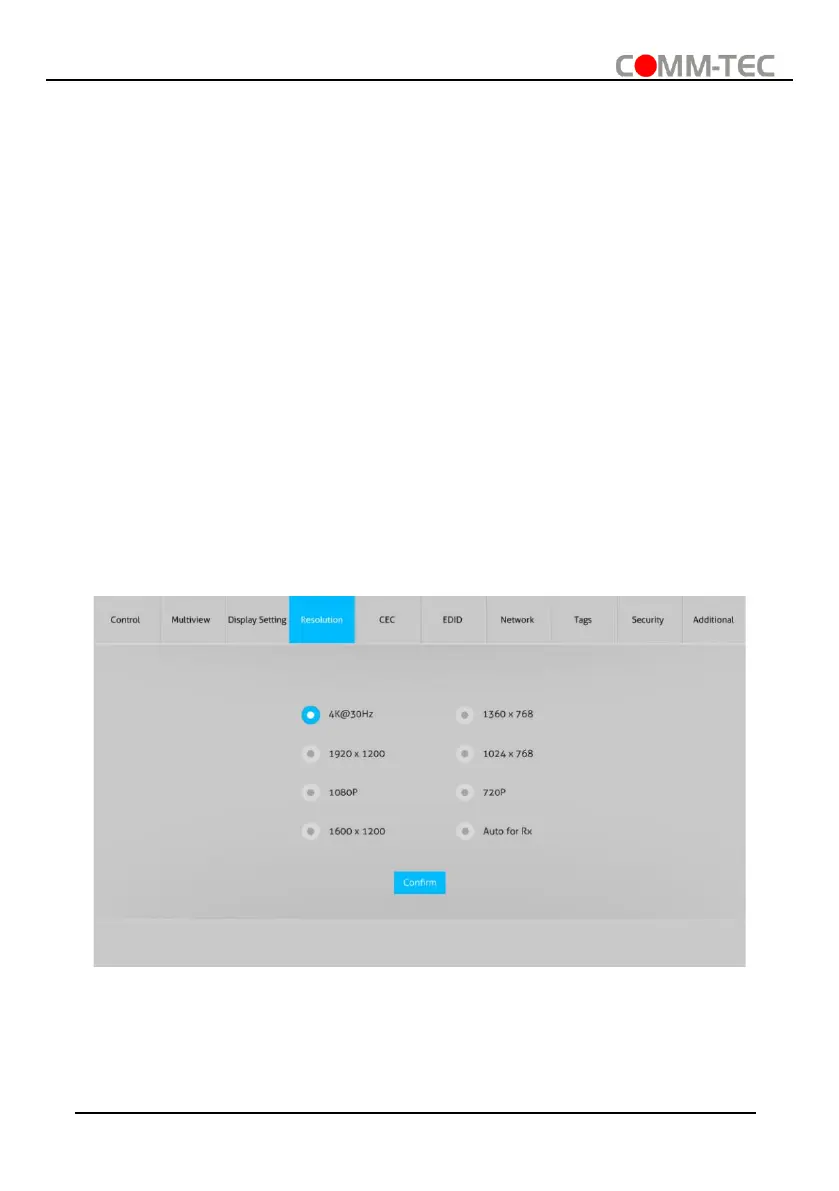
6.4. Resolution Tab
⚫ Select the output resolution for HDMI and HDBaseT outputs.
⚫ Select “Auto for Rx” that the output resolution follows the display device.



 To Next Page