112
MS-DOS User's Guide
About hard disks
H a disk does
not
have a write-protect notch, it is always write-
protected. Many application programs, including this version
of
MS-DOS,
come
on
write-protected disks that
protect
the
files from
being destroyed accidentally.
Hard Disks
In addition
to
floppy disks,
some
computers
use a
hard
disk,
which
can
store
much
more
information than a floppy disk. Com-
puters
also take less time
to
find information
stored
on
a
hard
disk
than
un
a floppy disk. A
hard
disk is usually built into
the
com-
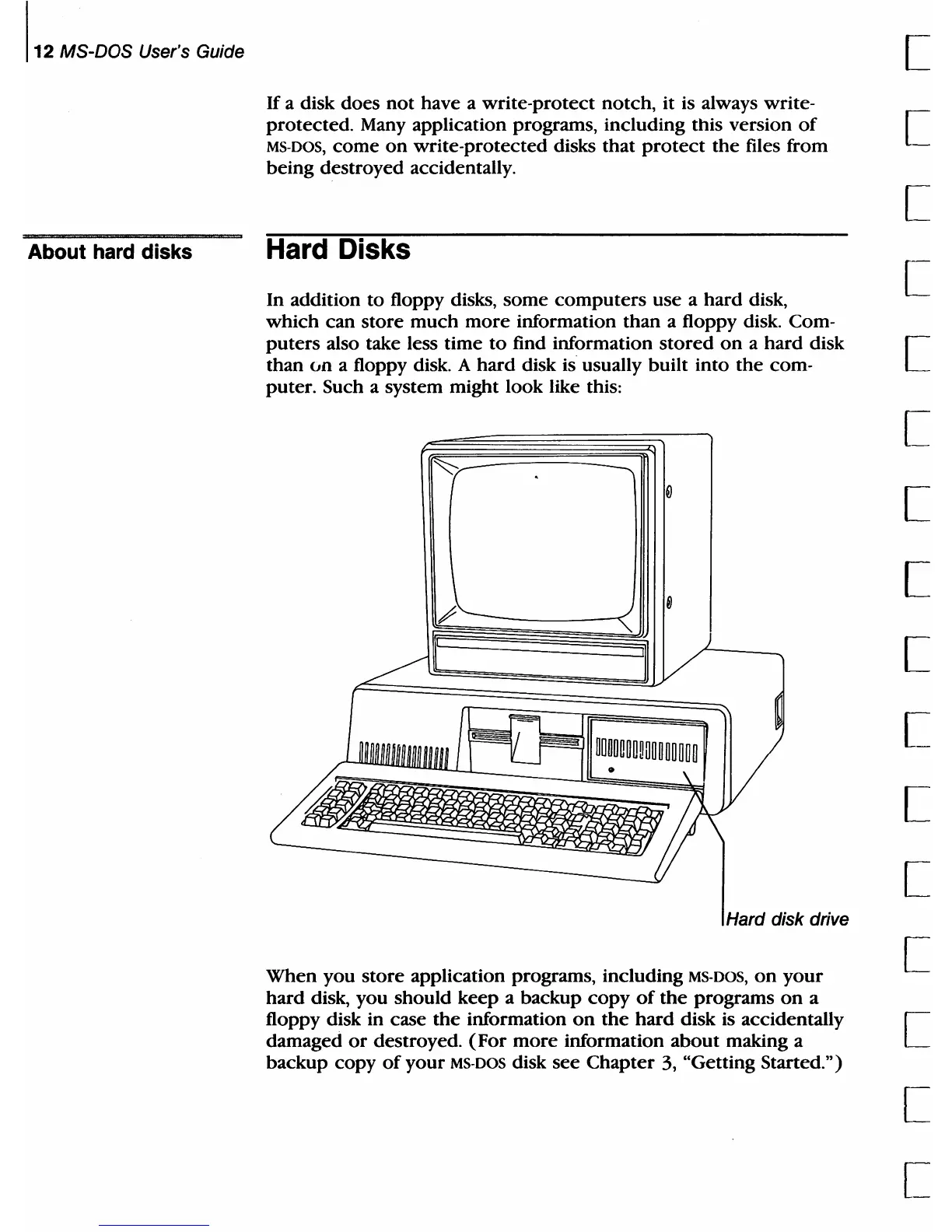
puter. Such a system might look like this:
Hard disk drive
When
you
store
application programs, including
MS-DOS,
on
your
hard
disk, you should
keep
a backup
copy
of
the
programs
on
a
floppy disk in case
the
information
on
the
hard
disk is accidentally
damaged
or
destroyed.
(For
more
information
about
making a
backup copy
of
your
MS-DOS
disk
see
Chapter
3, "Getting Started.")
[
[
[
[
[
[
[
[
[
[
[
[
[
[
[
[



 To Next Page