Chapter 3
Install and connect your telephony
modem
Before you start, make sure of the following:
■
You have all the Additional items needed (not included) (page 12) .
■
You have Set up your service (page 13)
■
Cable, phone, and power outlets are available near the computer.
If a cable outlet is not conveniently located, your service provider can install a new one.
CAUTION: Risk of equipment damage Only qualified installation technicians
should connect the Telephony Modem to house wiring. Incumbent telephone
service must be physically disconnected at the outside interface box before
making any connections.
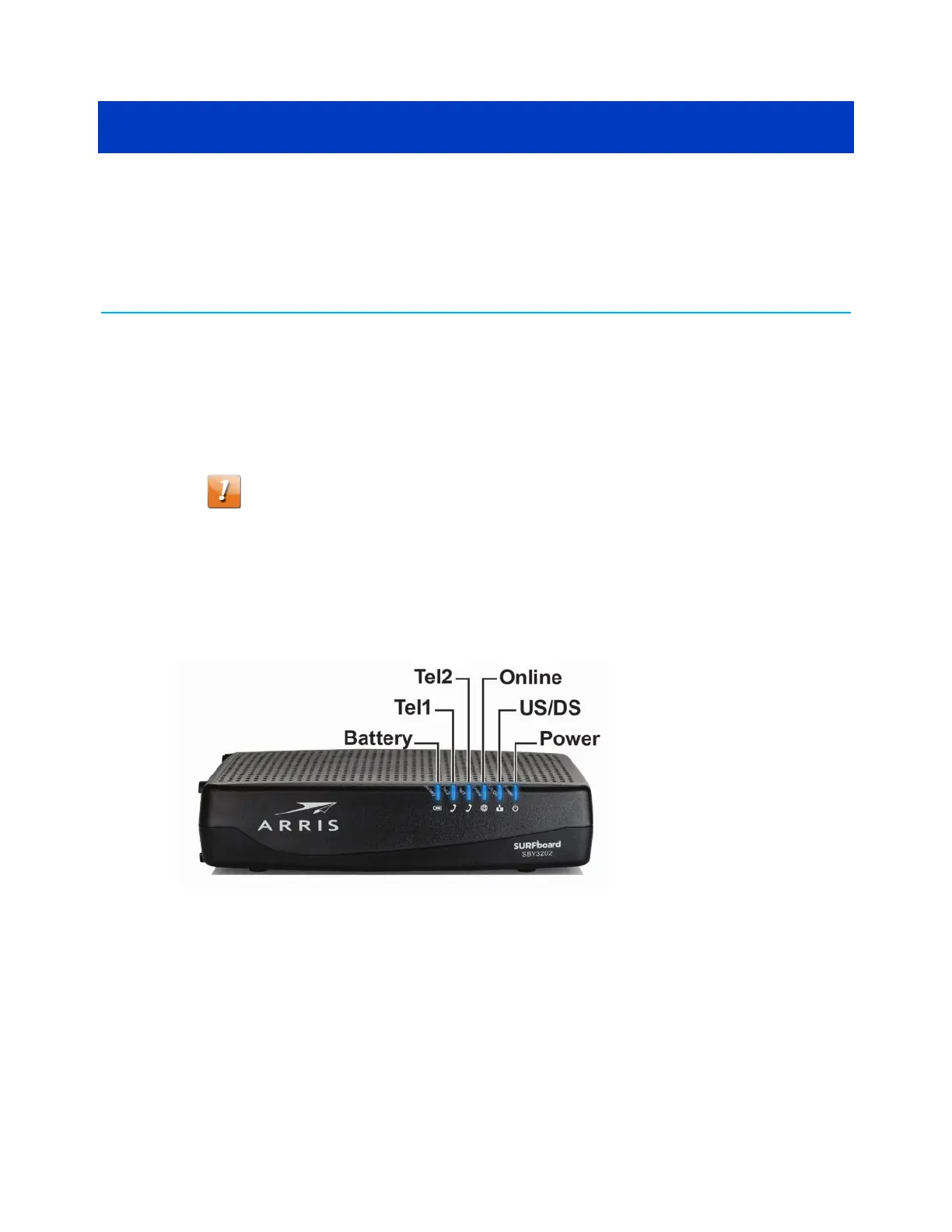
Front panel
■
Battery: indicates the battery status.
■
Tel1: indicates the status of telephone line 1.
■
Tel2: indicates the status of telephone line 2.
■
Online: indicates Internet data transmission status.
■
US/DS: indicates upstream and downstream connectivity.
■
Power: indicates whether AC power is available to the unit.
SURFboard
®
SBV3202 DOCSIS 3.0 telephony modem for Xfinity
®
customers User Guide STANDARD Revision x.3 23













 To Next Page