Chapter 5
Using the telephony modem Web
Manager
Note: You must use the default user name and password (see step 3) if you are
logging on to the telephony modem Web Manager for the first time. For network
security purposes, ARRIS recommends that you change the default user name and
password after setting up your Wi-Fi network.
Use the Web Manager to view and monitor the network configuration settings and
operational status of your telephony modem. Follow these steps to open the Web Manager:
1. Open a web browser (such as Internet Explorer, Google Chrome, Firefox, or Safari) on the
device connected to your telephony modem.
2. In the address bar, type 192.168.100.1 and then press Enter to open the Web Manager
login screen.
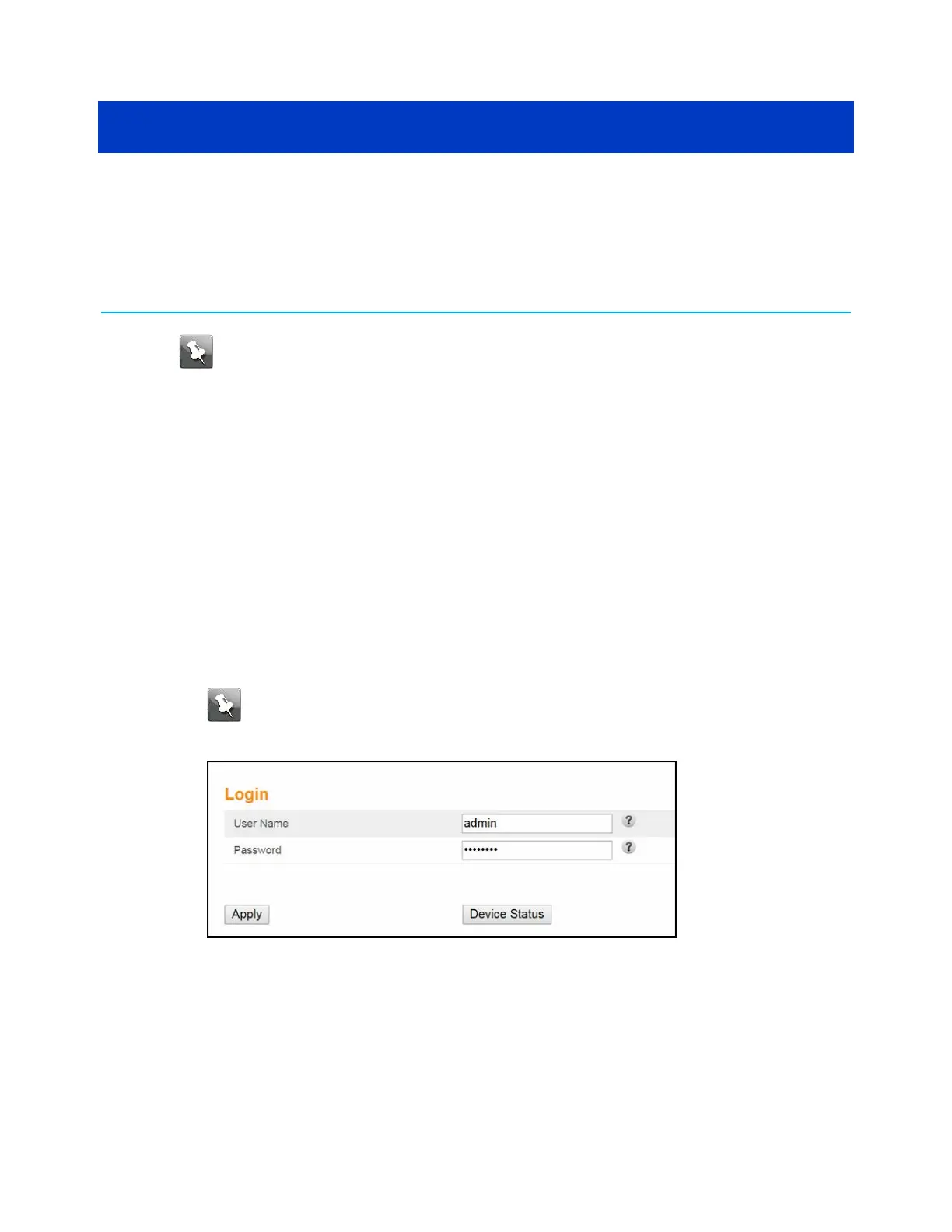
3. Type the following default username and password. Both entries are case-sensitive.
■
Username: admin
■
Password: password
This is the default user password (case-sensitive) to access the Web Manager.
Note: You must enter the default user password if you are accessing the Web
Manager for the first time. To change the user password, continue the following
steps in this procedure.
Figure 18: Telephony cable modem login screen
4. Click Apply to open the Web Manager screen.
To change the default user password.
a. In the Login Settings screen, enter your current password in the Old Password field.
SURFboard
®
SBV3202 DOCSIS 3.0 telephony modem for Xfinity
®
customers User Guide STANDARD Revision x.3 32













 To Next Page