JHT01 Service Manual
5-17
1.9 Removing the Thermal Module
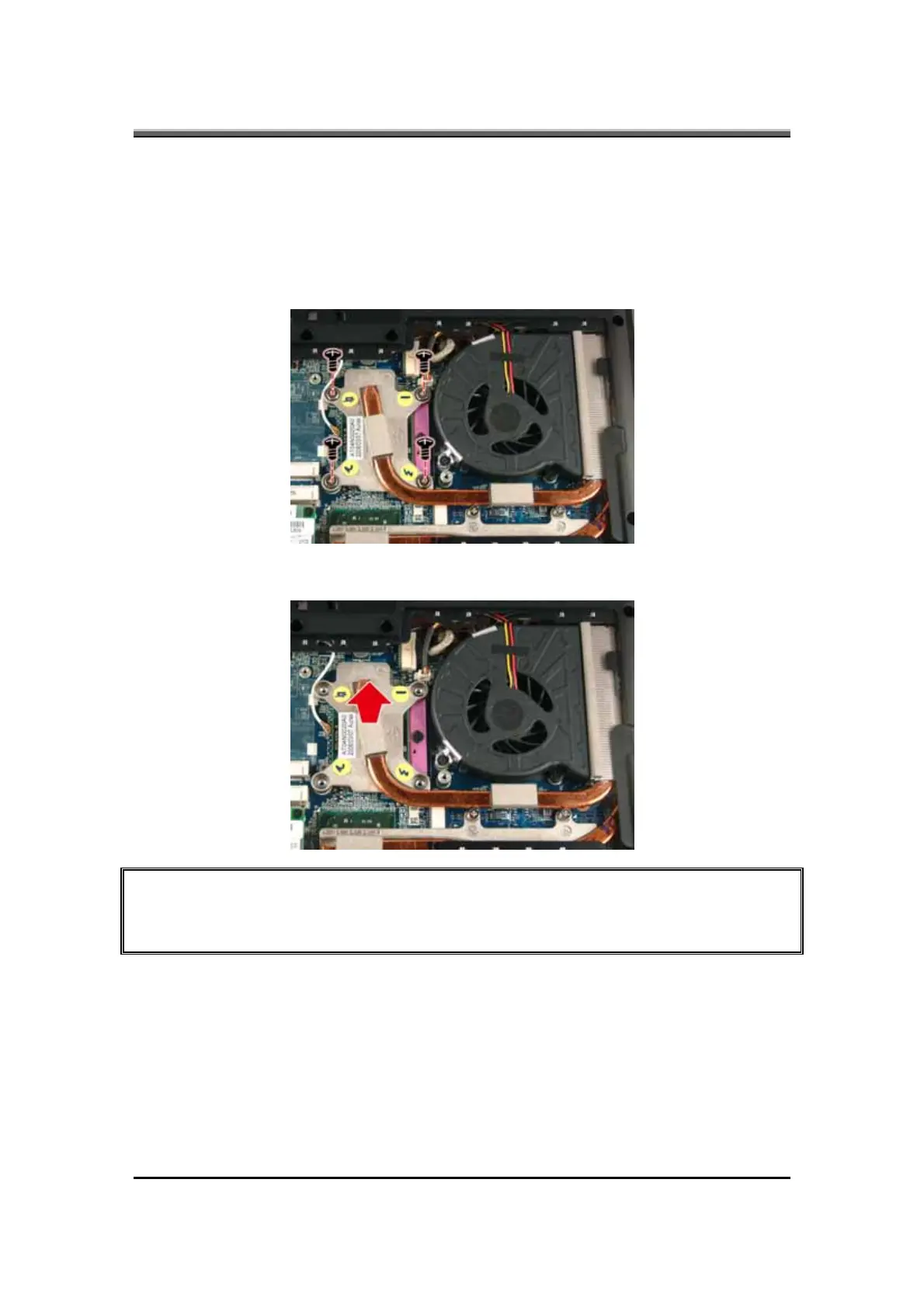
To remove the thermal module, first remove the Modem card. Then follow the
steps below:
1. Turn the notebook over. Remove four screws securing the thermal module to
the motherboard.
2. Lift and remove the thermal module from the motherboard.
CAUTION: When you remove the thermal module, use the CPU grease tool to remove the
grease on the CPU and thermal module. Reapply fresh grease before reinstalling the
thermal module.



 To Next Page