JHT01 Service Manual
2-29
Amber solid on Battery within low state.
(Battery gas-gauge ≤8%)
•
When the battery is in critical low state, the system is protected and can’t be
re-powered on without the AC power connected. In this situation, the LED
will be in amber color for a short time to indicate this condition. Keep
depressing the power button, and the LED will be blinking in amber color
12.8.8 Definitions of WOW Audio, Video, Smart Key state LED - High-end
platform
• Please refer PDD document.
12.8.9 Definitions of WOW Audio, Video, Smart Key state LED - Low-end
platform
•
Please refer PDD document.
12.8.10 Definitions of Power USB state LED
•
Please refer PDD document.
12.9 Battery status report and control
• Define the battery type and battery protection function.
12.9.1 Battery status
• There are four battery states for each battery pack depend on the status data
getting from Smart battery pack through SMBus: full, normal, low, critical
low.
• The battery gas-gauge and level of low power states should base on ‘current’
system configuration settings.
• Battery turn on system condition: gas gauge > 5%
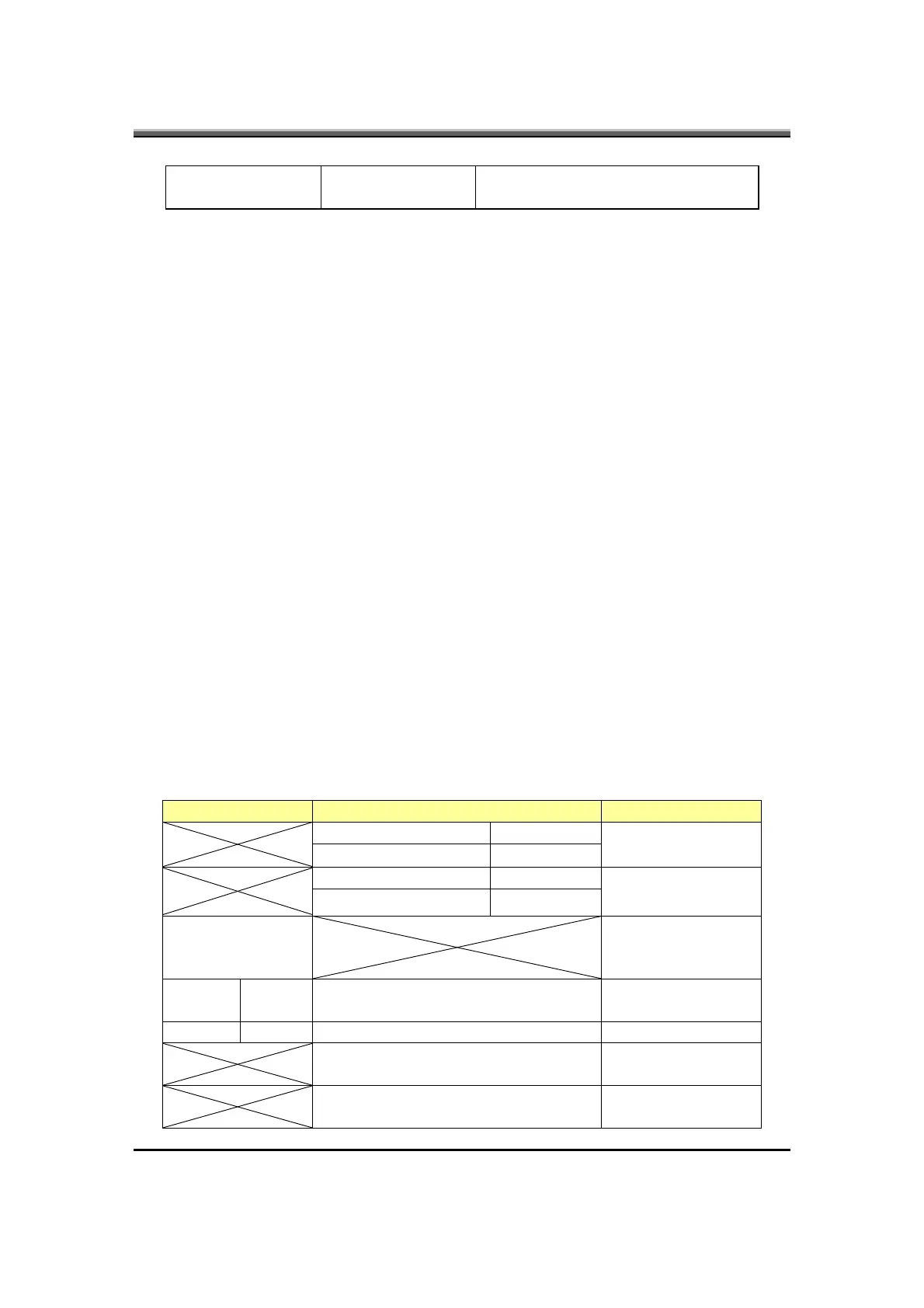
Battery discharge/charging control
Charging Discharging Action
Sony and Panasonic T≥60°C
LIBP T≥45°C
Set Flag-T
Sony and Panasonic T≤55°C
LIBP T≤40°C
Clean Flag-T
T≥60
Stop charging
&
Battery Led off
Sony and
Panasonic
T>70°C T>70°C Sony and Panasonic
LIBP T>57°C T>57°C LIBP
R.S.O.C. ≤10% (Beeping under
DOS)
R.S.O.C. < 3% LLB
Dependent on OS



 To Next Page