3-5
Chapter 3: Installtion
Dismounting the Camera
Ifyouliketoremovethemountedcamerafromitsmountingsurface,prepareoneatbladescrewdriverand
one Phillips screwdriver, and then follow the instruction below to dismount the camera.
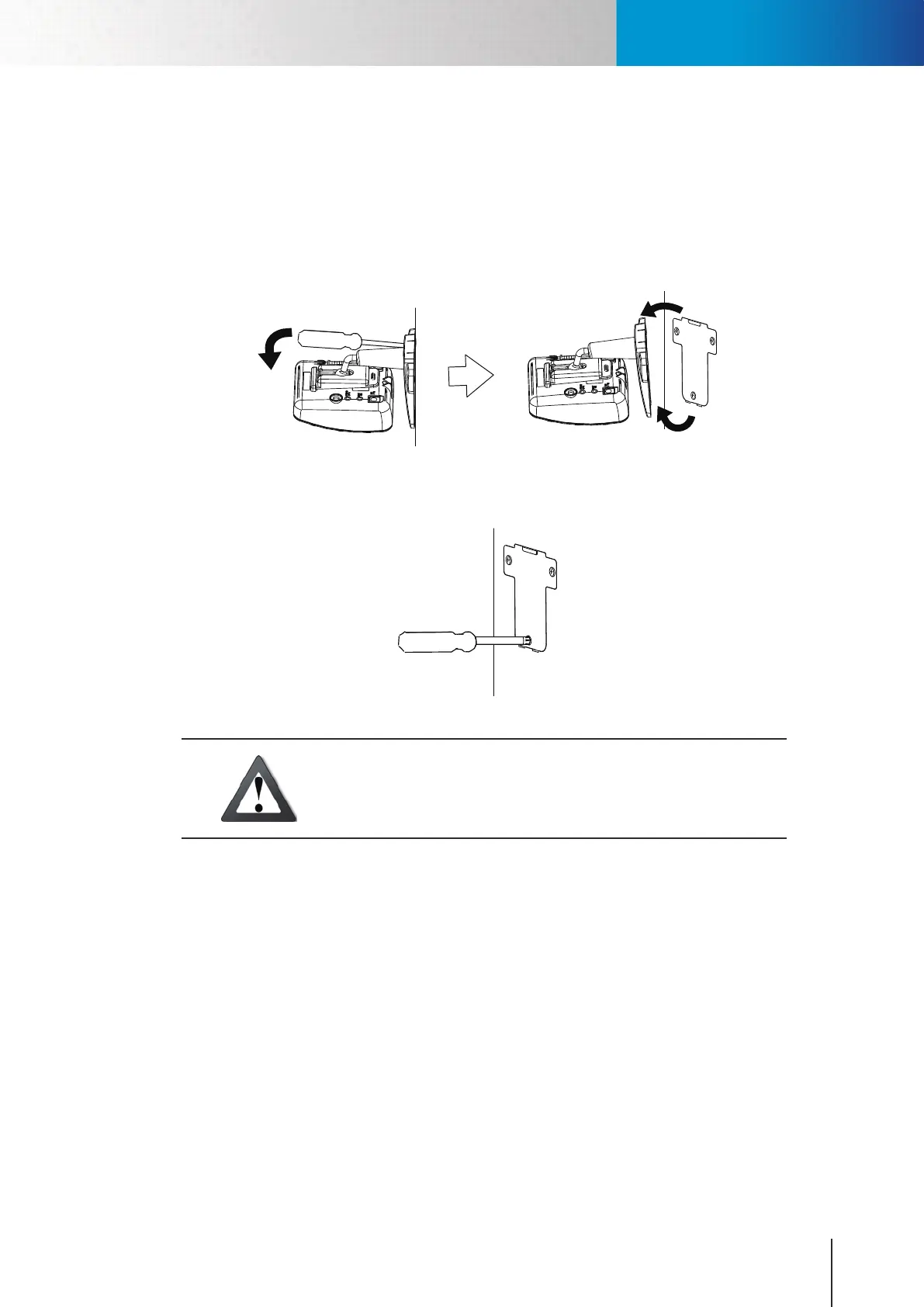
Step 1: Detach the plastic mounting bracket from the metal mounting plate that has been screwed on the
mountingsurface,byinsertingaatbladescrewdriverintotherectangularholeseenonthewide
end of the plastic bracket base, and then pressing the screwdriver downward.
Step 2: Use a Phillips screwdriver to unscrew the metal mounting plate from the mounting surface.
Caution!
Do not pull a mounted camera off the mounting surface by force, as
doing so may damage the bracket base permanently and render future
camera mounting impossible.
Dismounting the Camera



 To Next Page