9-3Trouble with the ActiveX Client
Chapter 9: Troubleshooting
Trouble with the ActiveX Client
Once you launch the Internet Explorer and enter the camera’s IP address in the address eld, you'll be asked
for the user name and password combination (the default is admin/admin, case sensitive).
Note:
The ActiveX component developed by Compro
currently only runs on Microsoft Internet Explorer 6 or
greater. It does not function on other web browsers for
the time being.
No user interface in the browser:
This could be related to three possible causes.
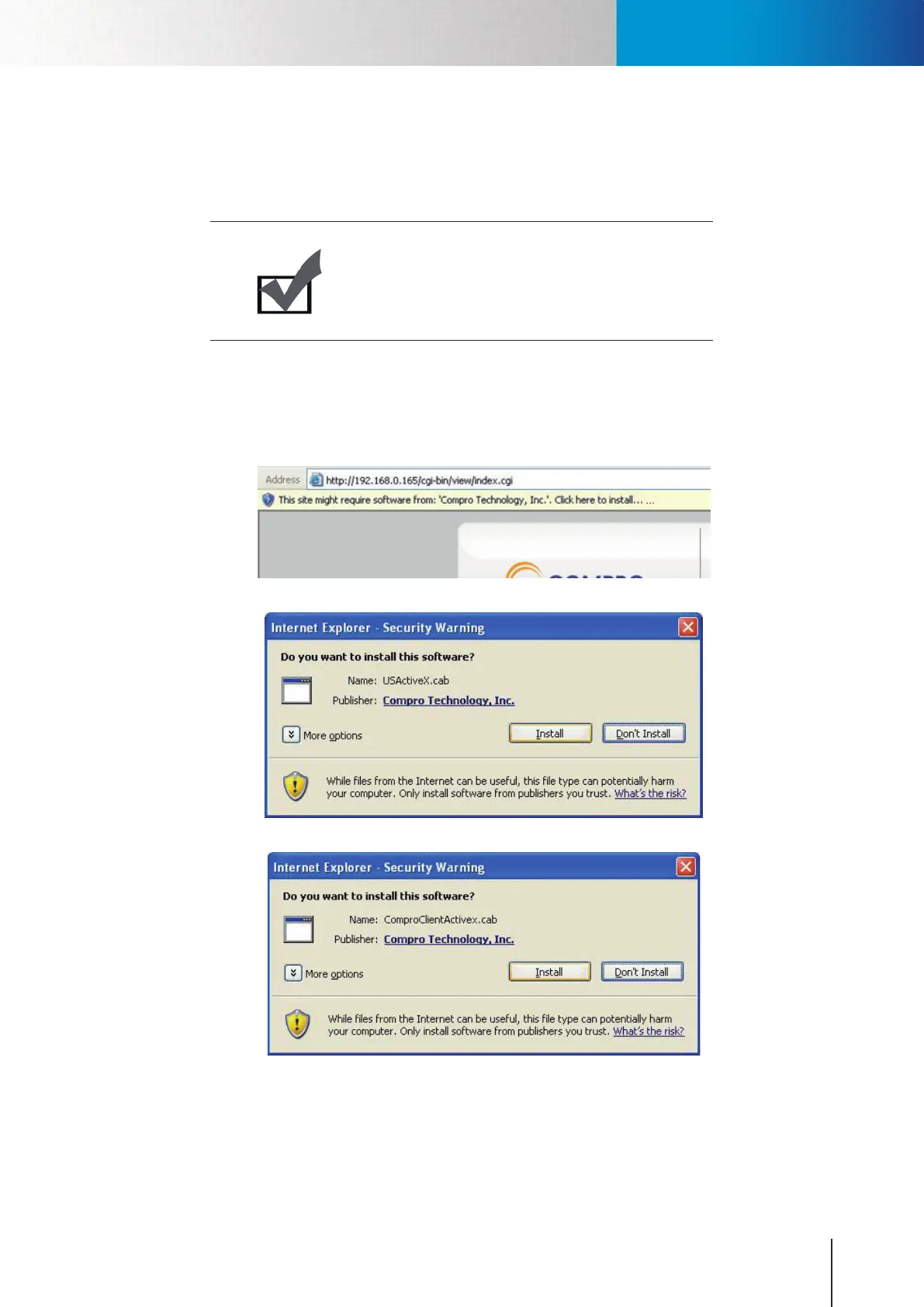
1. ActiveX was not installed: Please install the ActiveX component by following the instruction on the
screen. This component must be installed. Otherwise you will not have access to the user interface.
Figure 9-3. ActiveX warning
Figure 9-4. ActiveX installation
Figure 9-5. ActiveX installation
2. ActiveX was installed but not enabled: Ensure that the ActiveX had been correctly registered with
yourInternetExplorer.Pleasecheckthatyou’vegotboththe“ComproClientActivex”and“USActiveX”
control components registered and enabled under Tools -> Manage Add-ons.



 To Next Page