4-5
Chapter 4: Accessing Camera
Accessing via iPhone/Smartphone
As long as your device comes with built-in web browser, you can use the device to view the live video stream
via MJPEG mode (video only), which is supported on popular smartphones like iPhone and a wide range of
mobile devices such as NB, Mobil Phone, PDA, Nettop, MID, Tablet.
Platforms and supported web browsers:
• Windows:IE,GoogleChrome,Safari,FireFox(non-IEbrowsersrequireVLCplug-in)
• Linux:FireFox
• MobileDevice:iPhone,iPodTouch,BlackBerry,Android,WMandmajor-brandmobilephones.
To access your camera via mobile web browser, follow the steps below.
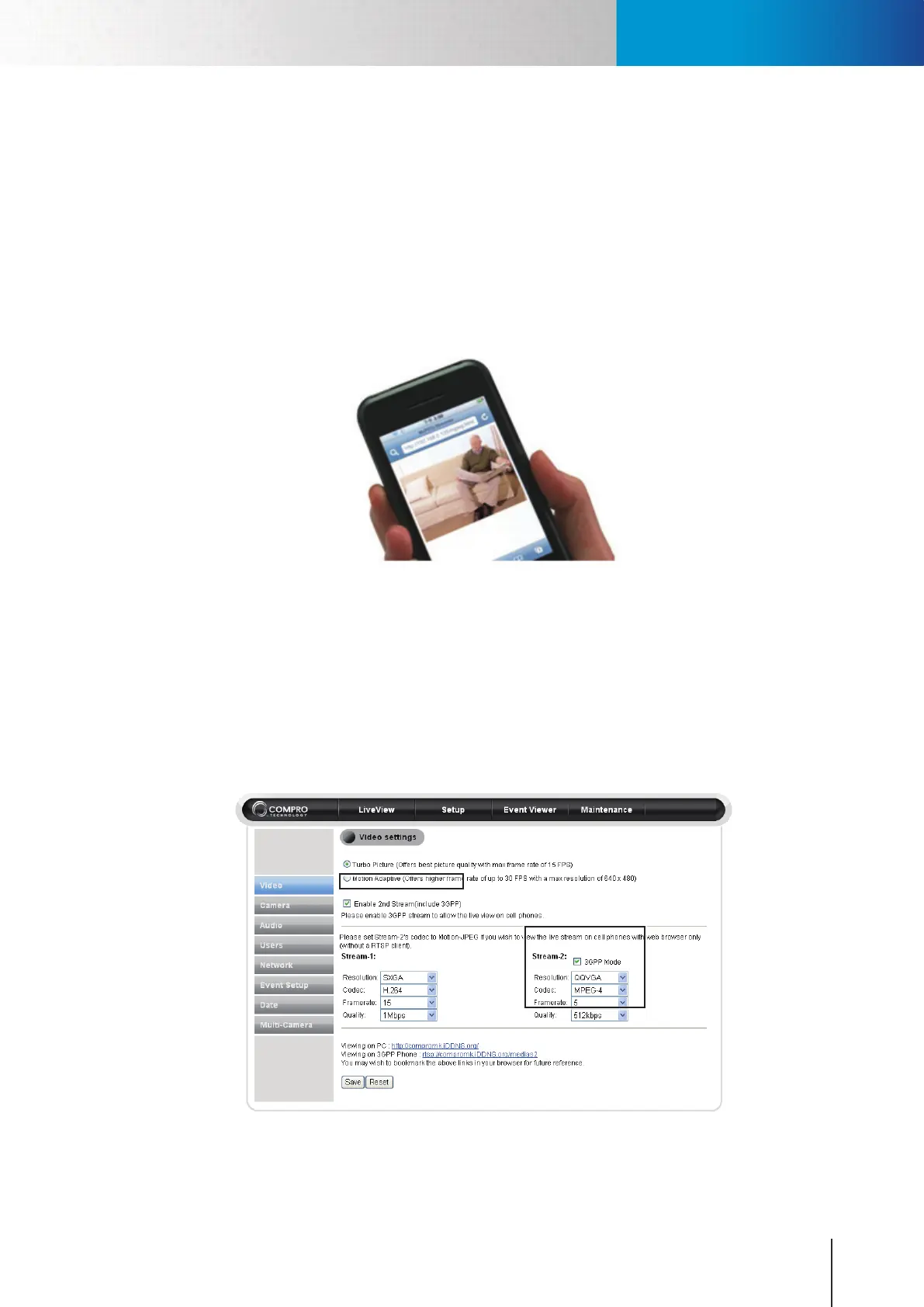
1. Use a PC to log on to the camera, and go to [Setup] > [Video Settings], and check the [Enable 2nd
Stream (include 3GPP)] box to enable the stream-2 video.
2. FortheStream-2,settheCodecas“Motion-JPEG”.
3. Launch the web browser on your iPhone, Android phone, or any other mobile Internet device, and
enter (IP-address)/mjpeg.html into the address eld of your phone’s web browser to watch live video
on your mobile device. Or click on the link at the bottom of the Video Settings page to preview the
M-JPEG stream.
Figure 4-7. Enable 2nd stream
Accessing via iPhone/Smartphone



 To Next Page