6-5Camera Settings
Chapter 6: Conguration
IR Light Control (IP70 only)
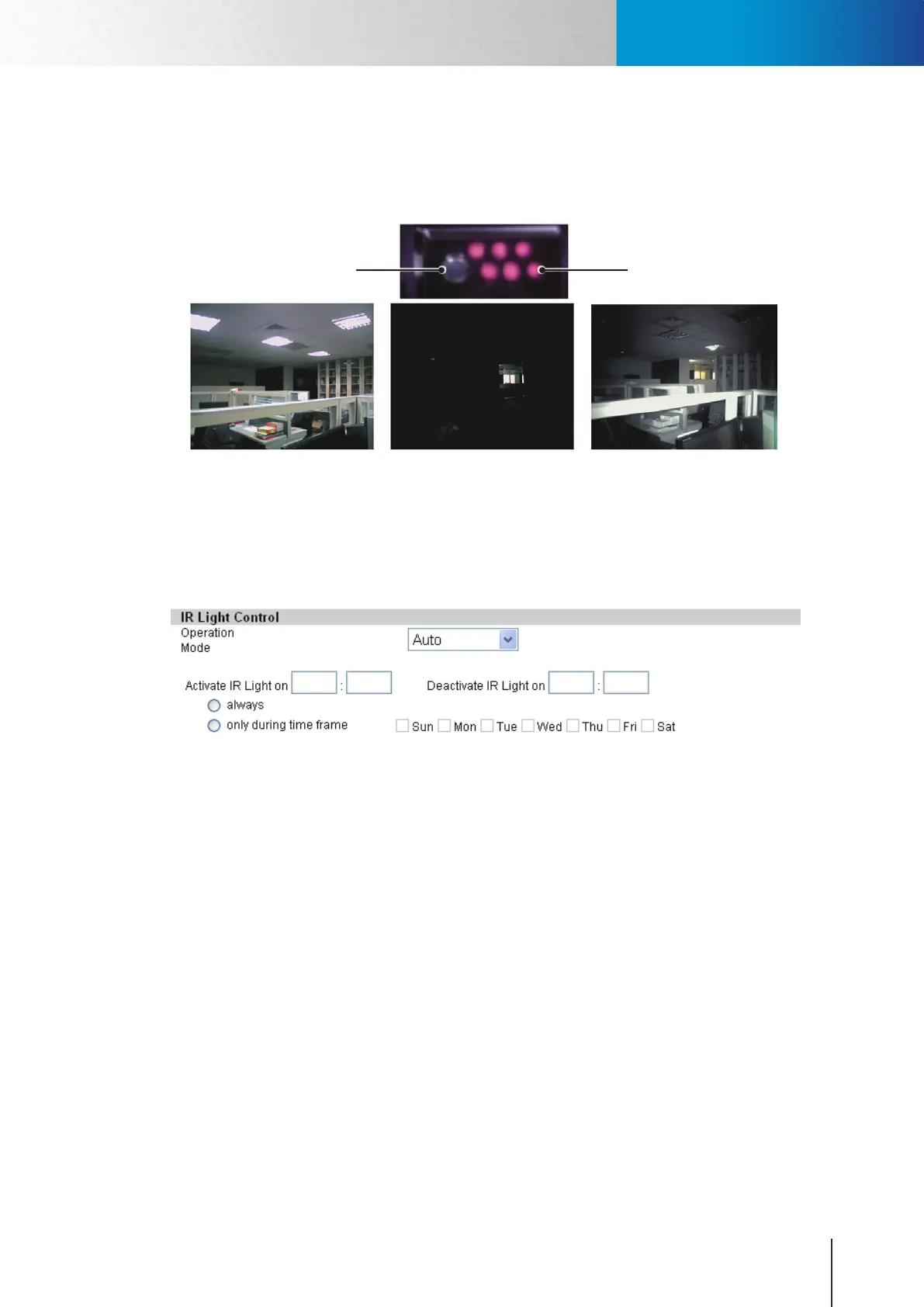
The IP70 network camera is equipped with a IR light sensor and 6 IR LEDs (inside casing ), which makes it
capable of tting dierent lighting situations and providing 24/7 monitoring.
Normal lighting
(Indoor lights on)
Without IR LEDs
(Indoor lights o)
With IR LEDs
(Indoor lights o)
Figure 6-4. Eect of IR LEDs
The IR light sensor allows the camera to detect the lighting condition of the environment and to turn on/
otheIRLEDsaccordingly;youcanconguretheIRlightoperationmodetobe[Auto],[AlwaysOn],[Always
O ], or [By Schedule].
Figure 6-5. IR light control
For scheduling on/o time of the IR LEDs, you can directly input the desired open and close time, and set the
repeat option to be [always] or [only during time frame]. (In this example above, the system will leave the IR
LEDs on between 19:00 to 23:00 from Monday to Friday.)
Embed Text and Image
You can embed text and/or image on 4 dierent locations on the live screen. (Upper Left, Upper Right, Lower
Left, Lower Right). To embed image, click on the Upload Image link and choose a suitable image. (Limited to
JPEG/BMP, 100x30 pixels, 128KB) To remove an embedded image, press the Clear button.
Flip Mode
Enablethisoptionwilliptheimagevertically,makingtheimagerotated180degrees.Enablethissetting
when you need to reposition your camera from standard position to ceiling mounting position.
IR LEDs (Inside)IR Light Sensor



 To Next Page