6-2 Video Settings
Compro IP55 / 60 / 70 Network Camera
Video Settings
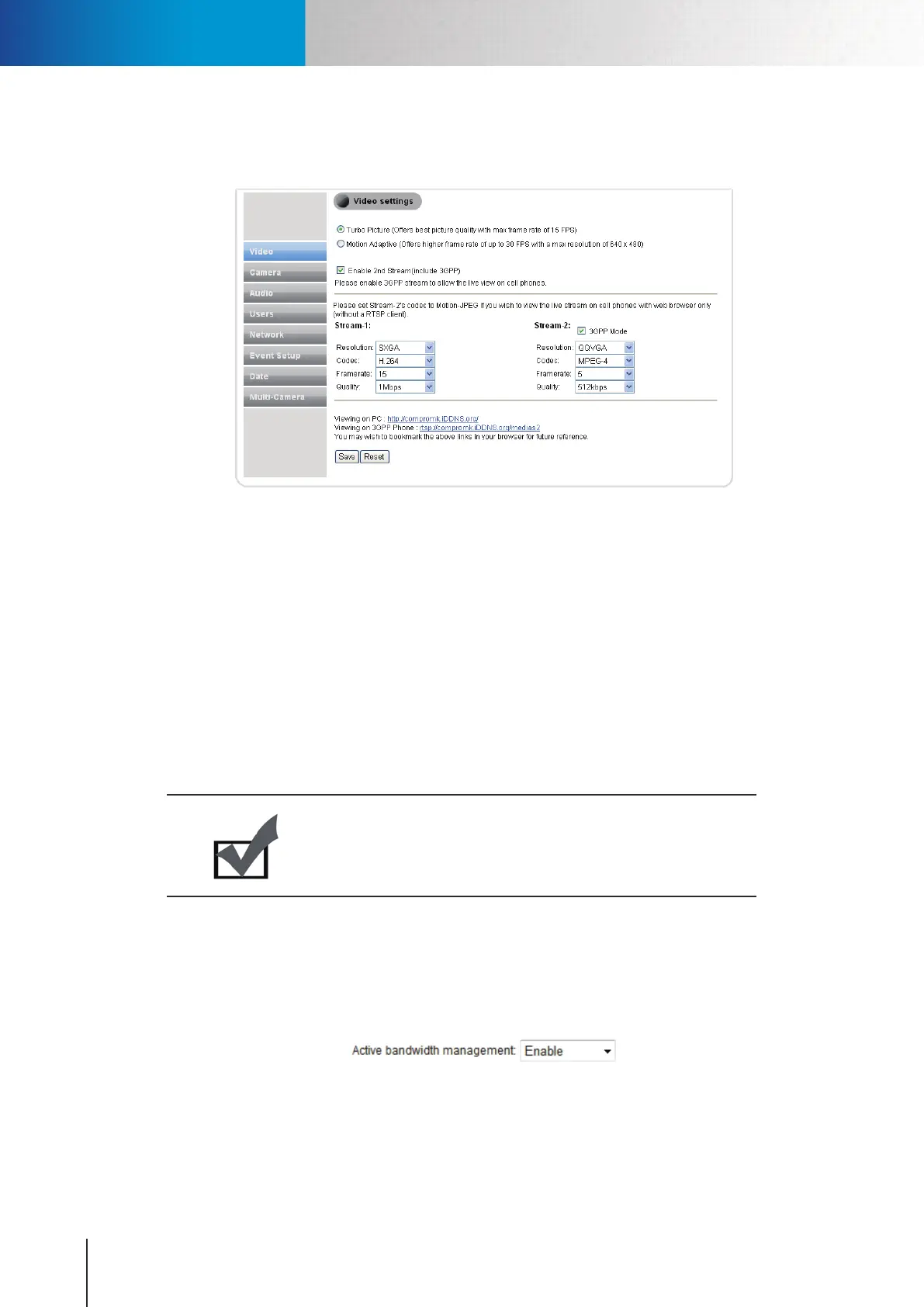
Here you can congure the settings for video stream.
Figure 6-2. Video Settings
Video Mode
You can select between Turbo Picture and Motion Adaptive mode.
• Turbo Picture - This mode will provide you with the best video quality, but max. frame rate will be limited
to 15.
• Motion Adaptive - This mode will provide up to 30 FPS at maximum 640 by 480 resolution.
Stream Setting
You can change the setting of resolution, codec, frame rate, and quality for the video stream. If you need to
watch the live video on your mobile phone or PDA, please check the [Enable 2nd stream (include 3GPP)] box
to enable the Stream-2 video, and the stream setting for the 2nd stream will be displayed.
Note:
IP55 only supports M-PEG4/M-JPEG compression, where as IP60/70
supports M-PEG4/M-JPEG/H.264 compression.
Active Bandwidth Management
When network congestion occurs, Compro network camera can intelligently force down current user-dened
video bit rate and bring it back when healthy bandwidth level becomes available. This avoids video quality
deterioration and frame dropping by restricting network camera from sending excessive amount of data
while the network is already overloaded. To activate the function, select [Enable] from the drop-down list.



 To Next Page