5-4
Compro IP55 / 60 / 70 Network Camera
Voice Communication
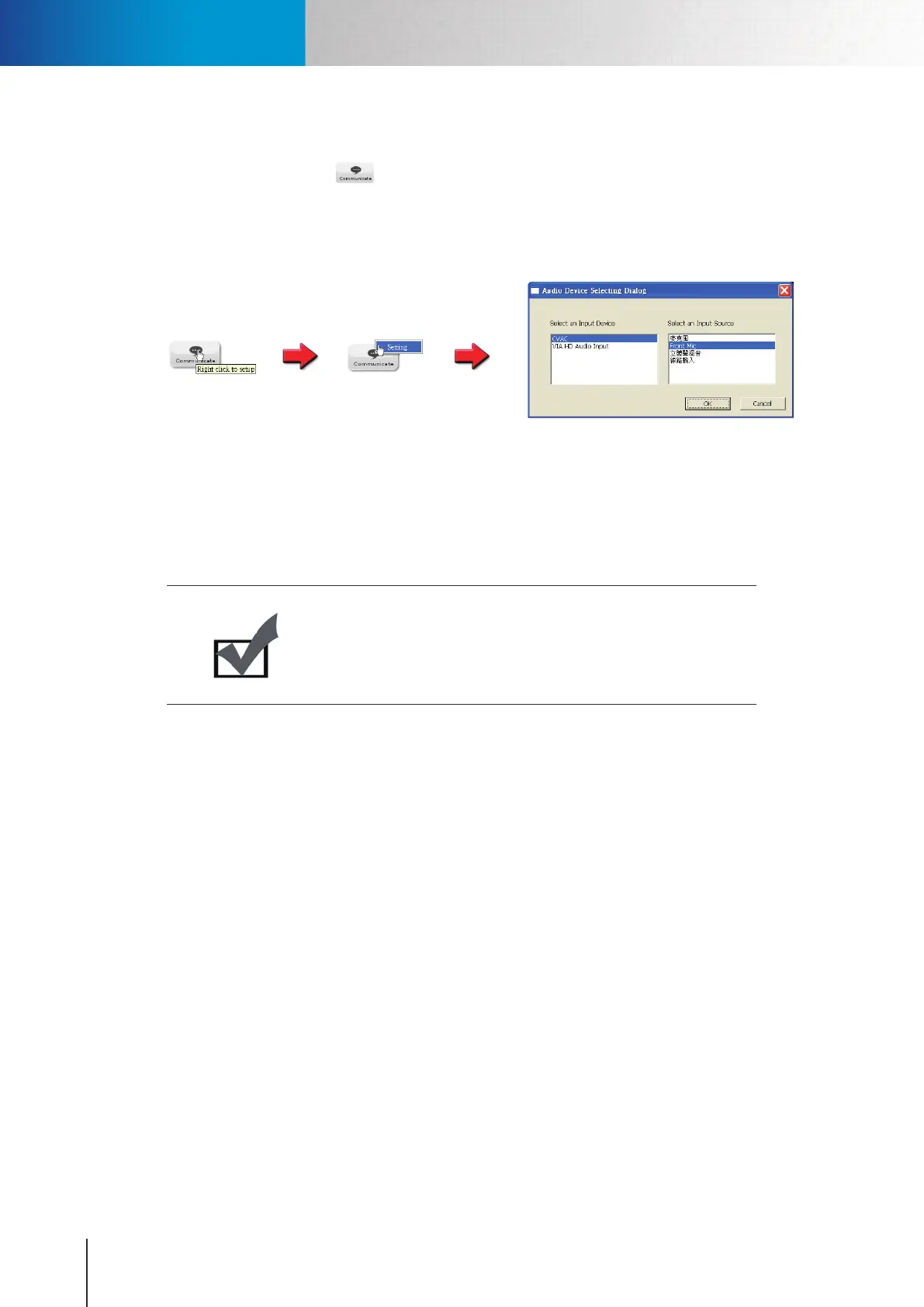
Pressing the [Communicate] button allows you to speak into your PC microphone and broadcast
through the camera’s speaker or audio line out. To talk through the external speaker connected to the IP
camera,placeyourcursoronthe[Communicate]button(thetooltip“Rightclicktosetup”willappear),and
right-click on the button and select [Setting] to choose input device and input source.
Figure 5-3. Communication setting
Havingconguredthedevice,pleasehitthe[Communicate]button,(whichthenshallremainin"pressed"
status for 90 seconds and automatically be released later, unless it is hit again) and talk through the
microphone.
Note:
When using the voice communication feature, you may experience
various degrees of delay between transmission from the computer
and playback on the camera end depending on the condition of your
network environment.
Voice Communication



 To Next Page