5-1
Chapter 5: Live View
Chapter 5: Live View
Page Layout
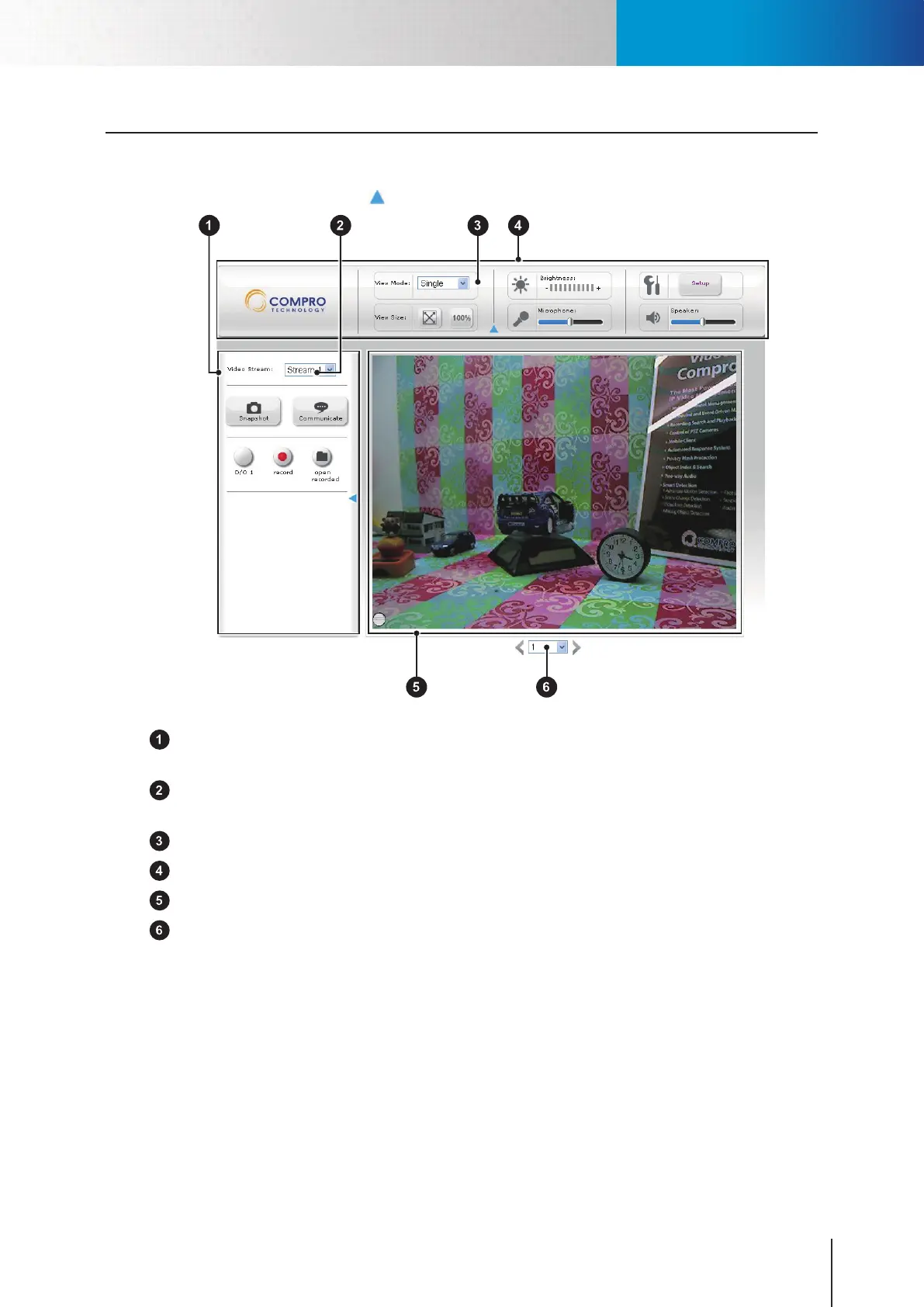
On the rst page, you can see the basic control panel at the top and on the left-hand side, and the live video
on the right-hand side. Click on the icon to hide or show the control panels.
Figure 5-1. Layout of LiveView page
Left control panel – Here provides control over video recording, voice communication, I/O, and
snapshot.
Video stream selection – You can switch between Stream-1 and Stream-2. (stream-2 in setup page must
be enabled).
Video mode selection – Let you switch video display between single, multi, and auto scan mode.
Top control panel – Let you adjust displayed video and mic and speaker.
Live video window – Live video stream.
Channel selection – Select a channel from the drop-down list, or click on the arrow icon to switch to
next/previous channel. (Maximum 16 Channels)
Page Layout



 To Next Page