EasyManua.ls Logo

Compumatic xl1000 - User Manual

Compumatic xl1000
56 pages
Print Icon
To Next Page IconTo Next Page
Loading...
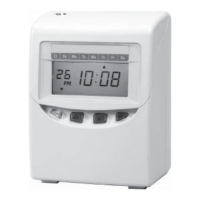
CALCULATING TIME RECORDER
USERSMANUAL
TO PLACE AN ORDER CALL: 866-487-4751
OR VISIT: WWW.TIMECLOCKEXPERTS.COM

Other manuals for Compumatic xl1000

Question and Answer IconNeed help?

Do you have a question about the Compumatic xl1000 and is the answer not in the manual?

Summary

3. Preparation

Installation

Covers power source requirements, ideal placement, and wall mounting procedures.

4. Daily Operations

5. Quick Easy Setup

6. Setting the Time

7. Setting the Date

8. Setting Time System

9. Setting Print Format

Type of Work

Select between employee and part-time modes for punch recording.

10. Setting the Time of Day Change

11. Setting the Common Schedule

12. Setting the Extra Schedule

13. Setting the Rounding Punch

14. Setting the Daylight Saving Time

17. Setting the Vertical Adjust

18. Time Card Number Transfer

19. Time Card Number Delete

21. Reset

22. Replacing the Ribbon Cartridge

25. Troubleshooting

Troubleshooting Common Issues

Addresses common problems like no display, abnormal operation, and incorrect printing.

Understanding Error Codes

Explains the meaning of various error codes (E-01 to E-53) and their causes.

Compumatic xl1000 Specifications

General IconGeneral
BrandCompumatic
Modelxl1000
CategoryVoice Recorder
LanguageEnglish