18. TIME CARD NUMBER TRANSFER
When the time card is damaged, lost or fully printed before the pay ending day,
you can use this function to make a new card number to replace the old card
number.
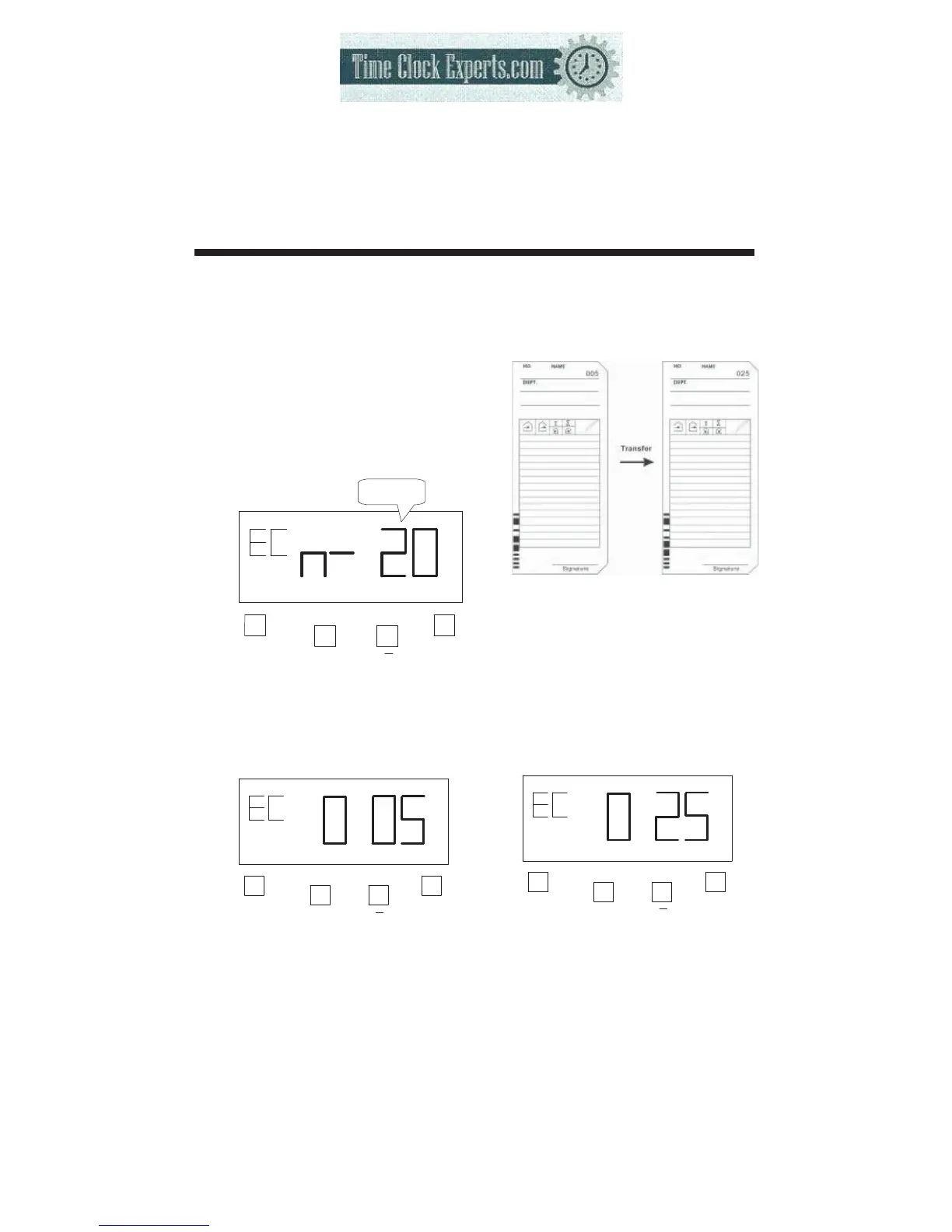
Example: Transfer from Time card No. 5 to Time card No. 25.
44
1) Open the cover then press
both the “F” button and “+”
button. The number of cards
used will be shown the on
LCD display.
F
+
E
The number
of cards
2) Press the “+” or “-” button to
005 (card number) then
press “E” button.
F
+
E
3) Insert the time card No. 25 or
press the “+” or “-” button to
025 (card number) then
press “E” button. The card
number is changed, this
mode is complete.
F
+
E
TO PLACE AN ORDER CALL: 866-487-4751
OR VISIT: WWW.TIMECLOCKEXPERTS.COM


 To Next Page