17. SETTING THE VERTICAL ADJUST
If the printing is off the center of the row, you can use this function to adjust it.
Increase the value +1 will print upwards 0.375mm, decrease the value-1 will print
downwards 0.375mm.
Example: Print position upwards 0.75mm. Requiring to change the value to 02.
43
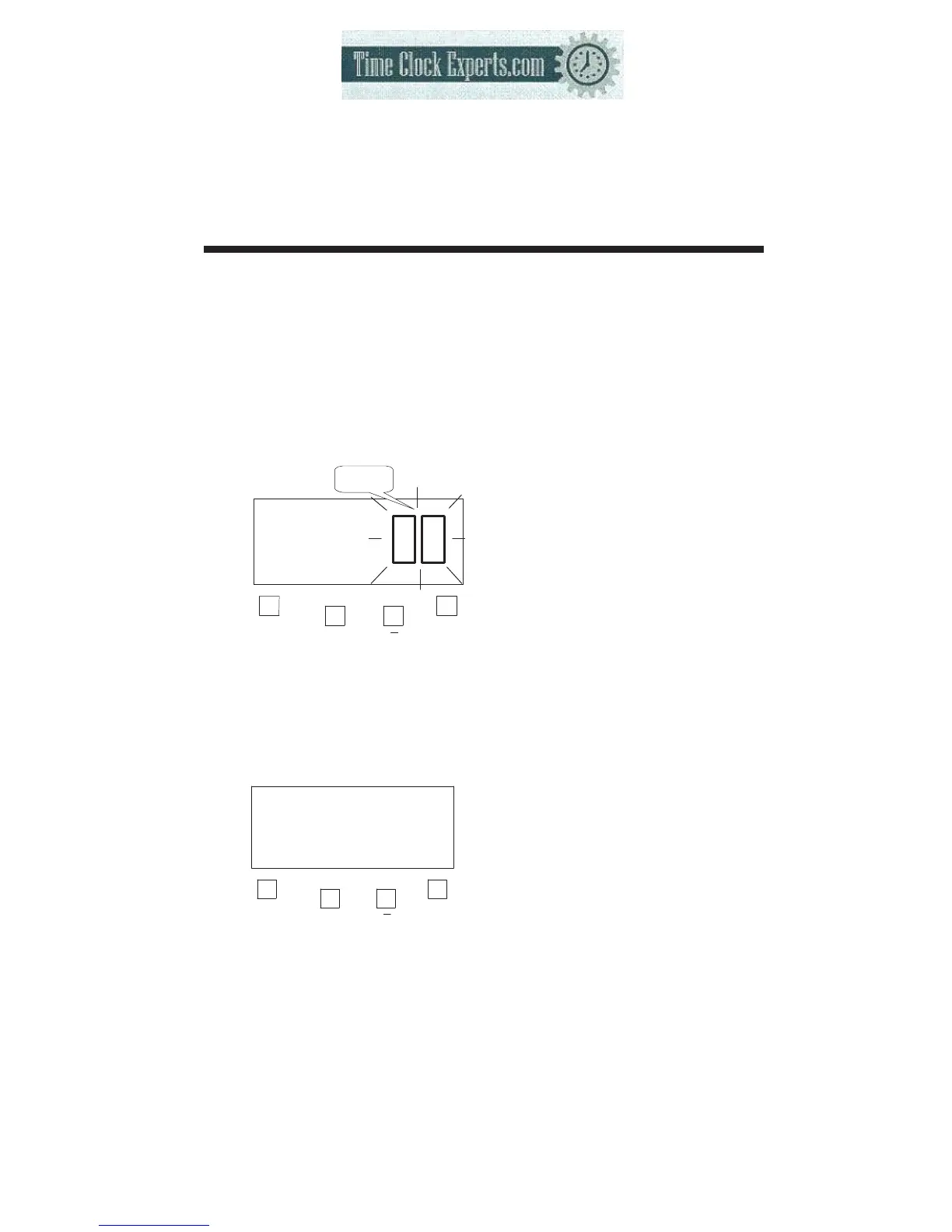
(1) Press the [F] button, and position
the “▲” under the “VERTICAL
ADJUST” mark. The flashes digit
indicates “Vertical adjust options”
(The flashing means it can be
changed).
F
+
E
VERTICAL
ADJUST
Vertical
adjust options
Such as example, Press the [+] or
[-] button to set at “2”, and then
press the [E] button.
At the same time, the LCD screen
only display “▲” under the
“VERTICALADJUST” mark.
F
+
E
VERTICAL
ADJUST
(2) If you want to set another
function, press the [F] button
to continue setting.
If you finished setting the
functions, replace the cover
and lock it.
TO PLACE AN ORDER CALL: 866-487-4751
OR VISIT: WWW.TIMECLOCKEXPERTS.COM


 To Next Page