9. SETTING PRINT FORMAT
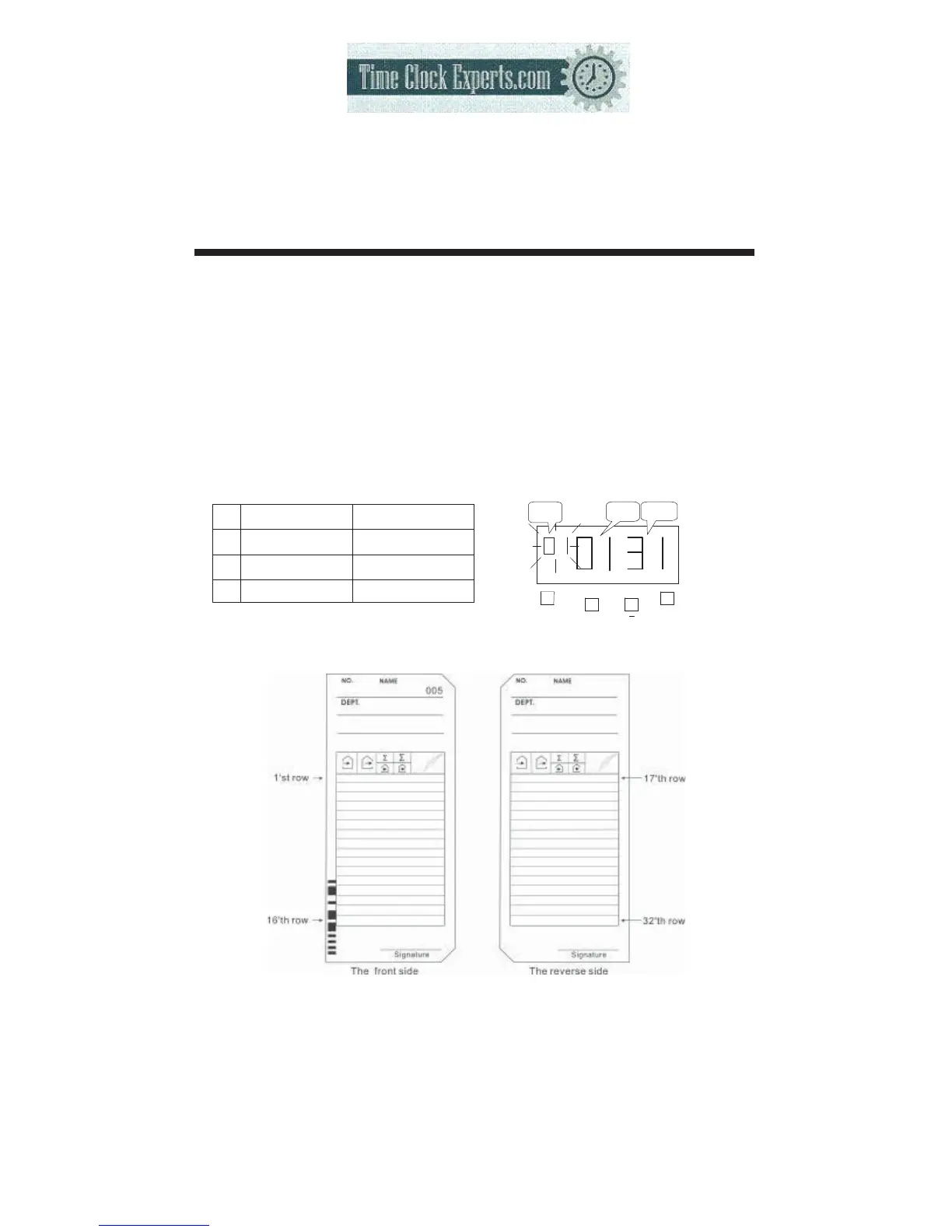
This function allows you to set, type of work, pay periods and pay ending day.
*If you try to change the setting, make sure the time recorderhas no punch
recorded, otherwise the error code “E-49” will appeared. You must make all card
resetting or reset all (Please refer card resetting and reset).
Type of work has two modes. You can select employee mode or part-time mode.
●Employee mode: calculate the elapse time between IN/OUT punches and prints
a running total of accumulated time.
●Part-time mode: Pay period only for monthly, prints daily working hours.
Pay periods and pay ending: 3 different formats to suit Monthly, Weekly and
Bi-weekly pay. The initial value is on the following table below.
Pay period
Pay ending
1 Monthly 31
2 Weekly 5
3 Bi-weekly 12
10
F
+
E
PRINT
FORMAT
Type of
Work
Pay
Periods
Pay ending
day
TO PLACE AN ORDER CALL: 866-487-4751
OR VISIT: WWW.TIMECLOCKEXPERTS.COM


 To Next Page