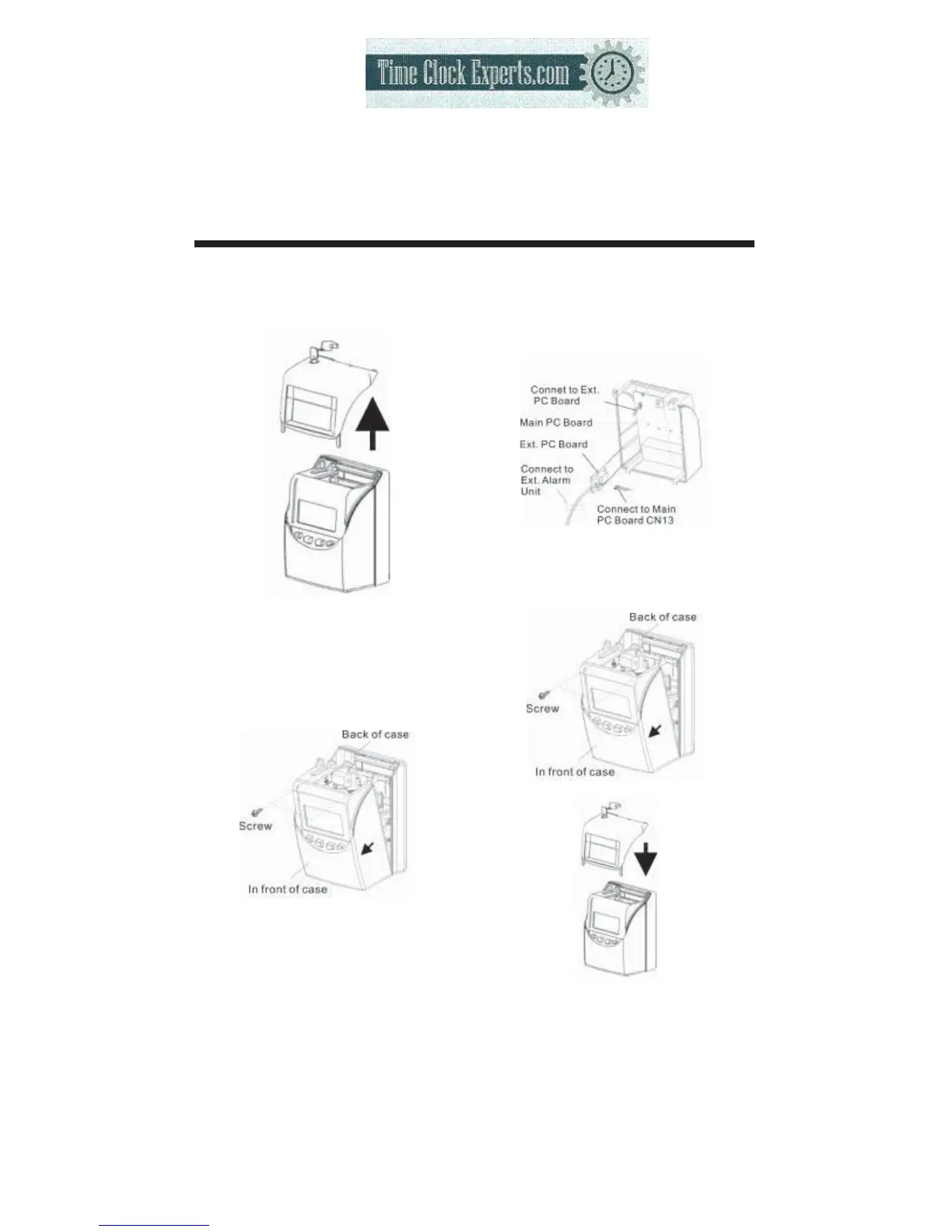
23. CONNECTING THE EXTERNAL TIME SIGNAL
(OPTIONAL)
52
(1)
Unlock the key and remove the
cover.
(2)
Use a screw driver to release
the two screws at the top then,
detach the front of case from
the back case.
(3)
Install the External time signal PC
Board inside the front case.
Then attach the connecting cable
from the Ext. PC Board to the
connector on the Main PC Board.
(4)
Rejoin the front case to the back
case, then re-screw the two screws
back into place.
Then replace the cover and lock.
TO PLACE AN ORDER CALL: 866-487-4751
OR VISIT: WWW.TIMECLOCKEXPERTS.COM


 To Next Page