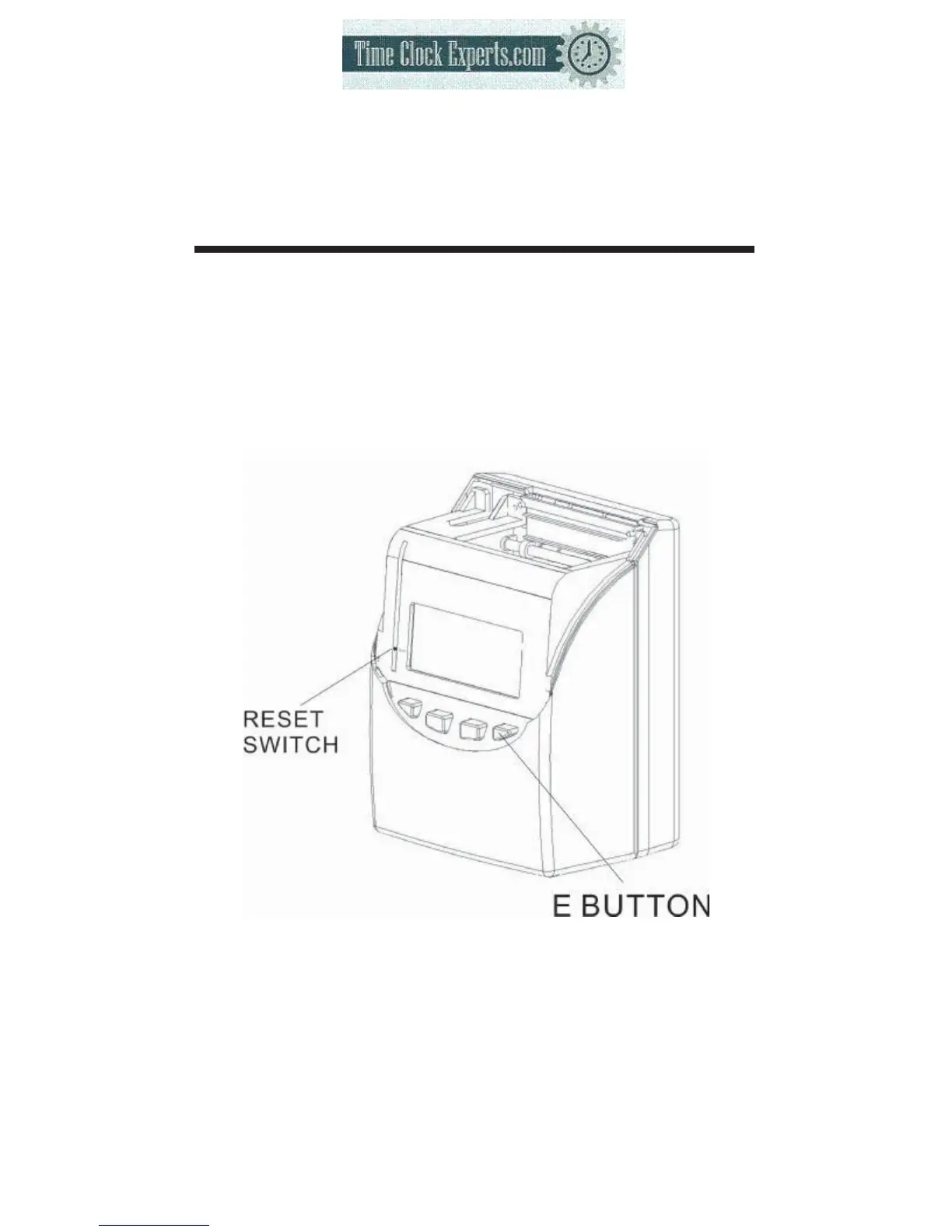
21. RESET
●Press this switch when operation has become abnormal. Operation will return to
normal without affecting the present time and program memory.
●If abnormal display or operation should persist even after Reset switch is
pressed, press Reset switch and E button at the same time, then release reset
switch first, then release the E button, the program will return to the factory
defaults. Once this is done, you will need to reprogram the unit to your own
requirements again.
50
TO PLACE AN ORDER CALL: 866-487-4751
OR VISIT: WWW.TIMECLOCKEXPERTS.COM


 To Next Page