22.
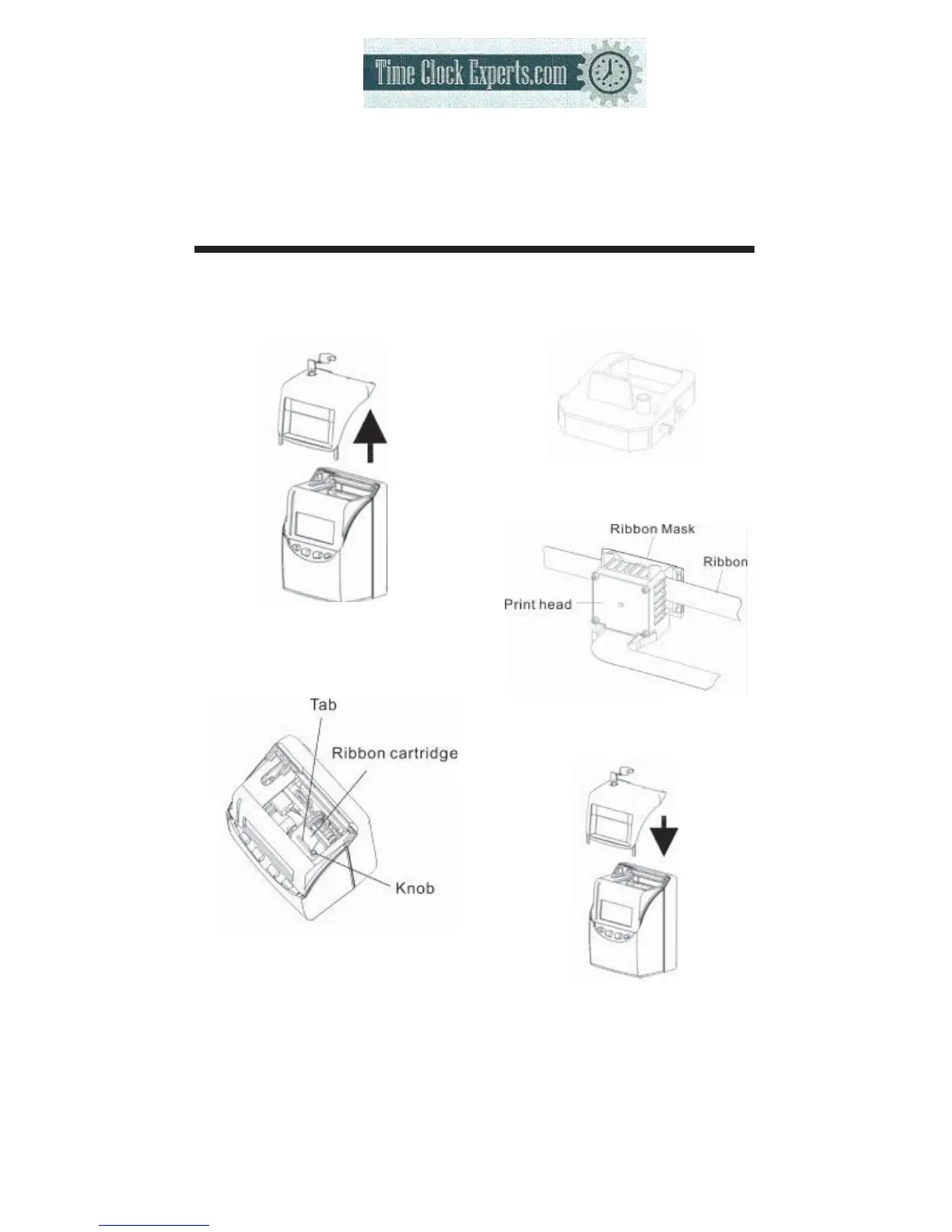
REPLACING THE RIBBON CARTRIDGE
51
(1)
Unlock the key and remove the
cover.
(3)
Turn the knob of the new cartridge
in direction of the arrow (clockwise)
to tighten the ribbon.
Installing the ribbon cartridge so that
theribbonisbetween theprinthead
and ribbon mask.
Turn the knob of the cartridge in the
direction of the arrow to tighten the
ribbon.
Then replace the cover and lock.
(2)
Hold the ribbon cartridge by its
tab and pull up to remove it.
TO PLACE AN ORDER CALL: 866-487-4751
OR VISIT: WWW.TIMECLOCKEXPERTS.COM


 To Next Page