12. SETTING THE EXTRA SCHEDULE
(1) Under the employee mode, you can set up a flexible work schedule time for
one particular working day of the week.
a. Item define:
item1 (Day of the week): One day of the week’s schedule to set differently.
Item2 (Start): Extra schedule, start of counting time.
Item3 (* Start): Set time to start printing special mark (*) for late in or
early out.
Item4 (* End): Set time to cancel printing special mark (*) for late in or early
out.
Item5 (End): Extra schedule, end of counting time.
Item6 (Max. in value): If you have not set a schedule, you can set the extra
schedule maximum counting hour.
Item7 (Break1 Start): Setting the break1 start time.
Item8 (Break1 End): Setting the break1 end time.
Item9 (Break2 Start): Setting the break2 start time.
Item10 (Break2 End): Setting the break2 end time.
Item11 (Break3 Start): Setting the break3 start time.
Item12 (Break3 End): Setting the break3 end time.
*If you have set break time(s), the break time(s) will be deducted from the
daily work time.
*If you have set Item6, the setting data of Item2 and Item5 will be deleted.
*If you have set Item2 or Item5, the setting data of Item6 will be deleted.
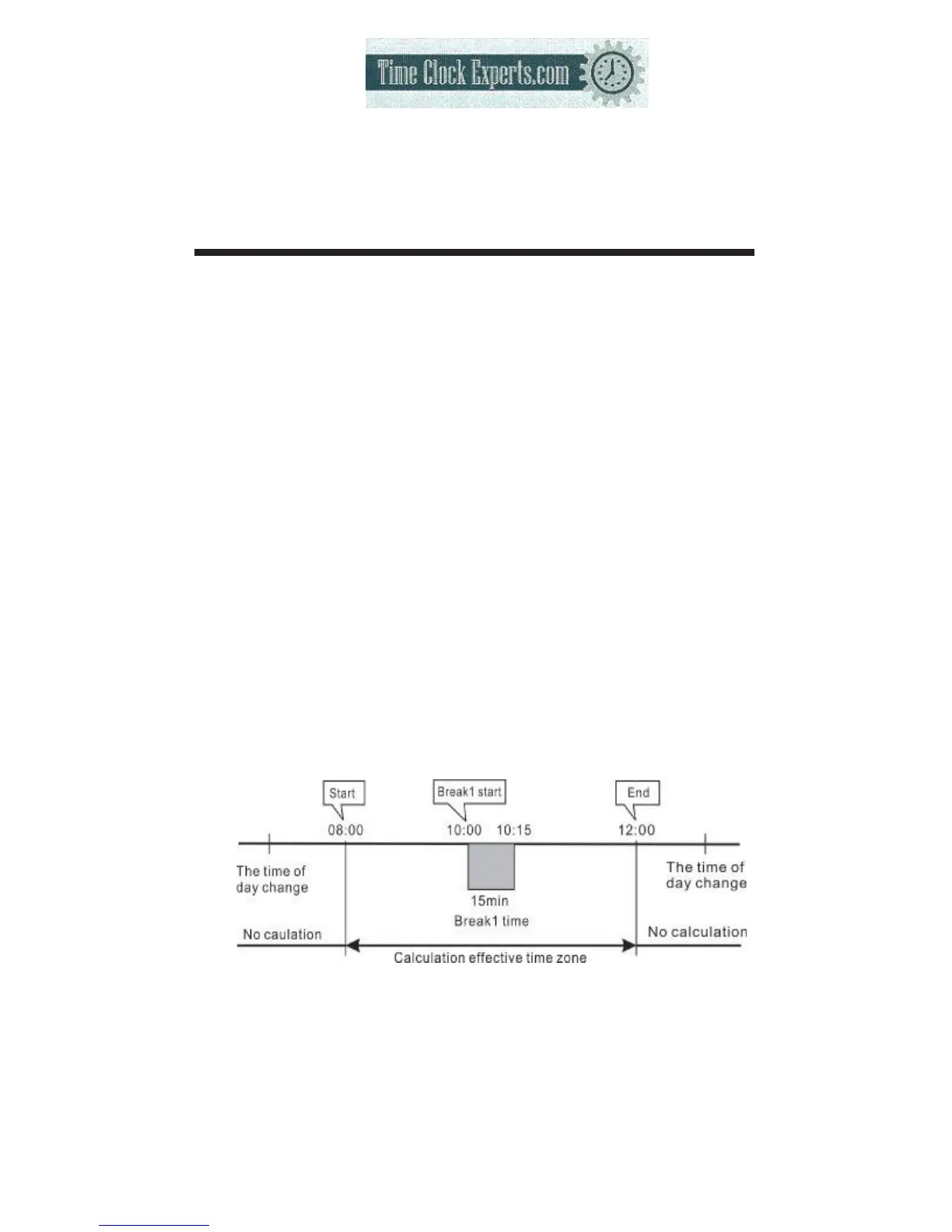
(2) Example: Setting the extra schedule as the following fig.:
The extra schedule is on Friday.
24
TO PLACE AN ORDER CALL: 866-487-4751
OR VISIT: WWW.TIMECLOCKEXPERTS.COM


 To Next Page