24.
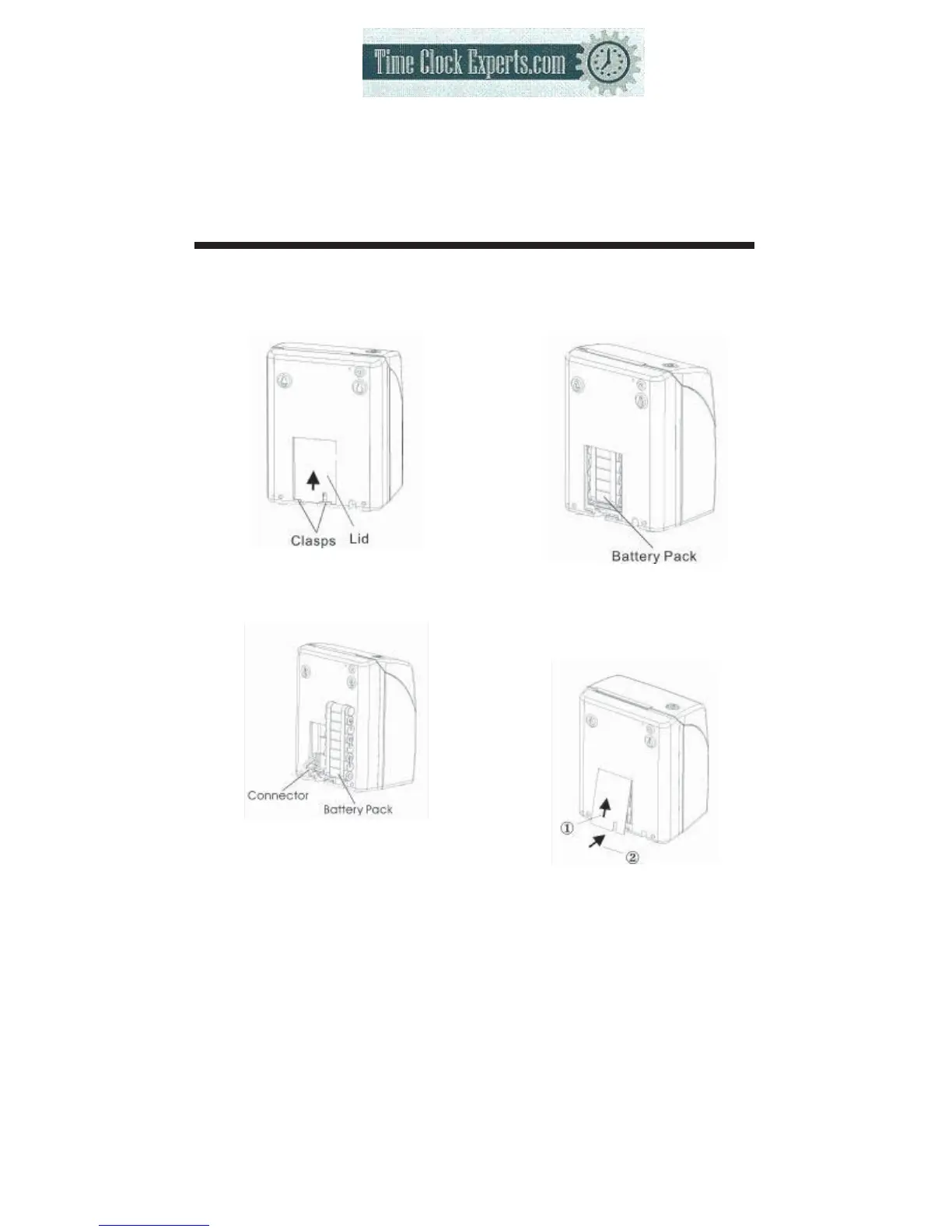
INSTALLING THE BATTERY PACK (OPTIONAL)
53
(1)
Push the centre of the lid
upwards and then remove the
lid from the two clasps.
(2)
Attach the battery connector to
the connector from the clock.
(3)
Insert the battery pack into the
time recorder as show in the
figure.
(4)
Insert the lid into the slot, keep
pressing it down until
it hooks to the clasp.
*When replacing the Lid, make
sure the cord is not caught.
TO PLACE AN ORDER CALL: 866-487-4751
OR VISIT: WWW.TIMECLOCKEXPERTS.COM


 To Next Page