16. SETTING THE BUZZER PERIOD
Buzzer period feature is only available when setting common schedule (start, end,
break time start and end) and extra schedule (start, end, break time start and end).
This function is to set the duration of External Time Signal (Option) and Built-in
Melody. The buzzer duration period, 1 through 59 seconds, can be selected.
* The optional siren/bell relay pc board must be connected to the time recorder.
Example: Setting the External Time signal to 10 seconds and Built-in Melody to 15
seconds.
42
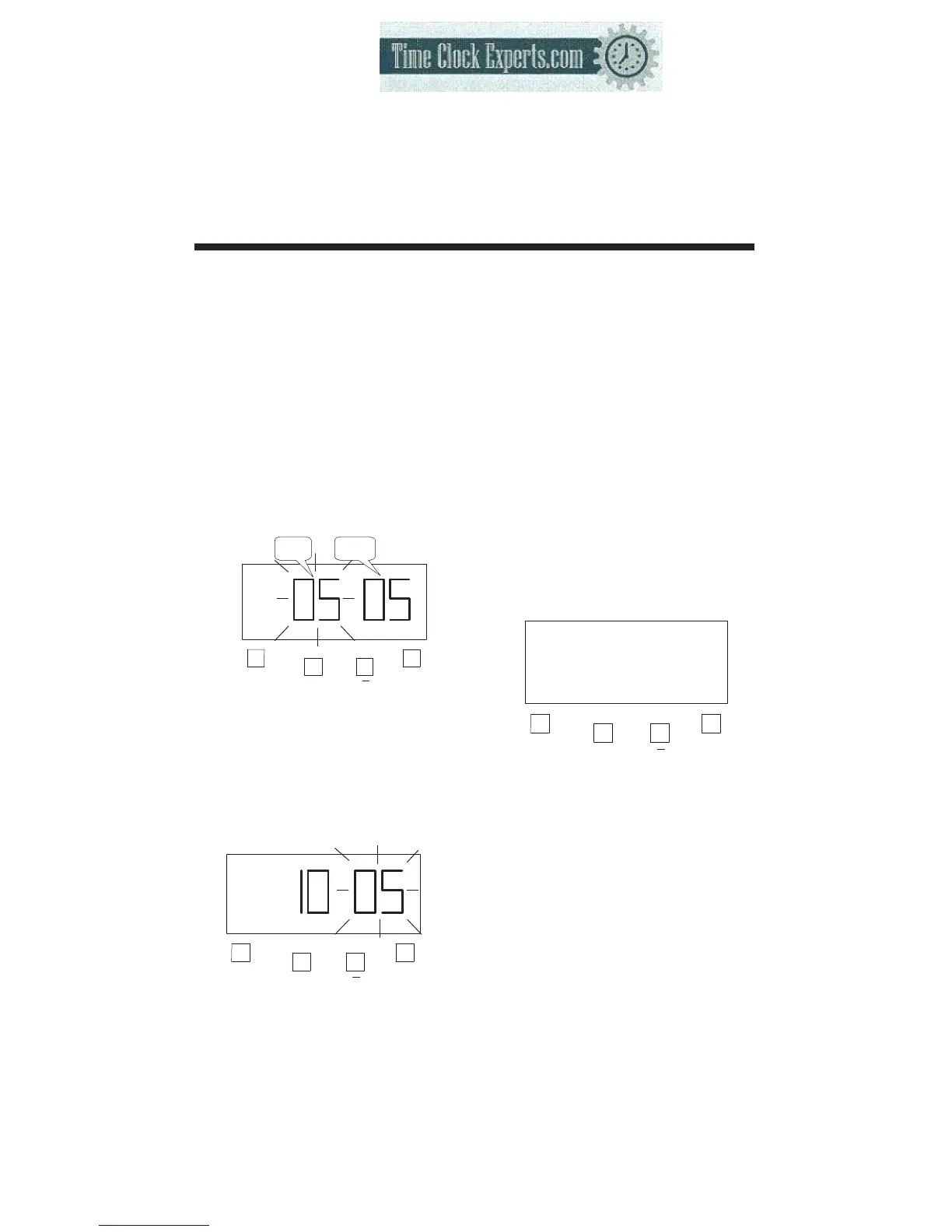
(1) Press the [F] button, and position
the “▲” over the “ BUZZER
PERIOD” mark. The flashing digit
indicates “EXTERNAL SIGNAL”
(The flashing means it can be
changed).
F
+
E
BUZZER PERIOD
Ext.
Signal
Built-in
Melody
(2) Setting the durations of “Ext.
Signal”
Such as example, Press the [+] or
[-] button to set at “10”, and then
press the [E] button.
At the same time, the flashing
changes from the “External
Signal” to “Built-in Melody”.
F
+
E
BUZZER PERIOD
(3) Setting the durations of
“Built-in Melody”
Such as example, Press the
[+] or [-] button to set at “15”,
and then press the [E] button.
At the same time, the LCD
screen only display “▲”
under the “BUZZER
PERIOD” mark.
F
+
E
BUZZER PERIOD
(4) If you want to set another
function, press the [F] button
to continue setting.
If you finished setting the
functions, replace the cover
and lock it.
TO PLACE AN ORDER CALL: 866-487-4751
OR VISIT: WWW.TIMECLOCKEXPERTS.COM


 To Next Page