4. DAILY OPERATIONS
● When the power cord is plugged in, the time recorder can be used immediately
with the basic functions. The basic functions include the work type (employee),
pay period (monthly) and pay ending day (31).
● In employee mode, when a new time card is inserted to the time recorder, the
time card will be registered automatically, and will print in “IN” position on the first
line.
● In employee mode, you can punch “IN” and “OUT” as many times as you want
per day, the time recorder will memorize the last punch, and automatically switch
to “IN” or “OUT” position.
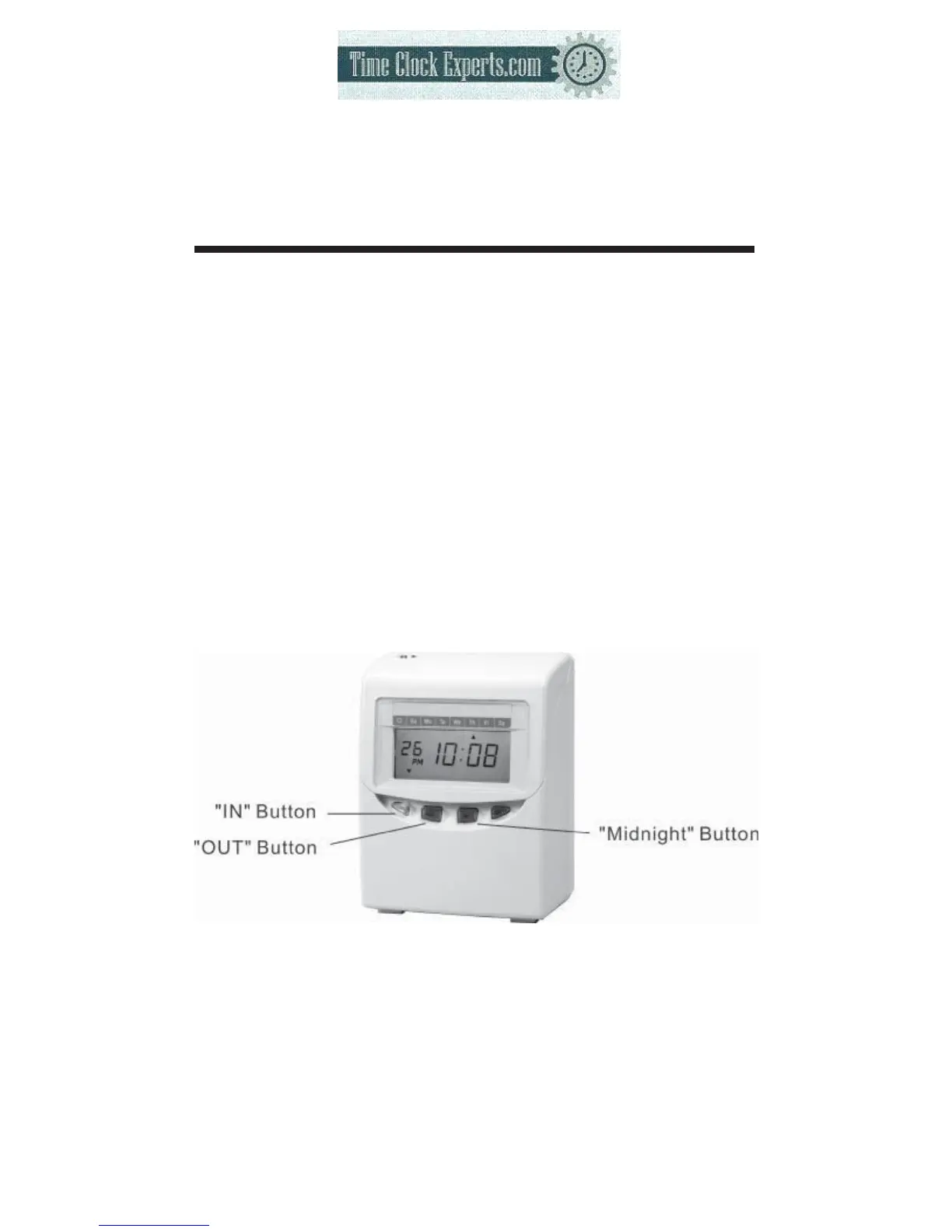
● You can change the “IN” or “OUT” position by pressing the “IN” or “OUT” button.
● If punched in “OUT” position when the work time is over the “printing line time”,
by pressing the “midnight button” and then making a punch, it will imprint “IN”
and “OUT” on same printing line, otherwise the imprint will be in the “IN” position
on the next printing line.
*On pay ending day, the “Midnight button” can not be used.
5
TO PLACE AN ORDER CALL: 866-487-4751
OR VISIT: WWW.TIMECLOCKEXPERTS.COM


 To Next Page