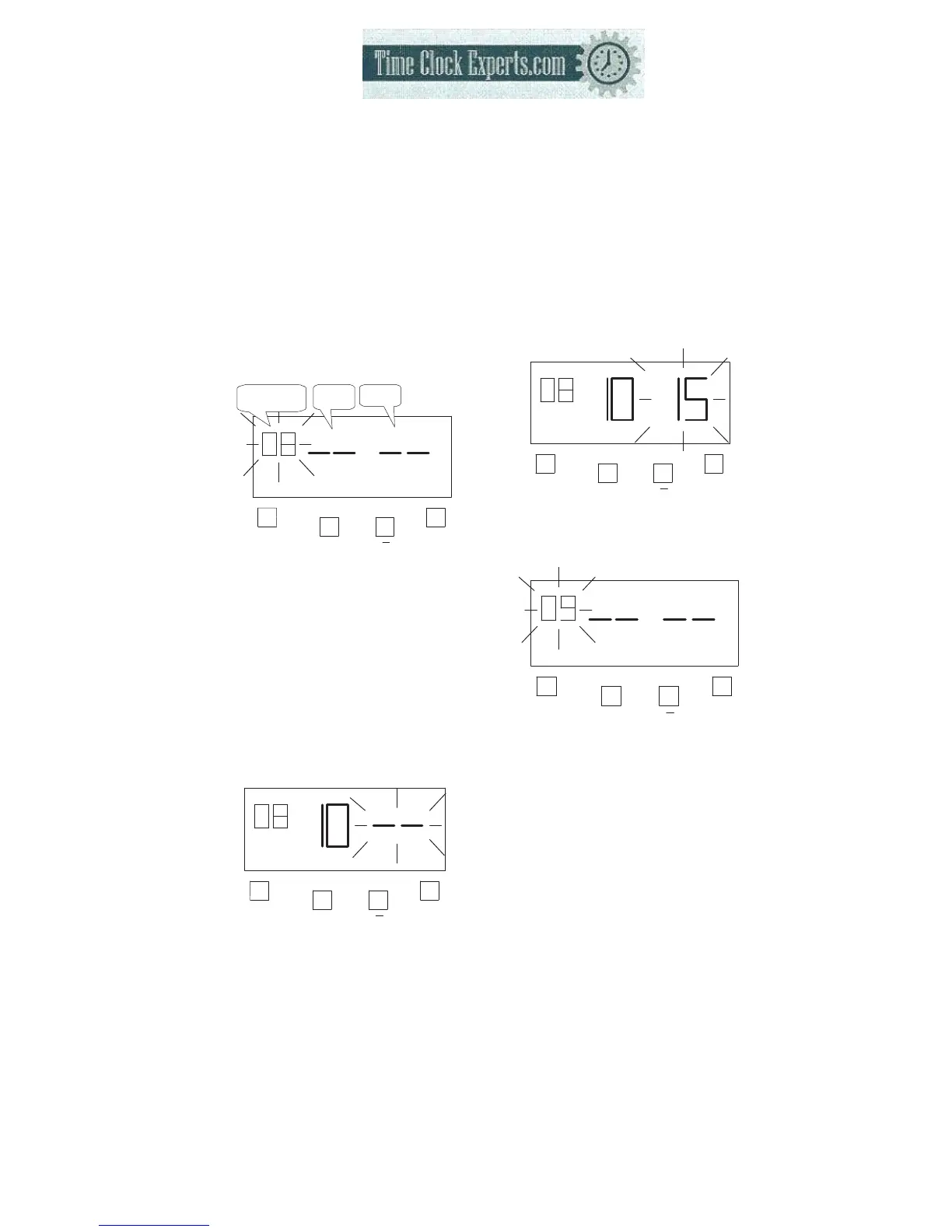
h. Setting the Item8 (Break1 End)
Example: break1 end time is set at 10:15.
32
(a) Setting the “Item”
Press the [F] button, and position
the “▲” under the “EXTRA
SCHEDULE” mark. The “Item”
flashes (The flashing means it
can be changed).
F
+
E
Item8:
Break1 End
Hour
Minute
EXTRA
SCHEDULE
Press the [+] or [-] button to set at
“08” and press [E] button. At the
same time, the flashing changes
from “Item7” to “Hour”.
(b) Setting the “Hour”
Press the [+] or [-] button to set at
“10” and press [E] button. At the
same time, the flashing changes
from “Hour” to “Minute”.
F
+
E
EXTRA
SCHED ULE
(c) Setting the “Minute”
Press the [+] or [-] button to set
at “15” and press [E] button.
F
+
E
EXTRA
SCHEDULE
Such as example, the flashing
changes from “Hour” to “Item9”.
F
+
E
EXTRA
SCHEDULE
*The settings for break2 start
time, break2 end time, break3
start time and break3 end time
are the same as break1 start
time and break1 end time
settings.
TO PLACE AN ORDER CALL: 866-487-4751
OR VISIT: WWW.TIMECLOCKEXPERTS.COM


 To Next Page