Before Beginning
You can avoid most problems by following the recommended installation and
maintenance procedures outlined in this User Guide. If you do have a problem,
this section will help you determine what caused it and how to fix it.
Before you open the side panels of the dryer be sure to:
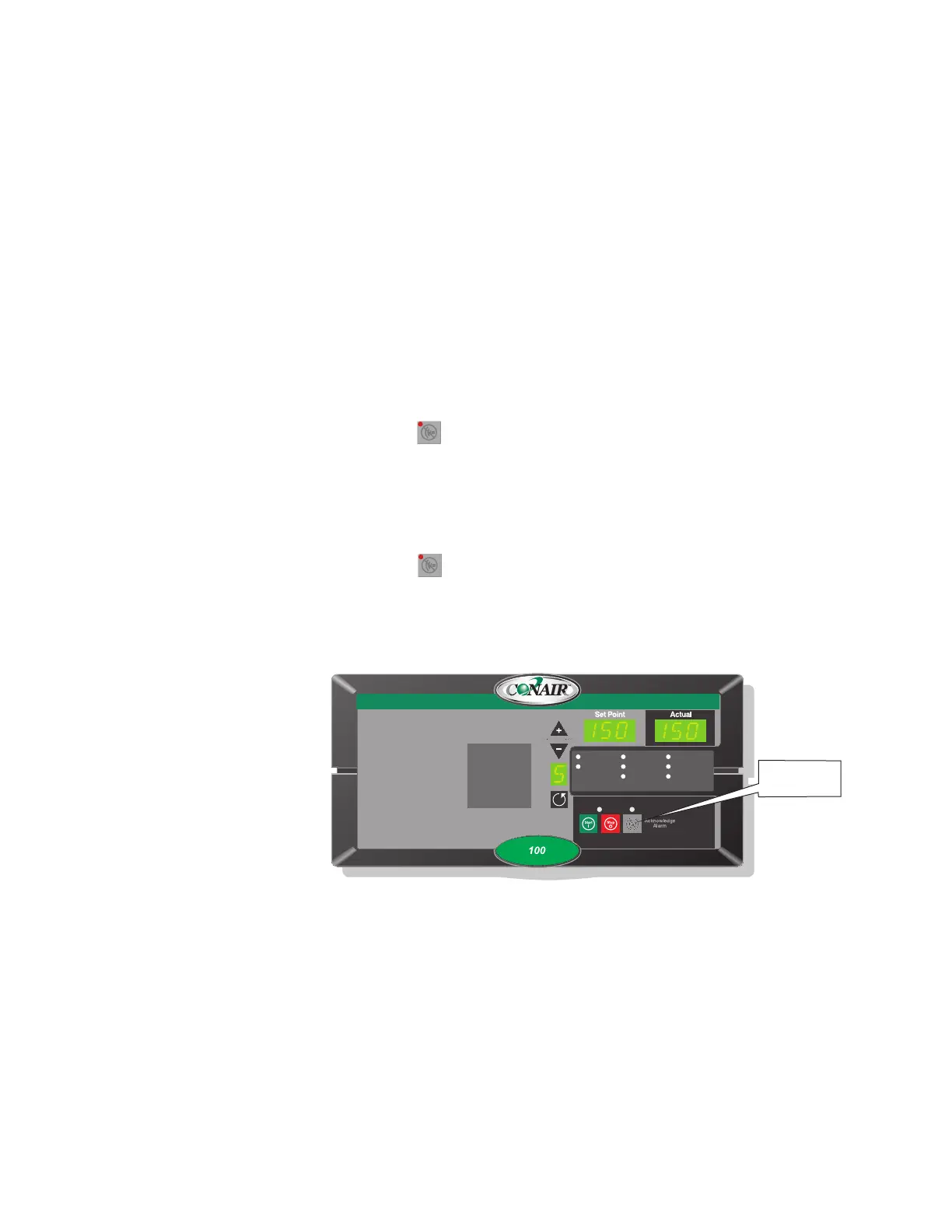
❏ Diagnose causes from the control panel.
1 Press once to silence the optional audible alarm and display the
alarm message.
2 Address the alarm message and fix the problem. (Refer to the alarm
descriptions later in this section.)
3 Press again to clear the alarm. If the alarm reappears the problem
was not fixed.
❏ Diagnose causes from the front of the dryer.
You can locate any problem from the front of the dryer.
Shutdown Alarms
A1 Process High Temp
A2 Process Loop Break
A3 Process Heater High Temp
A4 Regen Heater High Temp
A7 Return Air High Temp
A49 Process Protection High Temp
A53 Process Blower Overload
A55 Wheel Rotation Failure
Passive Alarms
P1 Process Temp Deviation
P3 Regen Temp Deviation
P5 Return Air Mid High Temp
P17 MDC Conveying Demand
1 Process Temp.
2 Regen. Temp.
3 Return Air Temp.
4 Auto Start
5 Load Time (MDC)
6 Activate Setback Temp.
7 Setback Temp.(Process)
8 Dewpoint
Auto Start
Dewpoint Control
Set-Back Temp.
Regen. Blower
Regen. Heater
Conveying Blower
Process Blower
Process Heater



 To Next Page