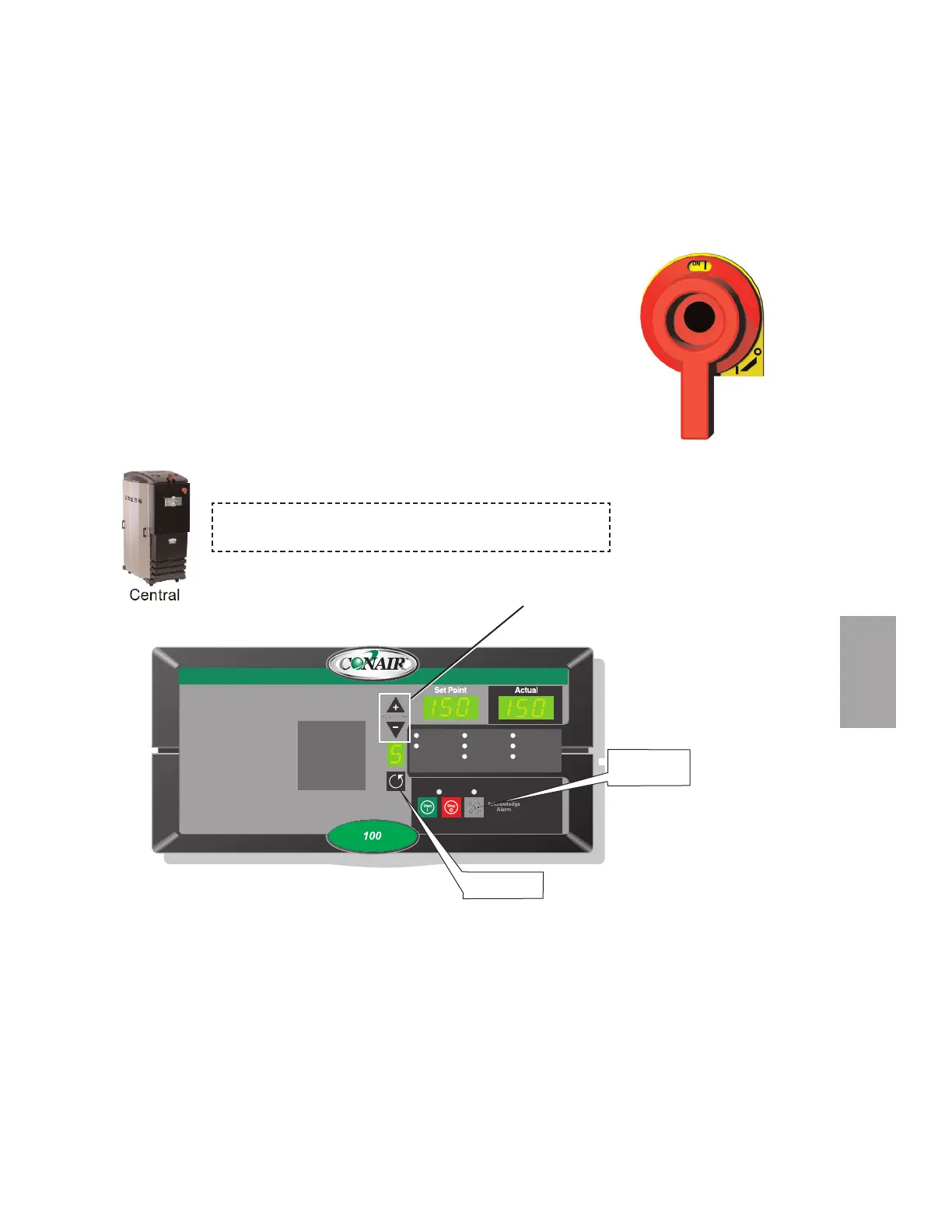
To Start Drying
1 Make sure there is material in the hopper.
2 Turn on the main power to the dryer. Make sure the dryer’s disconnect dial
is in the ON position. This powers up the control and the display lights will
illuminate.
3 Set the drying temperature. Use the Scroll button to get to the process
temperature function. Press the Adjust Setpoint (+) or (-) buttons to select
the temperature.
(continued)
Shutdown Alarms
A1 Process High Temp
A2 Process Loop Break
A3 Process Heater High Temp
A4 Regen Heater High Temp
A7 Return Air High Temp
A49 Process Protection High Temp
A53 Process Blower Overload
A55 Wheel Rotation Failure
Passive Alarms
P1 Process Temp Deviation
P3 Regen Temp Deviation
P5 Return Air Mid High Temp
P17 MDC Conveying Demand
1 Process Temp.
2 Regen. Temp.
3 Return Air Temp.
4 Auto Start
5 Load Time (MDC)
6 Activate Setback Temp.
7 Setback Temp.(Process)
8 Dewpoint
Auto Start
Dewpoint Control
Set-Back Temp.
Regen. Blower
Regen. Heater
Conveying Blower
Process Blower
Process Heater
When configured as a central dryer, the drying temperature
can not be set since there is no process heater in the system.
4
Operation
Operation l 4-19
Acknowledge
Alarm Button
Setpoint Adjust
Buttons
Scroll Button



 To Next Page