(specially while the DVR recording).
Caution: In some areas power supply may be irregular, which will cause the DVR to work abnormally, possibly
Causing damage to the unit. In this situation, please choose a stabilized voltage supply.
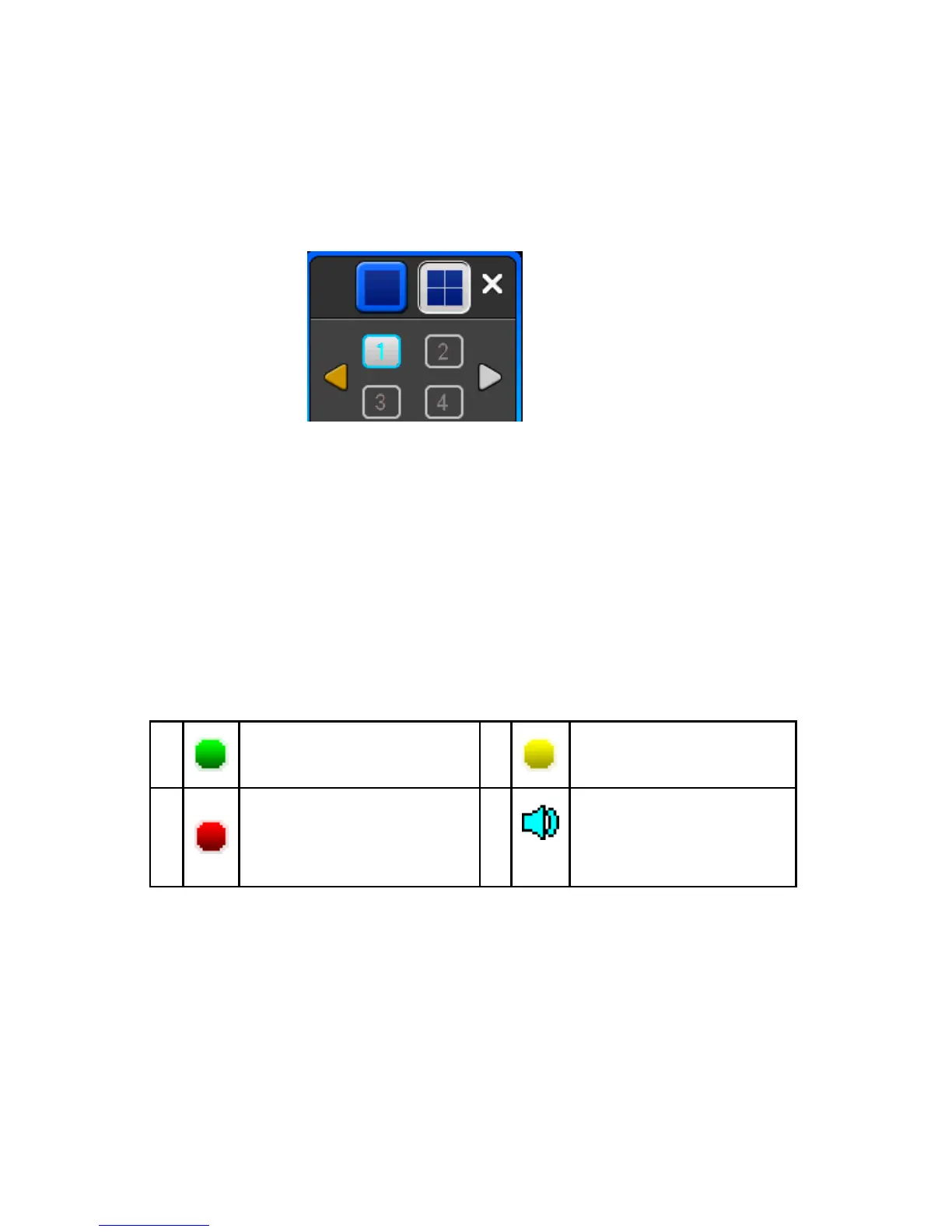
3.4 Multi Channel
1/4preview screen mode switch
3.5 Preview
After logging into the operating system of the DVR, system will automatically enter
the preview mode.
In the preview picture, you will see the overprint date, time, and channel name. If the date and time is not shown
correctly on the picture, reset the date. There is also an alarm input mode icon. (Refer to attached table for icon
descriptions)
Channel picture attention
Channel is video when channel
video pictures show this symbol
Channel occurs when dynamic
test, channel video pictures show
this symbol
Channel happen when channel
video cover alarm pictures
showed this symbol
Channel open sound, the channel
video pictures showed this symbol
3.6 Recording operation
Customer can select the different kinds of recording mode in this system. For each different
kind of recording mode you set, the channel will show the corresponding symbol.
Manual recording
Note: Manual recording operational requirement the user should have “recording” permission.
Please make sure the hard disk drive has been installed and it has been formatted.
1)Input manual recording operation menu
Single click right key of mouse or in main menu=> recording control can move into manual recording operation
menu.



 To Next Page