【Alarm Output】Happen when video lost upcoming linkage selected channel corresponding alarm output
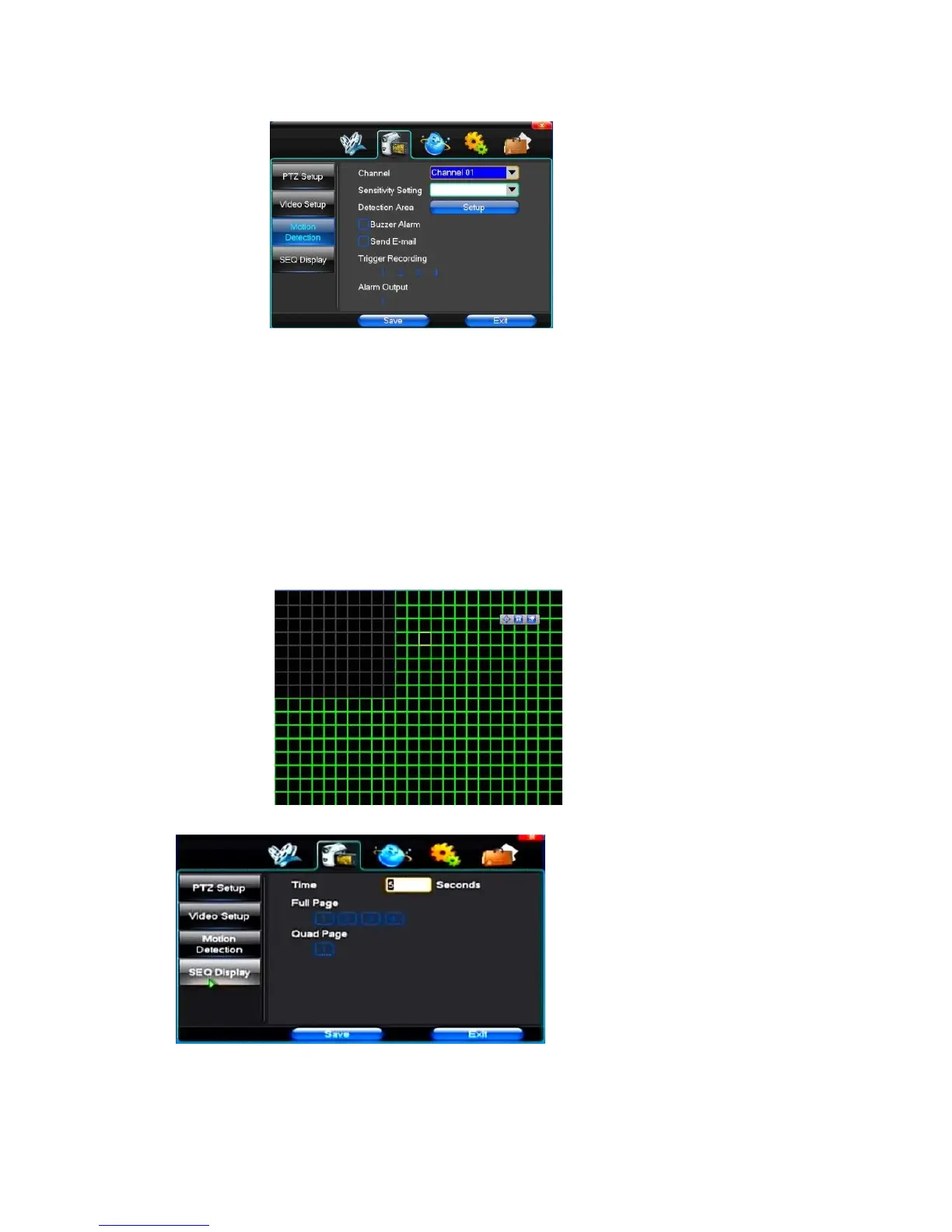
(3)Motion Detection
【Channel】Choose need to set up mobile testing area passage "whole" says setting all channels
【Sensitivity Setting】Can be set to give: minimum, low, general, high, highest
【
Detection
Area】Click Settings enter.
Green area for dynamic test, grey areas design. The brick pattern represents an undefended area. Press the mouse
left key to drag on the lower detection area to the right, press the mouse button to clear. Detection area drag The
save and exit button can save Settings, some give up and quit button abandon modification.
【Buzzer Alarm】Occurs when there is a dynamic test on the buzzer, deciding
whether to allow the alarm
【Trigger Recording】That will happen when dynamic test on the linkage of selected channel fast ball trigger video
【Alarm Output】In this passage setting user can be copied to the other channels, fulfill the same dynamic detection
alarm Settings
(4)SEQ Display
【Time】 Interval time from 5s to 255s
【Full page】 select channel to switch
【
Quad page
】Quad mode.



 To Next Page