after pop-up, add the catalogue,, device and shot menu
6.1.5.1 Modify the connection parameter
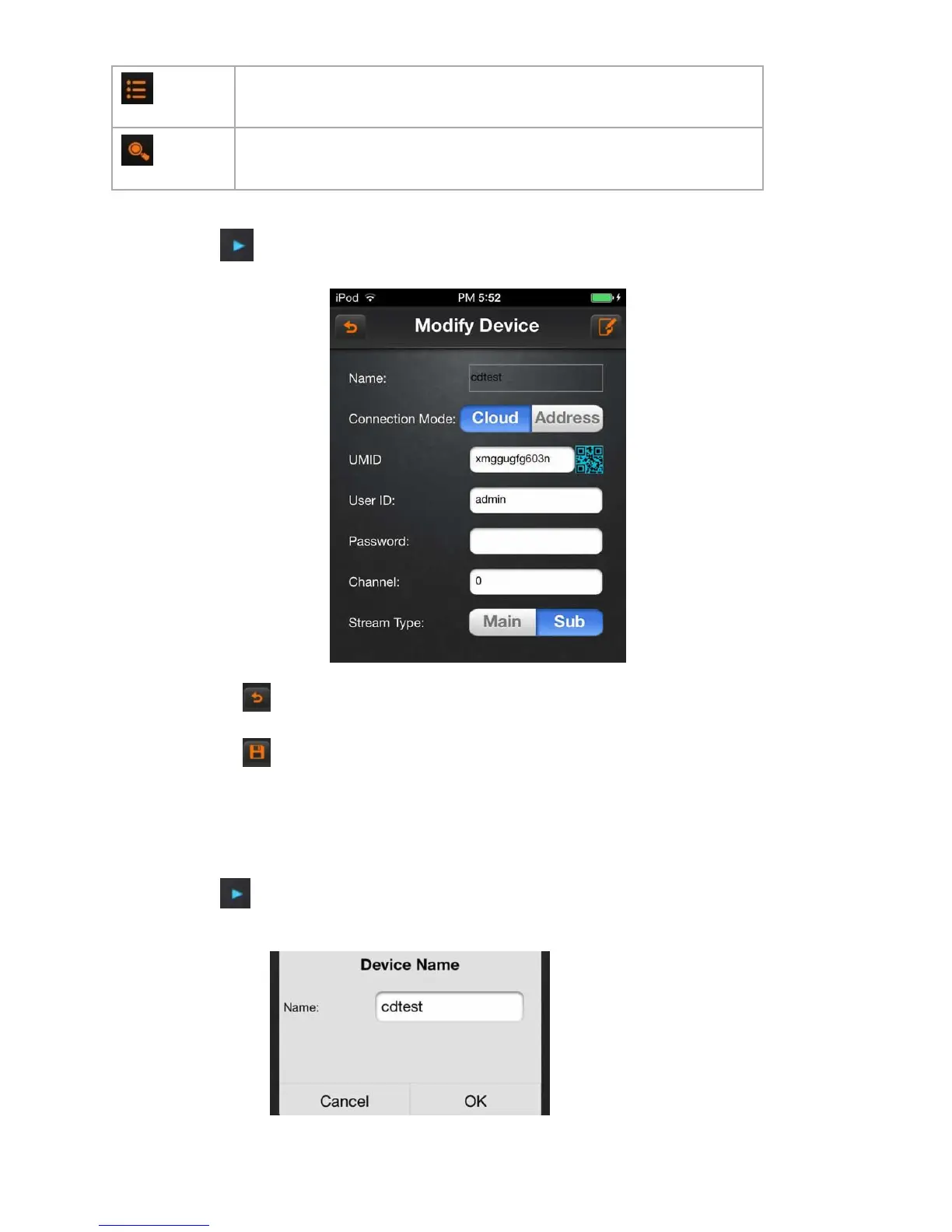
Click on the icon , select “modify connect parameter”, then into “modify device” dialog box:
A)Click on the icon , return to the device management lists.
B)Click on the icon , save the current configuration.
6.1.5.2 Modify the name
Click on the icon , select the option “modify the name”, then pops up “modify name” or “modify the catalogue”
dialog box.



 To Next Page