window, to control pan driver
to move in
the PTZ control windows
Search for playback time
choosing
3.1.2 How to use mouse of DVR (for right hand mouse)
To go to any function menu icon click the mouse left key in the menu
To run the control, point out operation
Change again select frame or motion detection piece mode
Click the assembly frame pop-up to pull down the list
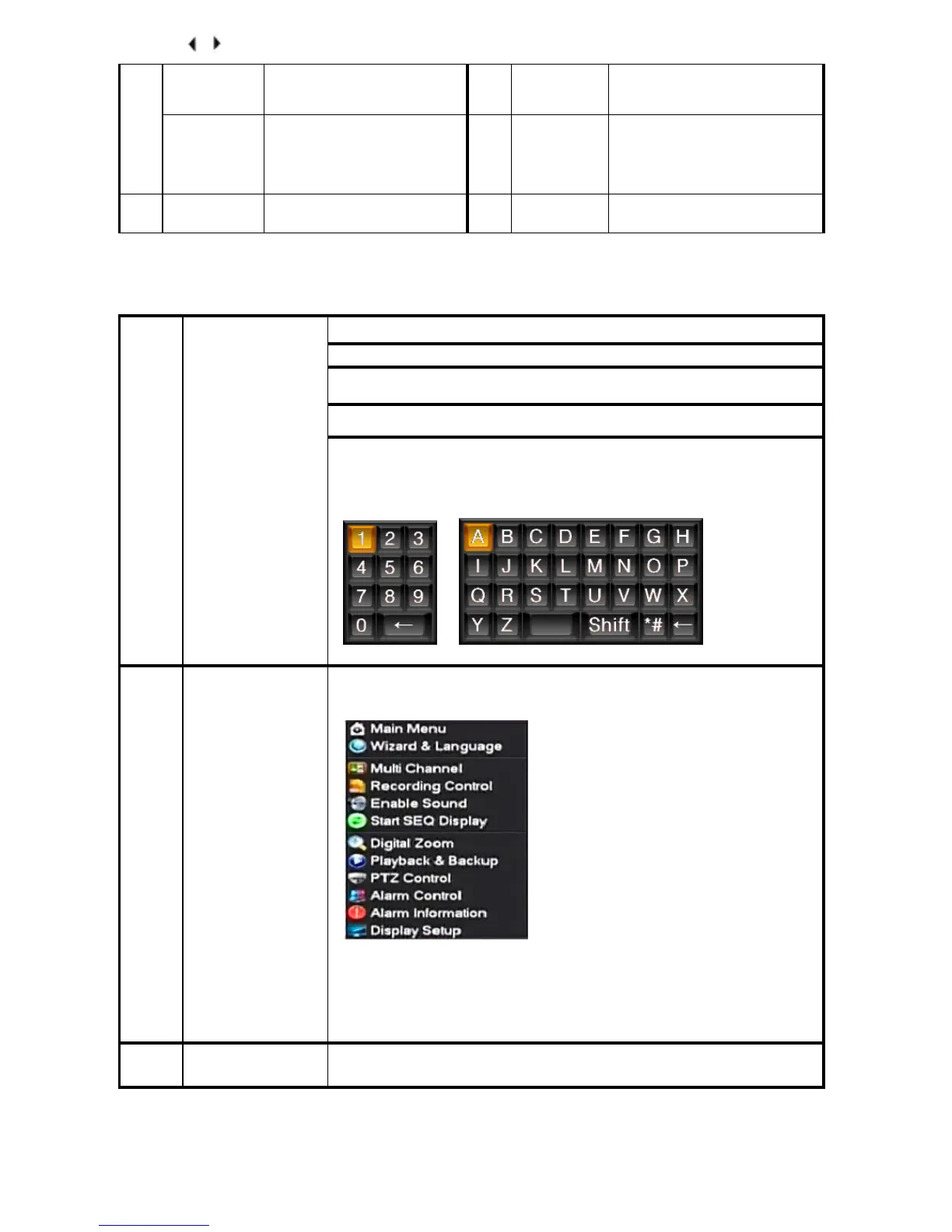
In the input frame, the user can select digit, character, lowercase, or block
letter. A left mouse click on the keyboard activates character input,with
.
← for
backspace, _for blank,and Shift to switch case.
Right click mouse, popping the shortcut menu, as follows;
Through this menu, switch between preview screen, window mode, start
replays, and PTZ control. Four pictures playback mode, the point of the right
mouse button, Can in a single picture, four pictures, eight pictures (8 road
playback), 16 screen (16 road
playback),broadcast
control switch view show or
hide broadcast control bar.
To run the ActiveX Control for ActiveX special operations, double click
the recorded item as it is listed on file, then the system will playback the segment



 To Next Page