11.1.2 Date and Time
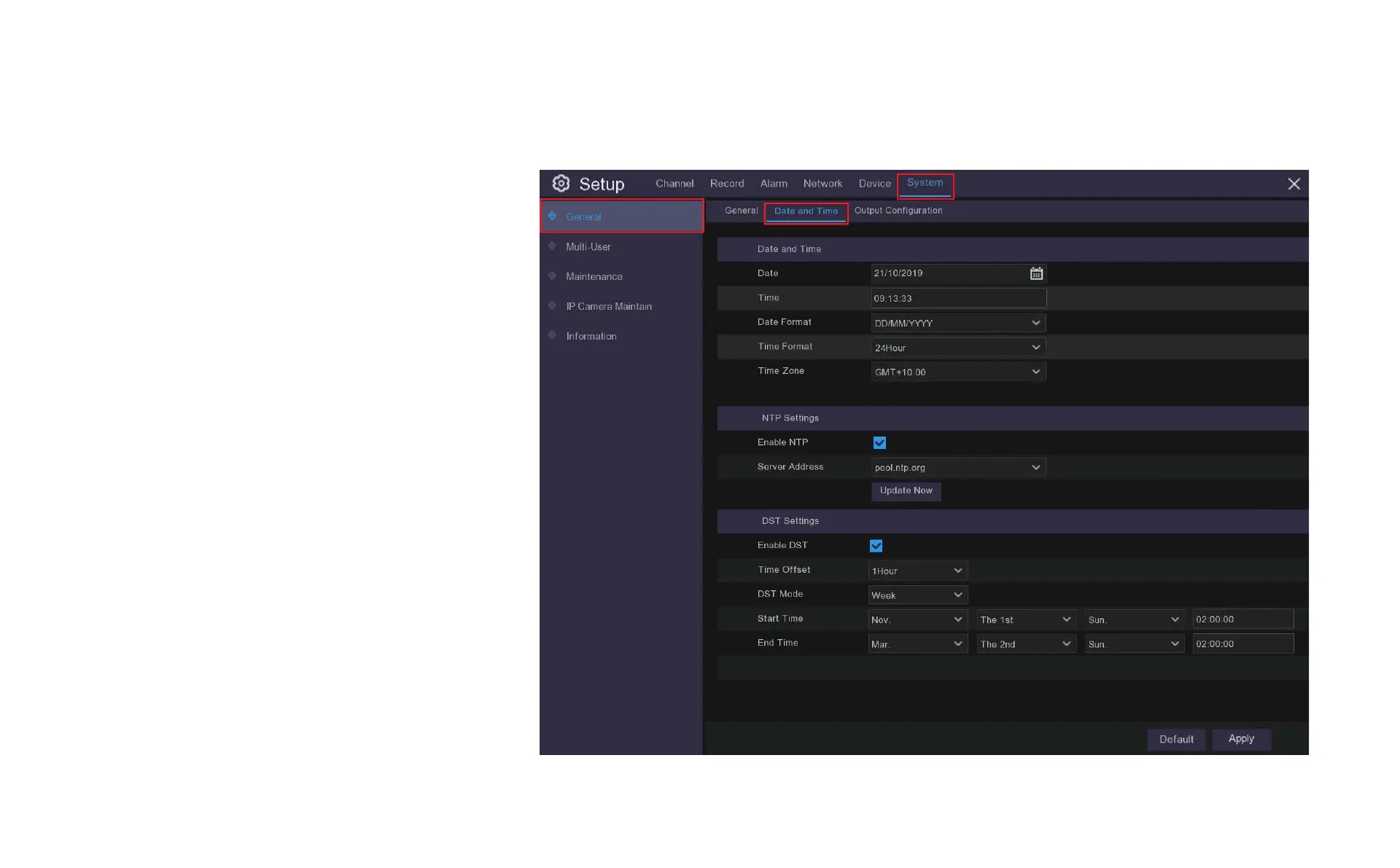
This menu will set the system date and time, click the tabs
to make adjustments.
Date and Time: Set date, time, formats and time zone.
NTP: You can also choose NTP (network time protocol) to
automatically set the time using the network.
DST: Set when DST (daylight saving time) begins and ends
so the system will automatically adjust itself.



 To Next Page