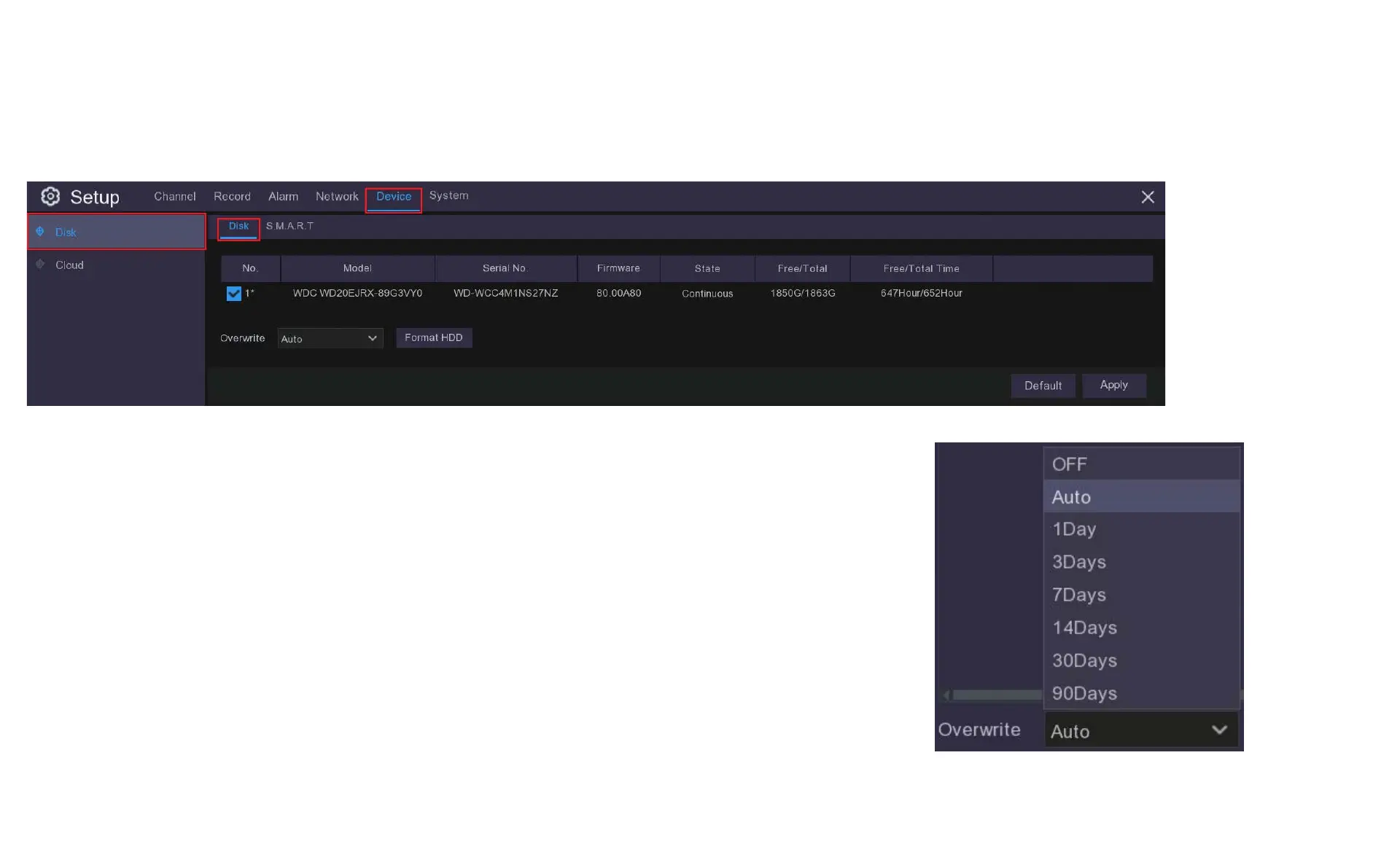
10.1 Disk
If you click Format the HDD you will erase all stored data on the HDD, you want to do this to make sure you
have a fresh start.
Auto Overwrite makes new data overwrite the old data as the HDD fills up.
If you disable the Auto Overwrite feature, no new footage will be captured once the HDD is full.
You can also choose to automatically overwrite the data at different time periods from once a day to every
ninety days. This ensures you keep your recordings for the period of time you think is most suitable.
When you have finished making your selection click Apply to continue. Clicking Default will reset to factory
settings.
In this menu you will find options that apply to your HDD and Cloud storage functions.



 To Next Page