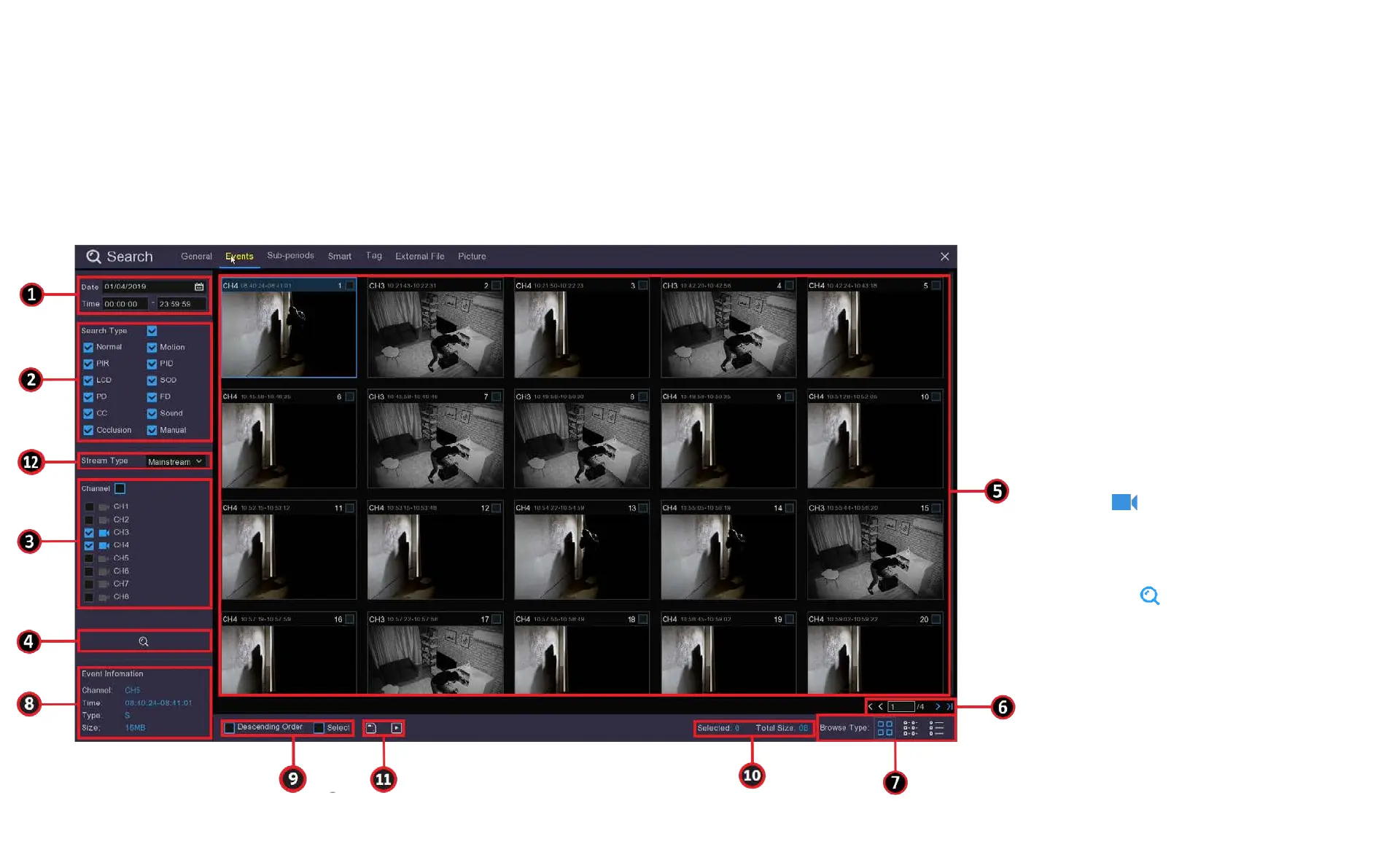
8.2.2 Event Search, Playback & Backup
Chapter 8 Playback & Search
Event search lets you view a list of video recordings with the channel, start and end time, and recording type
conveniently summarised. You can also quickly back up events to an external USB thumb drive or HDD.
1. Choose the date and time you
want to search.
2. Select the recording types you
want to search, you can tick
Search Type to choose all.
3. Choose the channels you want
to search, or check Channel to
choose all channels. Channels
with available recordings will
have next to it, if the
camera is greyed out there is
no recording.
4. Click the icon to start a
search.
5. Events fitting your search
criteria are displayed in list
form. Double click on a tile to
watch that recording.



 To Next Page