Chapter 8 Playback & Search
The Search function gives you the ability to search for and play previously recorded videos as well as snapshots that are stored on your DVR’s hard drive. You
have the choice of playing video that matches your recording schedule, manual recordings or motion events only. The Backup function gives you the ability to
save important events (both video and snapshots) to a USB flash drive or USB Hard drive.
8.1 Using Search Function
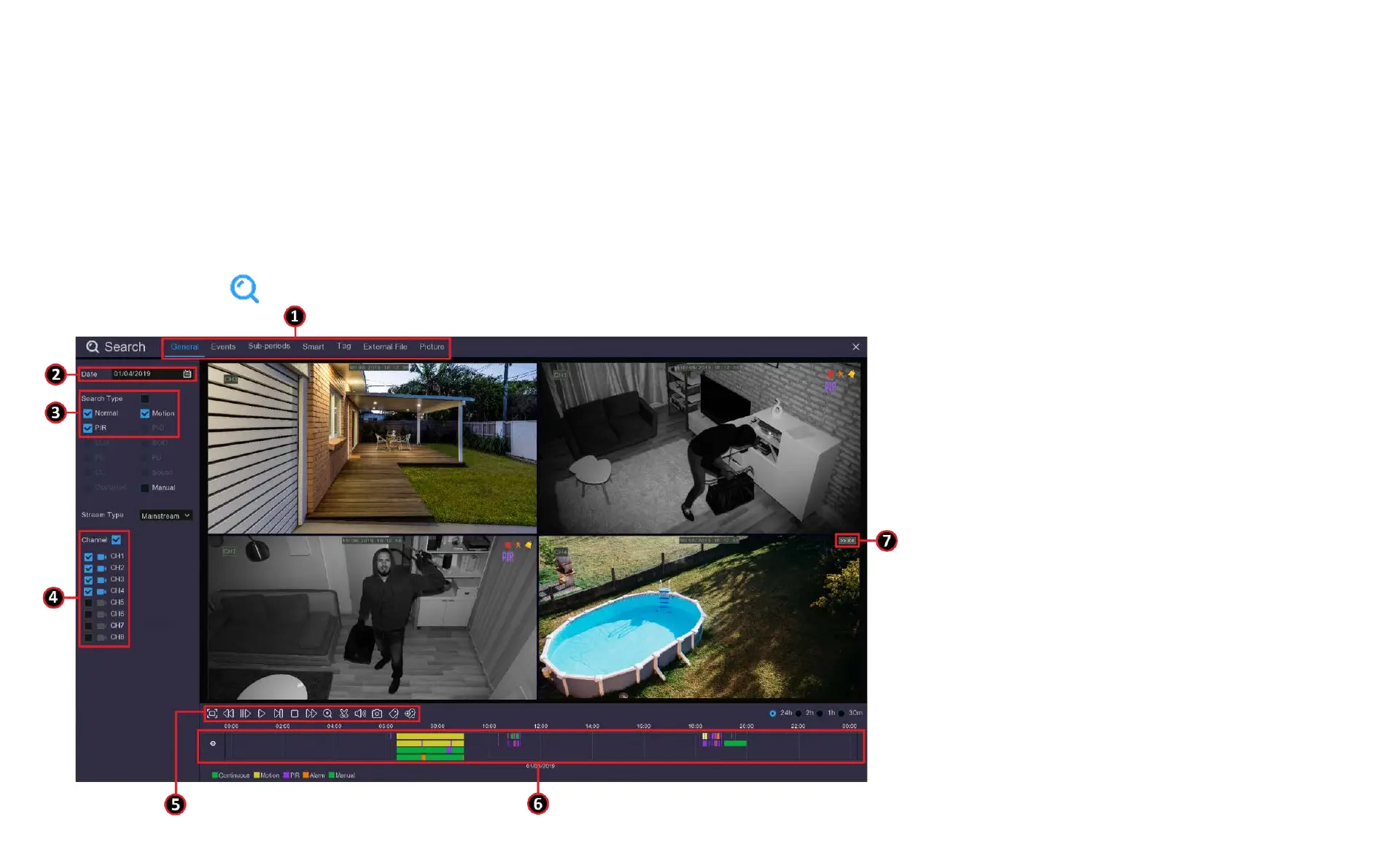
Click the Search button in the Start Menu to enter the search menu.
1. Search Options: the system provides
various search & playback methods:
General, Events, Sub-periods, Smart &
Pictures
2. Search Date: search by a date to play back.
3. Search Type: the system provides different
search types to narrow your search.
4. Channel Selection: to choose the channels
you want to search & play.



 To Next Page