4.2 Create a Password
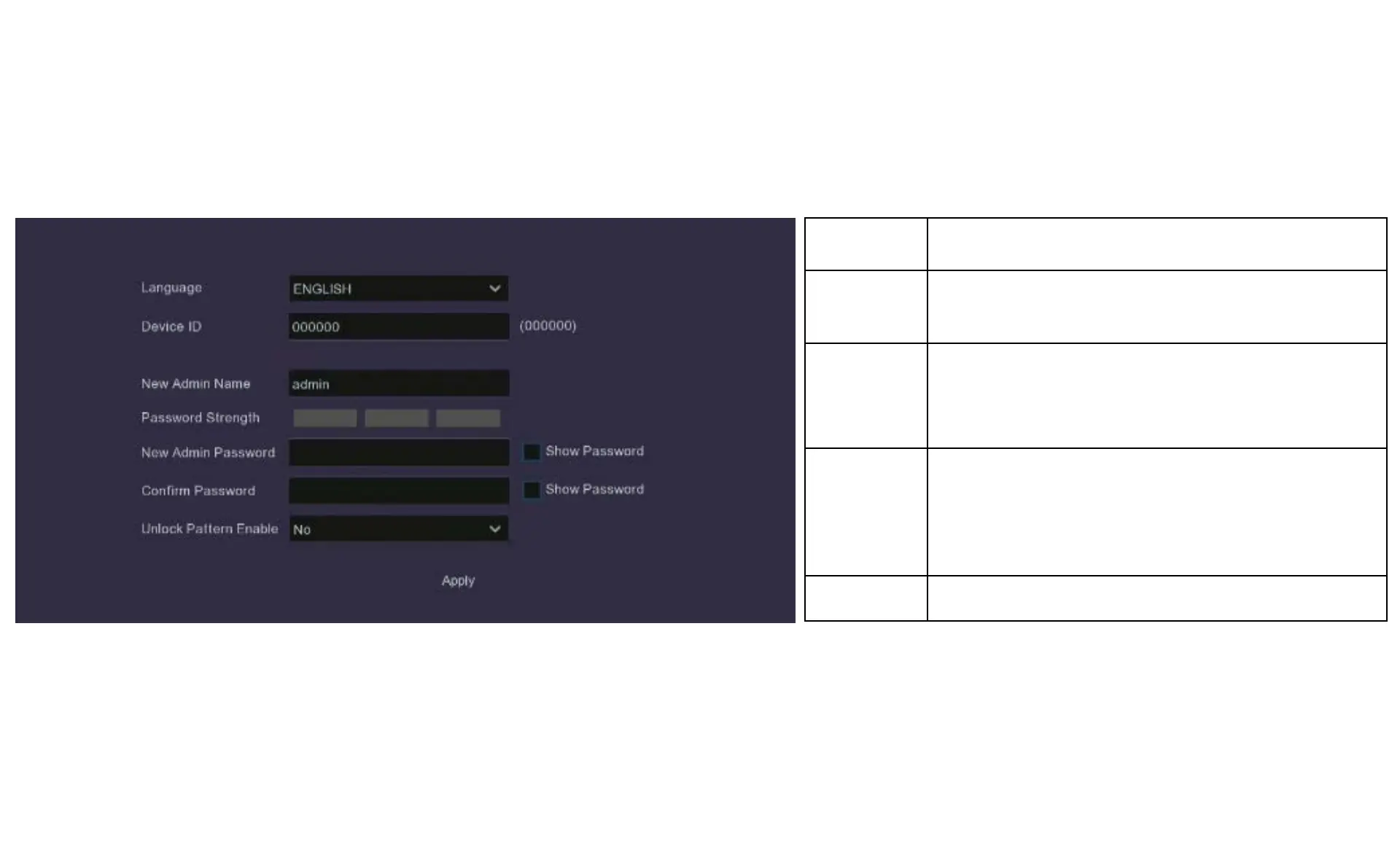
Language English is default
Device ID
If you have more than one DVR it is useful to give each device
a unique ID
Admin Name
Choose a login name, such as John, or Mary, etc., or any
other name that you will easily remember. Generally, ‘admin’
is a common login name to use here
Admin
Password
The password needs to be a minimum of six characters and
can contain a mixture of numbers and letters. Use a password
that you are familiar with, but is not easily known to others.
Apply Click Apply to save your settings
ATTENTION
Be sure to write down your login credentials in a secure place. If you forget your password you will
not be able to access the DVR, and you will need to contact Concord customer support to reset the
DVR password.


 To Next Page