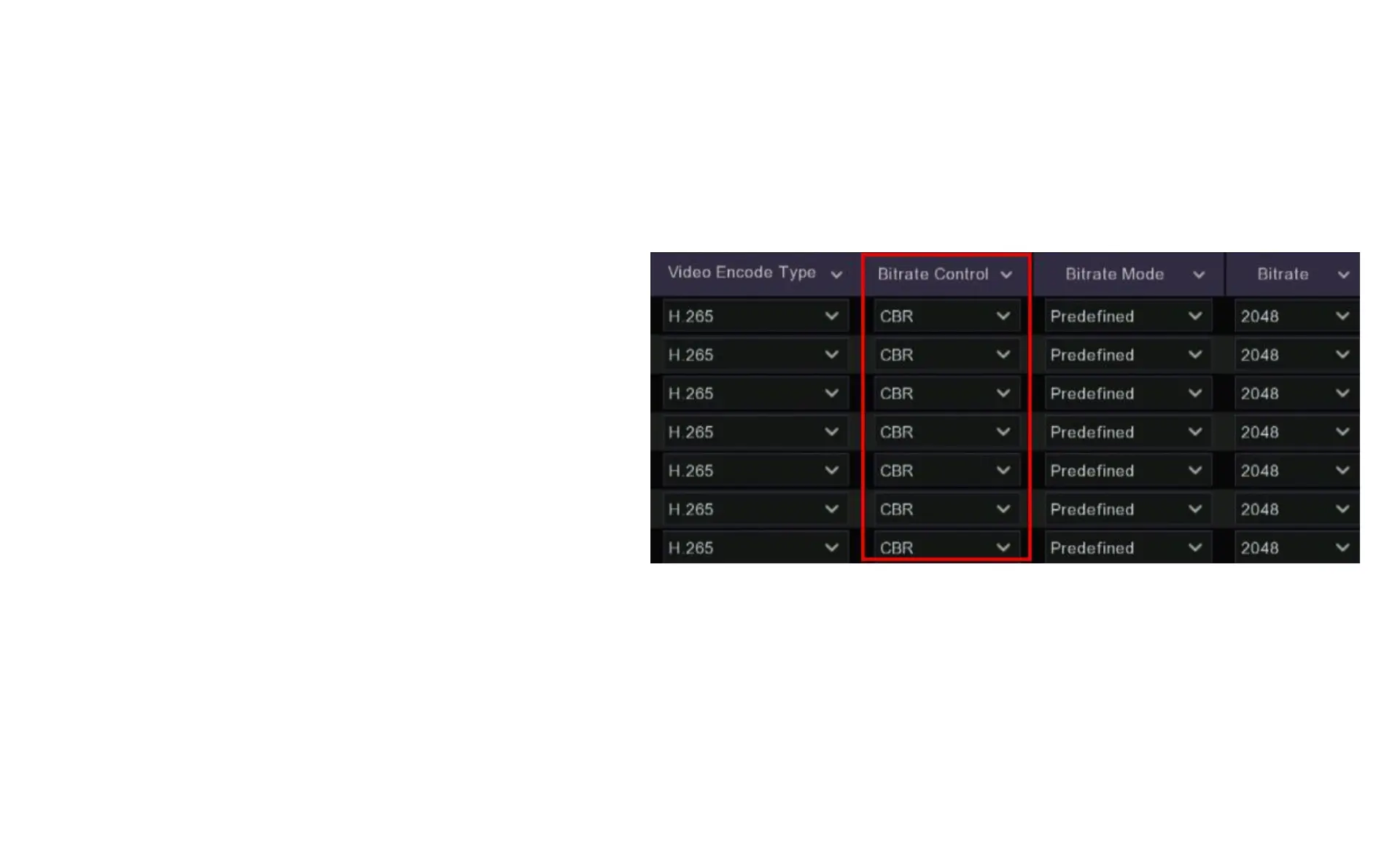
7.2.4 Encode Bitrate Control
(Constant or Variable)
One of the main contributors to the amount of bandwidth your system
uses is the amount of movement and complexity of the image. The
more that is going on in the image, the more storage is required. So a
complex garden or interior scene is going to need a more data than a
blank grey wall and a busy urban street is going to consume more
space than a quiet driveway.
Bitrate Control: Allows you to adjust the bitrate to suit the scene you
are recording by switching between CBR and VBR modes:
Constant Bit Rate (CBR): The default setting for your recorder is CBR,
in this mode your recorder is always recording at the same bitrate
which means the quality of the image will be consistently the same.
This is ideal for areas with a lot of movement such as hallways and
roads.



 To Next Page