Chapter 1 Product Overview
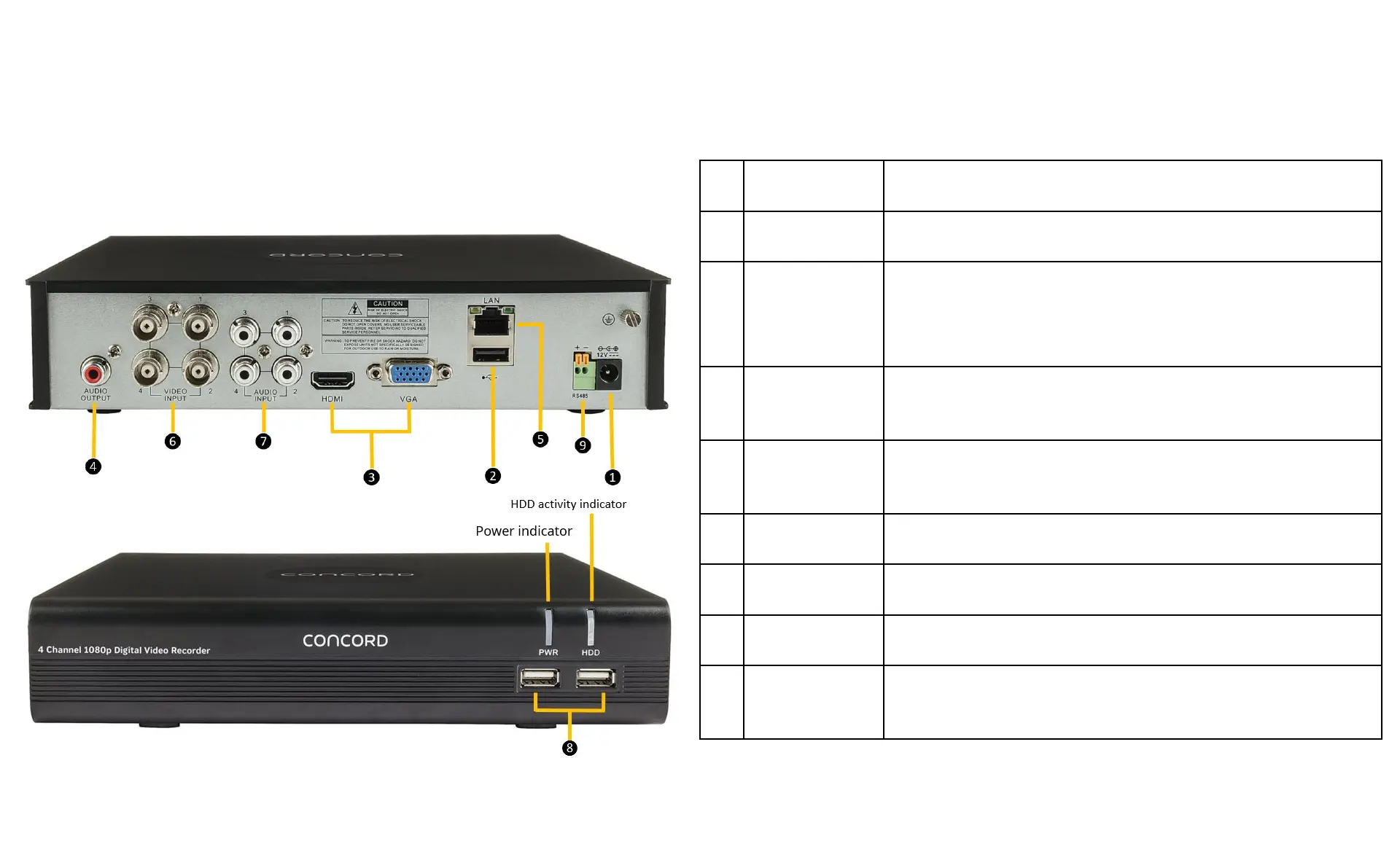
1.2 What’s what on the box?
1
Power Input Connect to the supplied mains power adaptor
2
USB Port Connect the supplied mouse or external USB Hard Drive.
3
Connect
Monitor
Connect to your TV or monitor, using either supplied
HDMI or, if not available use the VGA Output (cable not
supplied).
4
Audio Output Connect to an amplifier or active speakers. RCA
connection.
5
LAN Port Connect to your network router using supplied RJ45
Ethernet cable.
6
Camera Ports BNC camera video inputs.
7
Audio Input Microphone input. RCA Connection.
8
USB Ports Connect the supplied mouse or external USB Hard Drive.
9
RS485/PTZ Connect to third-party cameras that have a Pan-Tilt-Zoom
function



 To Next Page