Chapter 8 Playback & Search
8.3 Tag Search and View
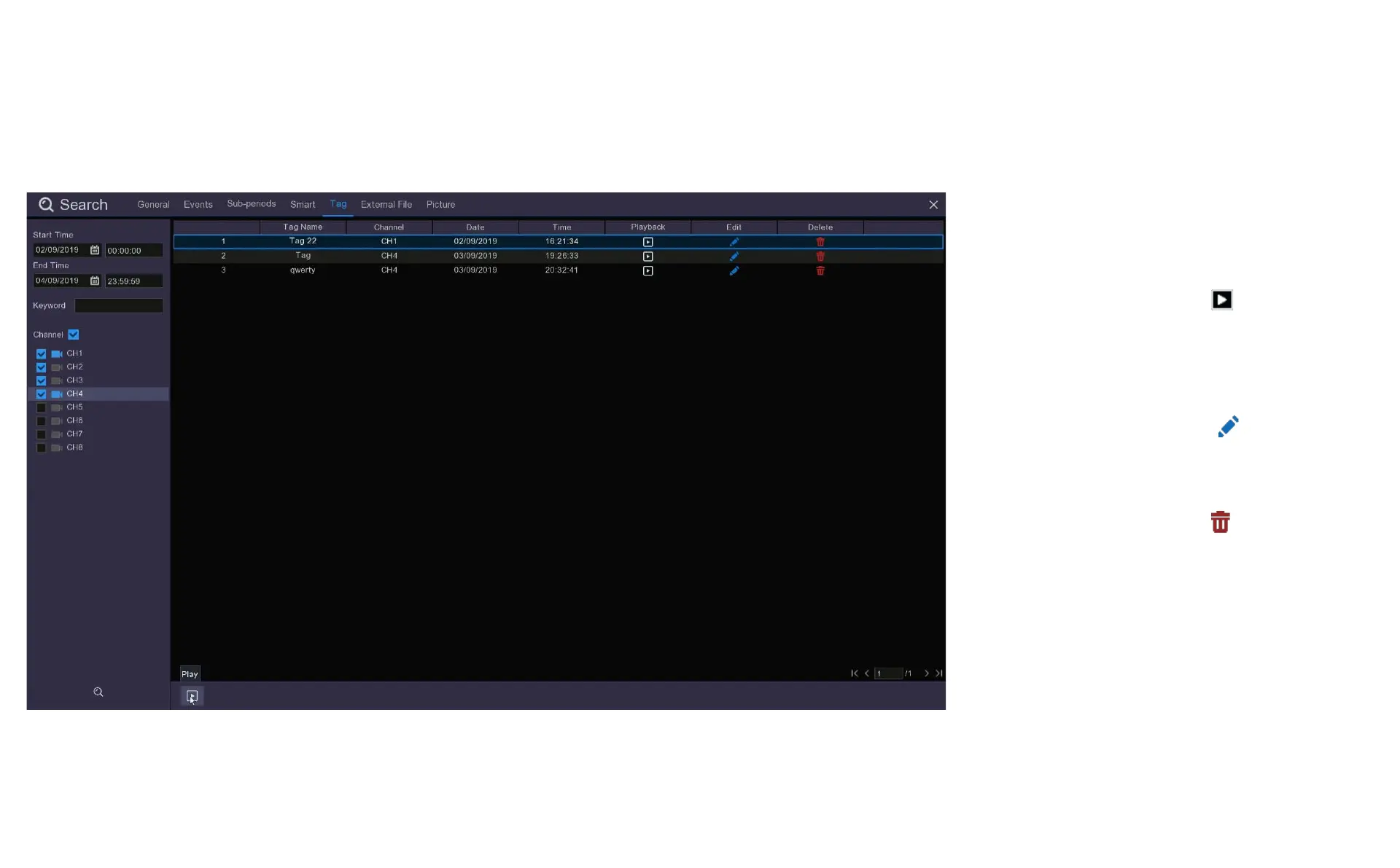
From here you can select the videos you
wish to view by clicking Play at the bottom
of the screen to play all videos in sequence
or click the Playback button on the line
containing the Tag you wish to view.
If you want to change the name of the Tag
you do this by clicking on the symbol.
You can also choose to delete Tags from
this menu by clicking on the symbol.
Deleting the Tag does not delete the
recording on the Tag you have used to
identify the recording.
When you Play a tagged video it will open
in a larger screen.



 To Next Page