Issue Number: 3 15
4.3 Profibus-DP Data Rate
The Unidrive Profibus-DP interface will automatically detect the data
rate of the network, and synchronise to the master controller. Data
rates above 1.5 Mbits/sec are not supported. The Unidrive Profibus-DP
interface does not display the actual network data rate.
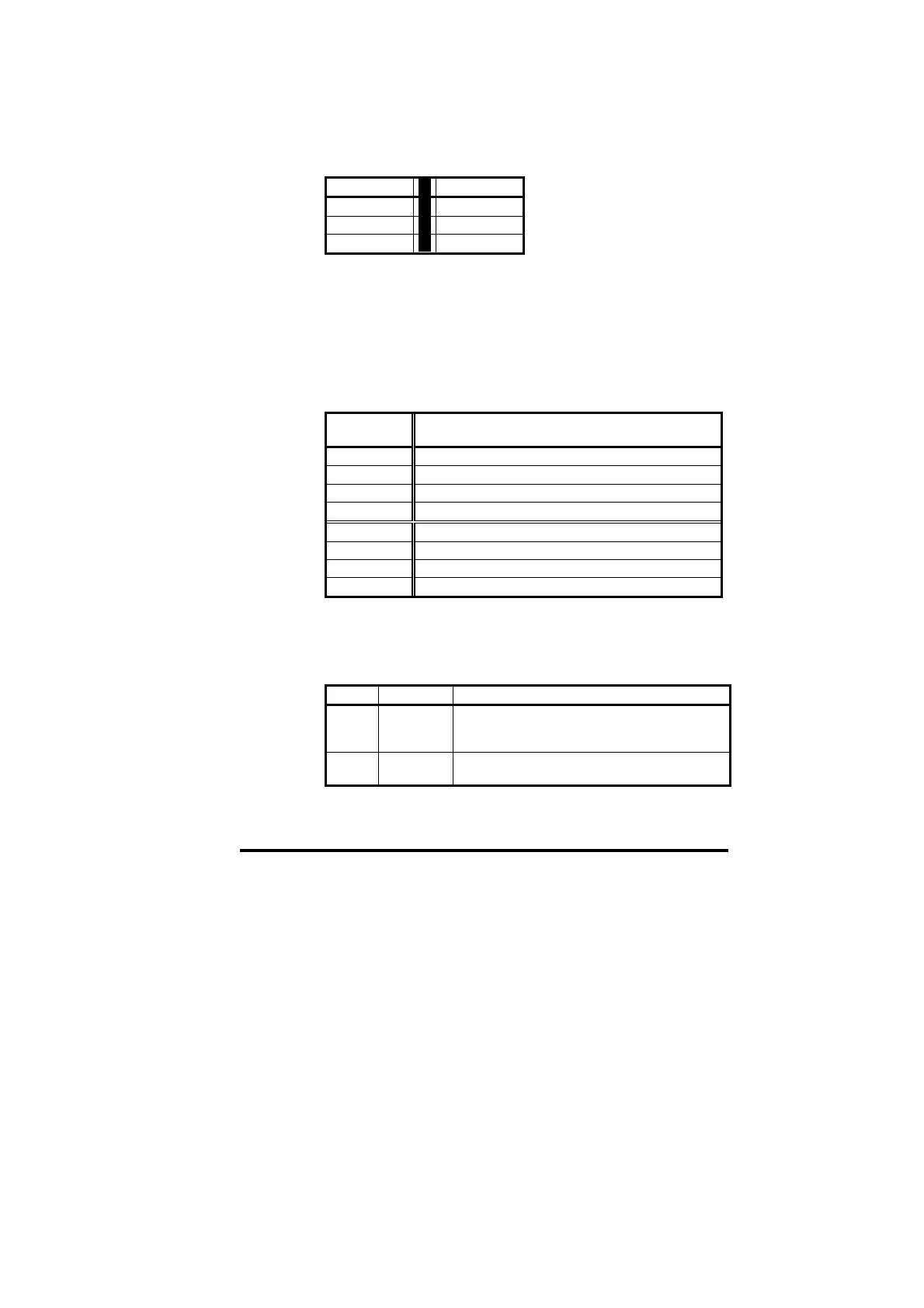
bits/sec
bits/sec
1.5M 93.75K
500K 19.2K
187.5K 9.6K
4.4 Data Format
The Unidrive Profibus-DP interface automatically detects the required
data format when the master controller initialises the network. Data
consistency is optional, and is also detected during network
initialisation.
3 Cyclic Words with Mode 1 Non-Cyclic data (with or without
consistency) is the same data format as used on Mentor II and
Commander SE. Each cyclic data word is mapped to a Unidrive
parameter with default mappings as shown in the table below.
Cyclic
Channel
Default Mapping Status
IN Word 0 Non-cyclic data word
IN Word 1 Status word
IN Word 2 Post-ramp speed reference
IN Word 3 Motor active current
OUT Word 0 Non-cyclic data word
OUT Word 1 Control word
OUT Word 2 Digital speed reference 1
OUT Word 3 Torque reference
4.5 Network Status
Unidrive: #20.50
The status of the Profibus-DP network is displayed in #20.50, and can
be viewed on the display on the Unidrive.
#20.50 Status Description
>0 Network
healthy
Indicates the number of network cycles per
second, and the slave is exchanging data with
the master controller.
0 Network is
not running
Indicates that the network is not currently
running.


 To Next Page