36 Issue Number: 3
8.3 System File Version
Unidrive: #17.02
The system file installed in the UD70 must be the correct file for the
communications option installed. The system file for the Unidrive
Profibus-DP interface is “IBSPROFI.SYS”.
The system file that must be installed can depend on the level of
hardware and firmware in the module. In general, new system files are
backward compatible with older versions of firmware and hardware, but
there may be some limitations when upgrading older modules. (See
sections 8.1 and 8.2.)
The system file version can be read from parameter #17.02 on the
Unidrive.
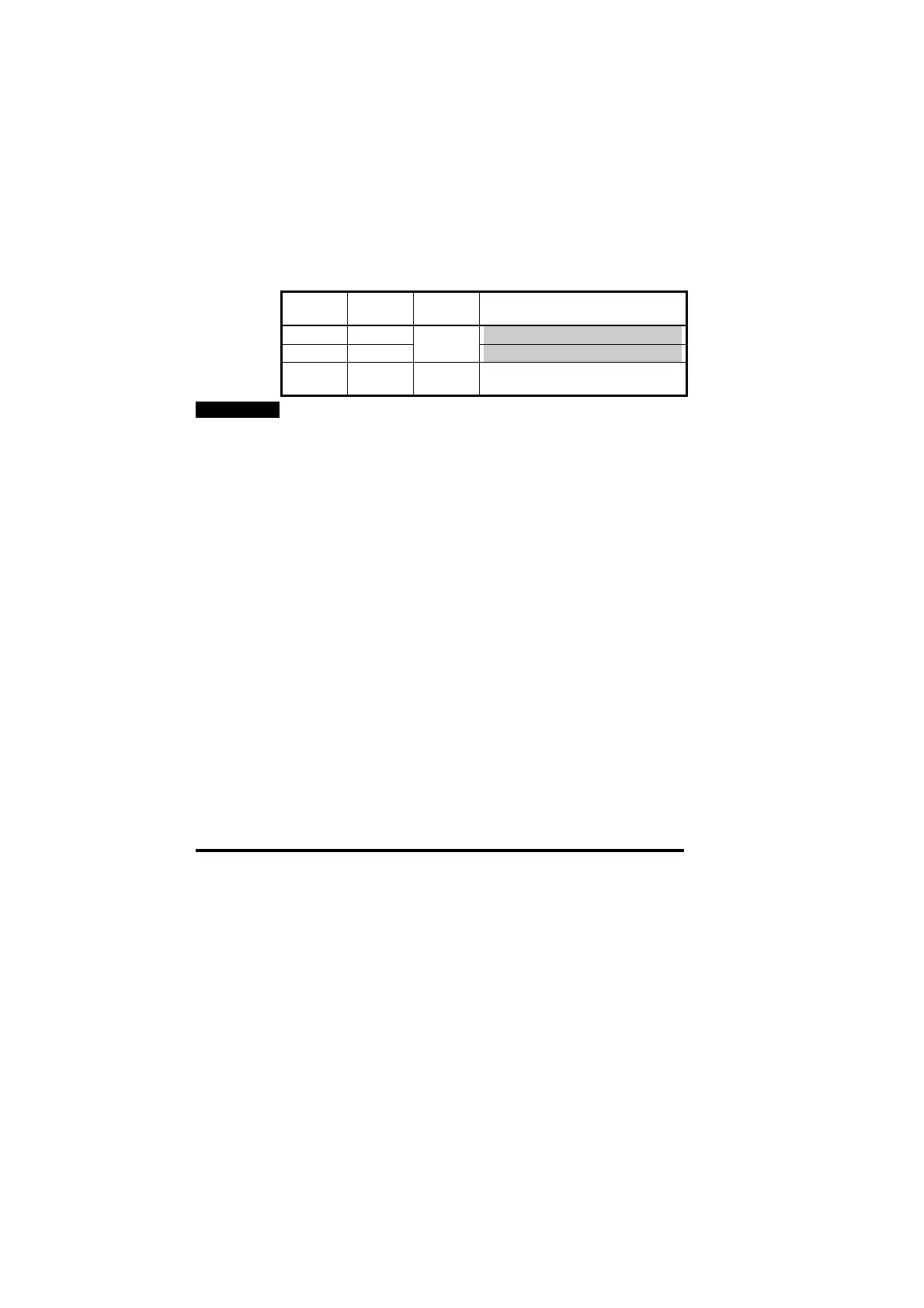
Firmware Hardware
Revision
System
File
Comments
V2.02.00 0
V2.04.00 0
V2.07.03
or later
V2.05.00 0 V2.08.00 Certified by the PROFIBUS
Nutzerorganisation (PNO)
NOTE
System files can be downloaded using the WINFLASHER utility, which
can be obtained from you local Drive Centre.
8.4 Node Address
Unidrive: #20.05
Every Profibus-DP node must be assigned a unique node address. If
two or more nodes have the same address, this will cause a conflict
when the master attempts to initialise the network.
Ideally, the node address should be configured on each node BEFORE
any attempt is made to connect it to the network.
8.5 Network Data Rate
Unidrive: N/A
The Unidrive Profibus-DP interface will automatically detect the data
rate of the network, and synchronise to the master controller. Hardware
Revision 0 supports a maximum data rate of 1.5 Mbits/sec. The
Unidrive Profibus-DP interface does not display the network data rate.


 To Next Page