9751 Installation Guide 1. Introduction
11976798 Page 5
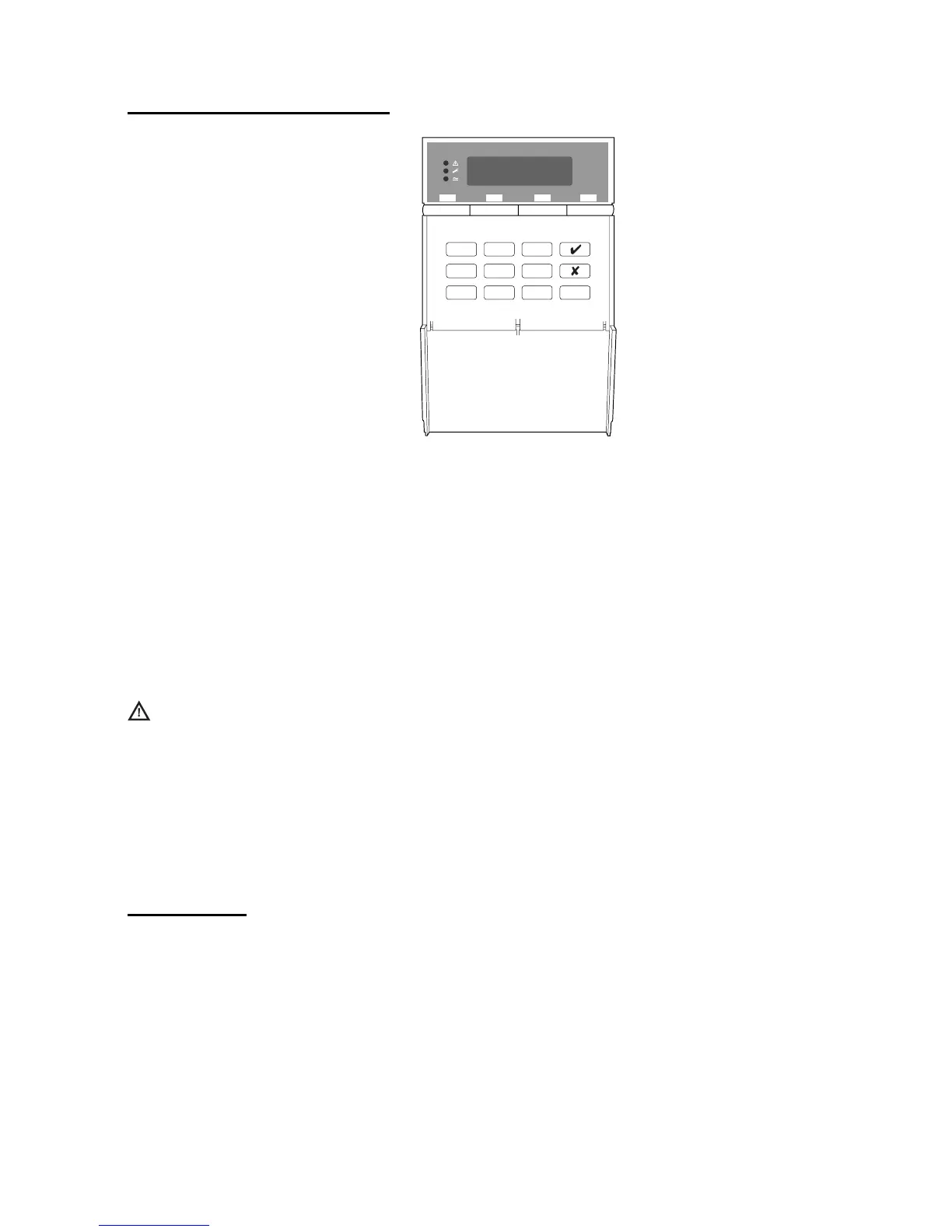
9941 and 9943 Keypads
AB CD
123
456
7890
Figure 2. 9941 and 9943 Keypads
The control unit supports the connection of 9941 and 9943 keypads. The
9943 has a built-in wide-area proximity reader and connections for an external
panic alarm switch. Both have a two-line 16-character Liquid Crystal Display
(LCD) that can display alarm information, programming settings and other
information. There are three LEDs that have the following functions.
Note: Depending on how the system is set up, the LEDs may not operate until
a user code is presented.
Alert lamp – Flashes to highlight unacknowledged alert, glows for
acknowledged conditions, and goes out when all conditions have
been rectified.
s Service lamp – Glows if the system needs an installer reset.
a Mains lamp – Glows when using mains power. Flashes when using
the stand-by battery.
Expanders
You can attach up to two hardwired or radio expanders to the control unit to
expand the number of zones to a maximum of 24. You can use a combination
of the two types.
Hardwired Expanders
The 9954 hardwired expander enables you to connect wired detectors to the
control unit. Wired detectors can be connected in the following ways:
1. Four-wire Closed Circuit Loop (CCL).


 To Next Page