19
3-2-7. SETUP-LIVE-PTZ ID
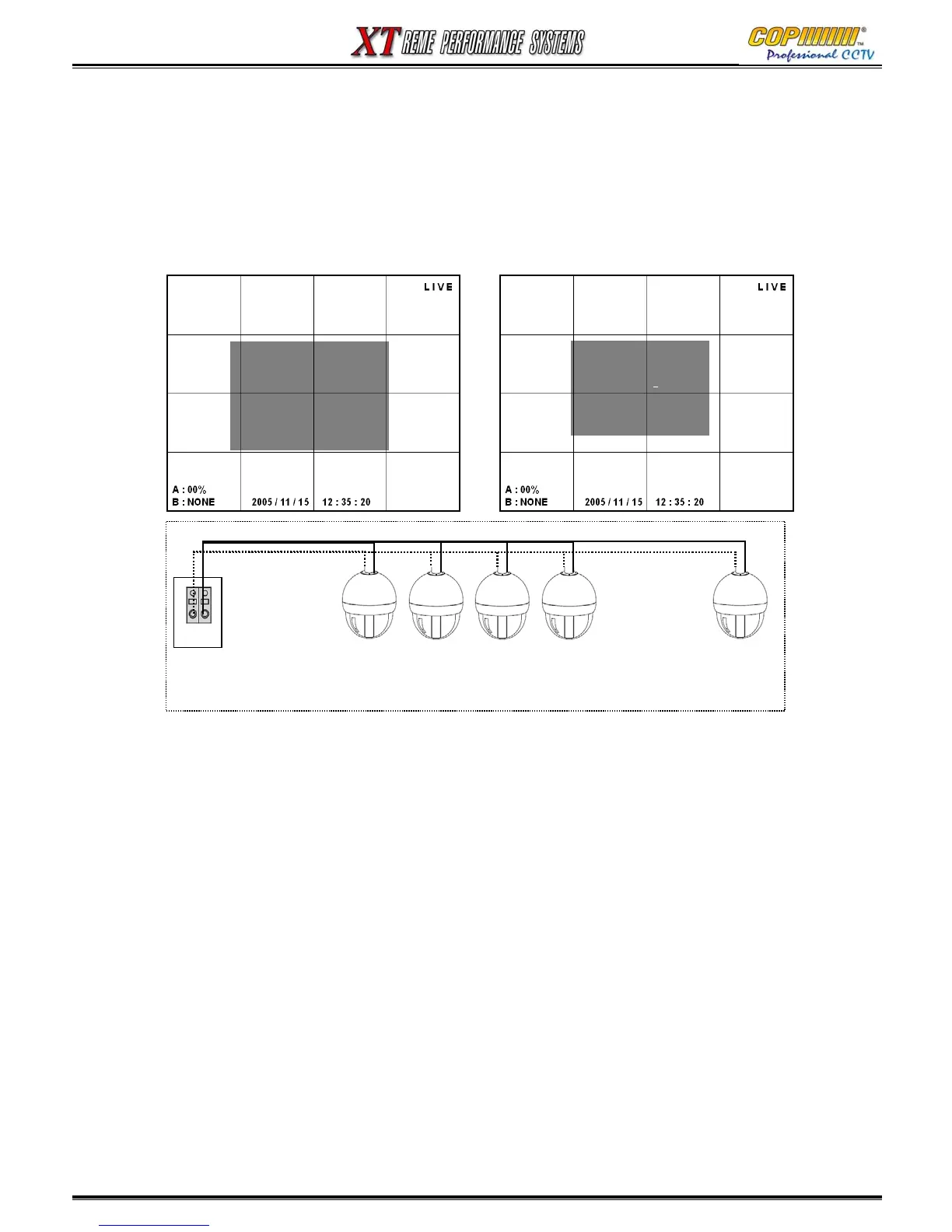
To control a PTZ or Speed Dome Camera using the RS485 output from the DVR, the correct camera
ID Number must be entered. The ID Number range is from 001 to 255
1) Select [PTZ ID] by using (▲)(▼) buttons and press the [ENTER] button to enter the Sub-Menu.
2) Use the Cursor (▲)(▼)(◀)(▶) buttons to highlight the ID Number for the camera to be controlled.
3) Change the ID Number using the Number Buttons. Press the [ENTER] button to save the changes.
4) Press the [MENU] button to exit the Sub-Menu.
<PAN/TILT camera connection & ID setup>
[SETUP-LIVE-PTZF ID]
NUMBER PTZF ID
CAMERA 01 < 000 >
CAMERA 02 000
CAMERA 03 000
CAMERA 04 000
+ -
RS 485
PTZ 001 PTZ 002 PTZ 003 PTZ 004 PTZ 255
……..
3. SETUP
[SETUP-LIVE]
-<SEQUENCE DWELL(FULL)>
- CAMERA NAME
- CAMERA STATUS
- CAMERA COLOR
- PTZF PROTOCOL
- PTZF ID



 To Next Page